Product

The operating platform that runs your shop's day.

VehicleDesk turns your Shopmonkey records into today's jobs, prepared conversations, and recovered revenue. Seven connected systems cover the board, the follow-ups, deferred work, communications, parts costs, the weekly close, and reporting.

Product screens shown with demo data.
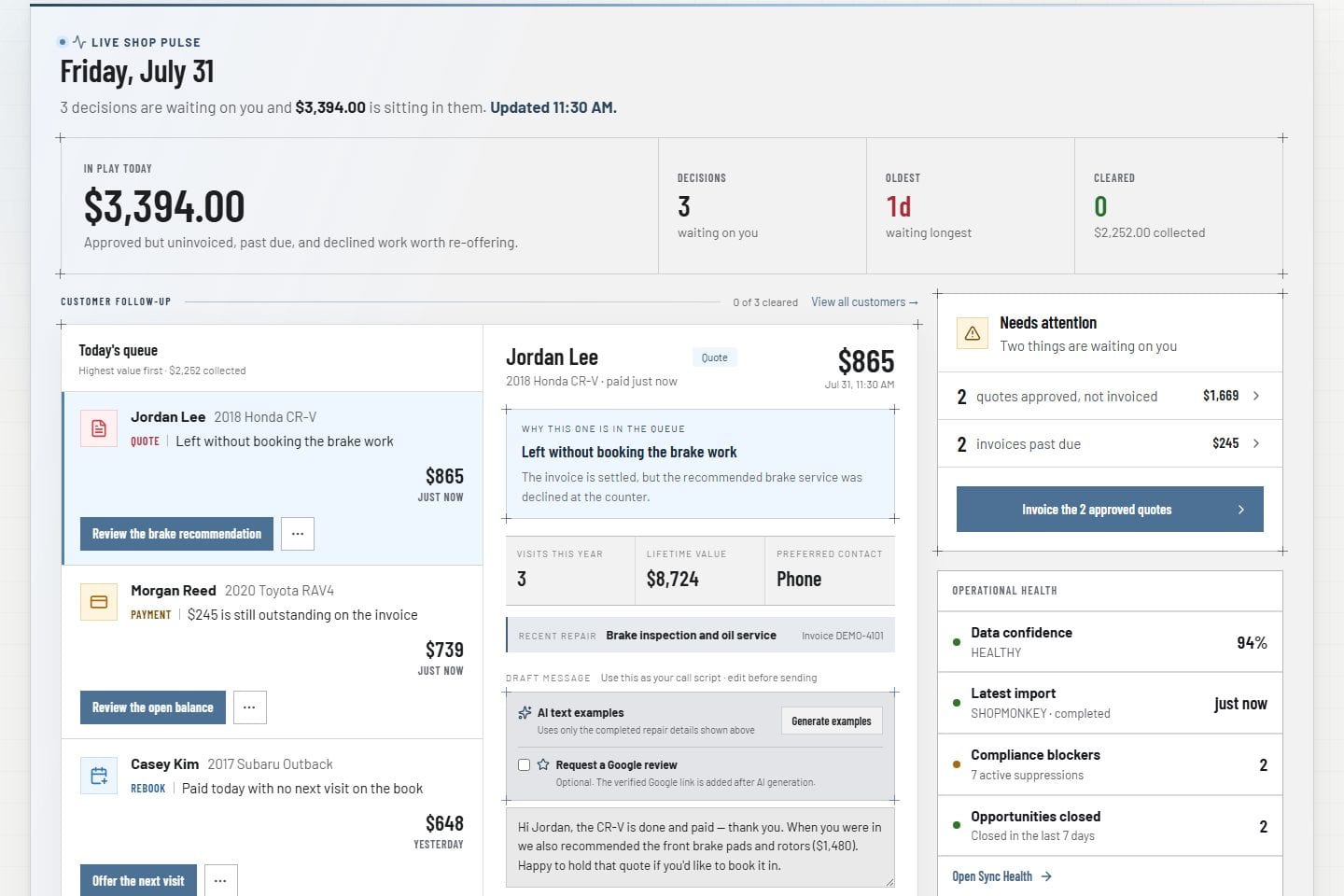
VehicleDesk owner command dashboard with today's workload, recovery value, and follow-up

How it works

From Shopmonkey records to recovered revenue.

Records sync from Shopmonkey, land on boards and queues with their context, and reach the person who acts. Every outcome stays on the record and rolls into the weekly close.

  1. 01

    Connect

    Customers, vehicles, repair orders, services, and payments sync from Shopmonkey. The day starts from real shop history.

  2. 02

    Organize

    Every record lands with its customer, vehicle, service, and workflow context on one screen instead of across separate lists.

  3. 03

    Prepare

    Owners open the command view. Advisors open queues with the customer, the value, and a talk track already attached.

  4. 04

    Act

    Staff make the call, send the consent-checked message, schedule the work, or move the repair order to its next stage.

  5. 05

    Record

    Outcomes, notes, tasks, and stage changes stay on the customer and the job, so the whole shop continues the work.

  6. 06

    Report

    Revenue, visits, repair orders, and parts costs roll into dashboards that reconcile with the weekly close.

Seven connected systems

Seven connected systems. One shop day.

Each system is a working screen with one job. Together they run the shop day from the morning dashboard through recovery, communications, reporting, and the data behind every decision.

01 / Daily operations

Run the shop day from the Today board.

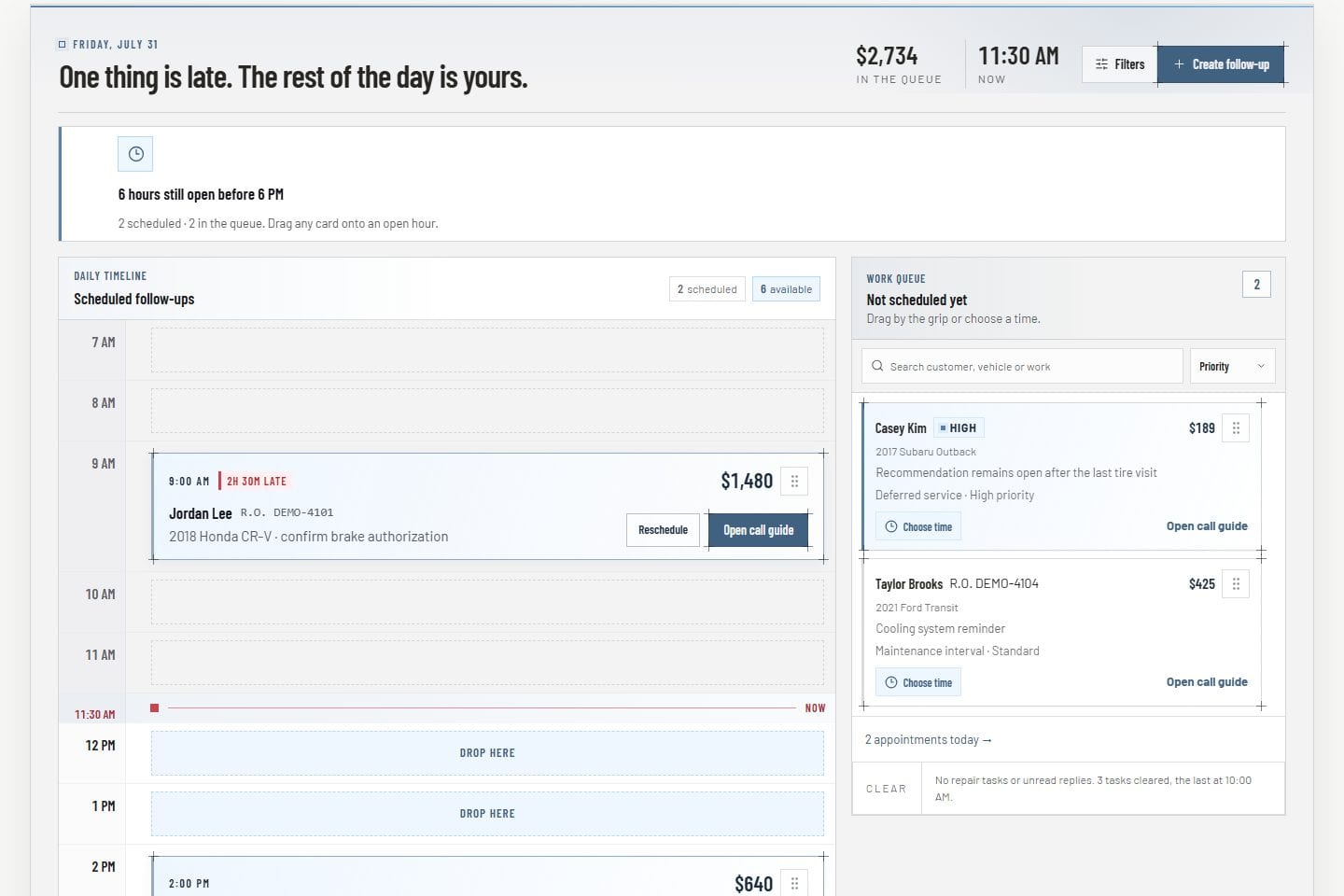
The owner dashboard opens the morning with workload, recovery value, and follow-up. The Today board, the repair-order board, appointments, and parts costs keep every job moving with the customer and vehicle attached.

  • Owner dashboard for workload and follow-up
  • Today timeline and searchable work tray
  • Appointments and internal reminders
  • Repair-order board with drag and quick view
  • Parts invoices, returns, cores, and credits
Product screens shown with demo data.
VehicleDesk Today board with an hourly follow-up timeline and unscheduled work tray

02 / Relationships

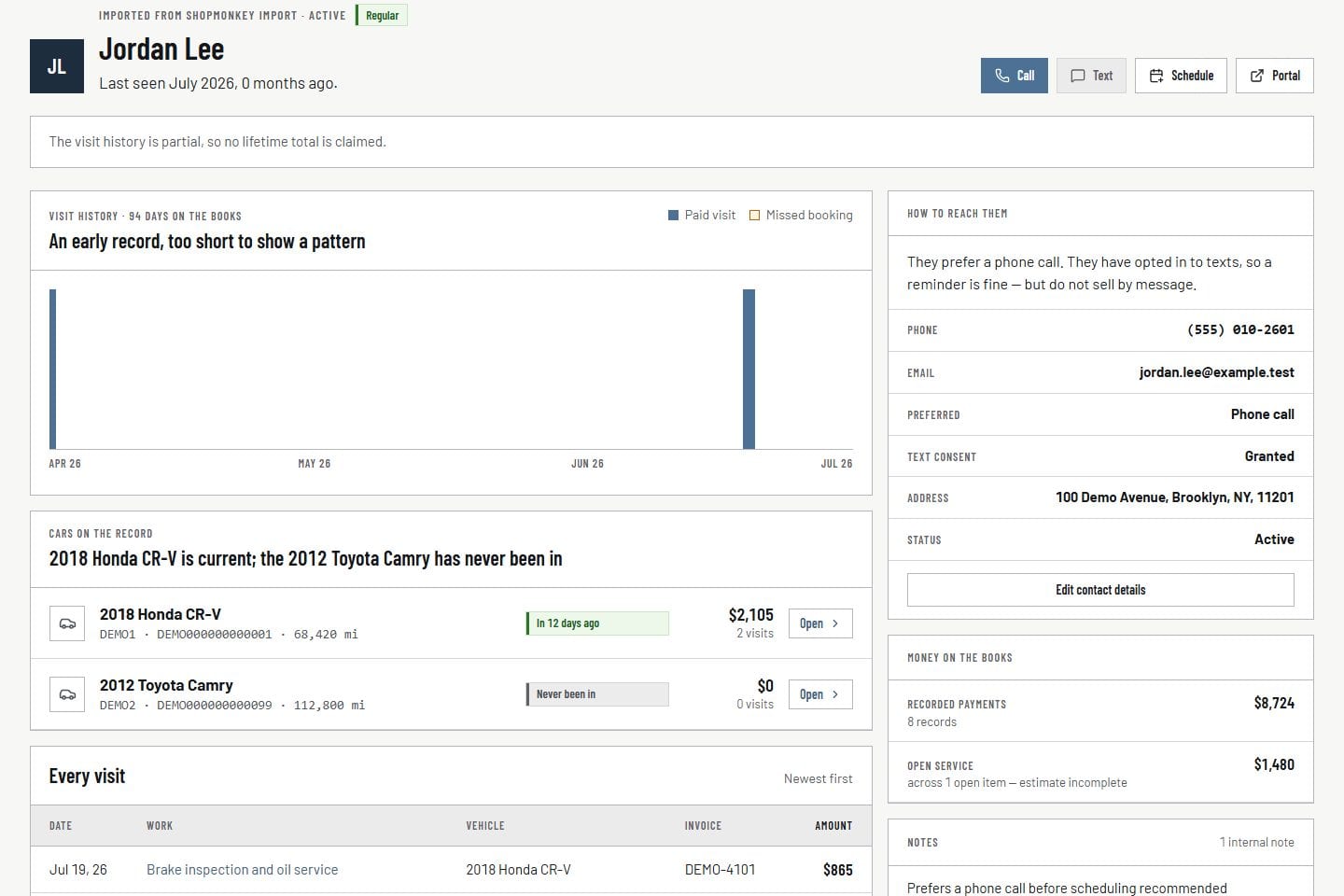
Know every customer and vehicle from the profile screen.

Customer and vehicle profiles hold people, vehicles, service episodes, payments, mileage, appointments, notes, and the maintenance roadmap in one workspace. Every next step starts from that history.

  • Customer directory and profiles
  • Vehicle directory and profiles
  • Relationship activity and notes
  • Maintenance roadmap
  • Read-only customer portal links
Product screens shown with demo data.
VehicleDesk customer relationship workspace with customer and vehicle history

03 / Recovery

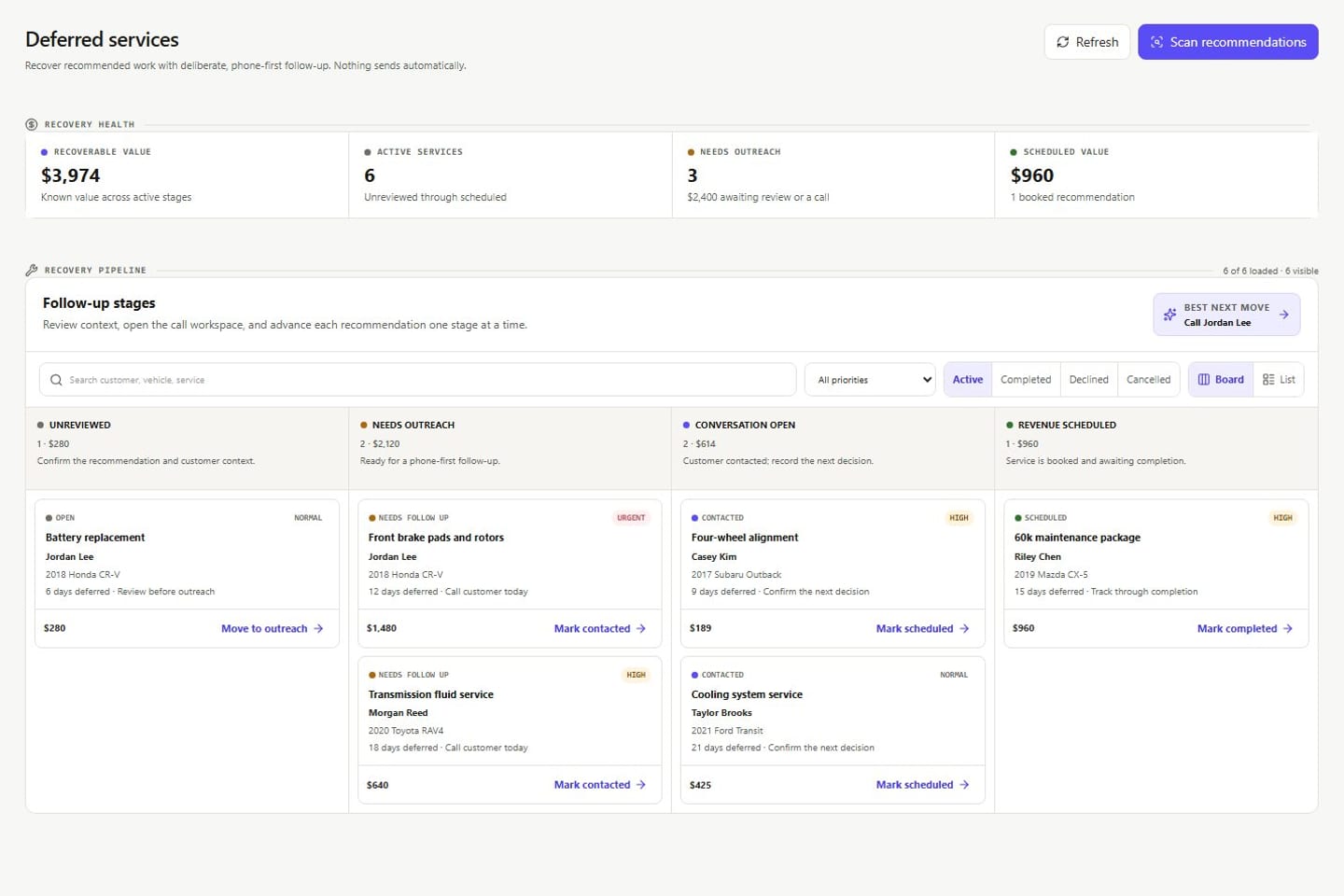
Recover declined work from the deferred-service pipeline.

Deferred services, the opportunity call queue, and the inactive-customer workspace bring revenue back onto the schedule. Timing rules, call preparation, tasks, and recorded outcomes stay on the record behind each conversation.

  • Deferred-service pipeline
  • Opportunity call queue
  • Inactive-customer workspace
  • Follow-up rules
  • Tasks and reminders
Product screens shown with demo data.
VehicleDesk deferred-service pipeline with services moving from open review to scheduled work

04 / Communications

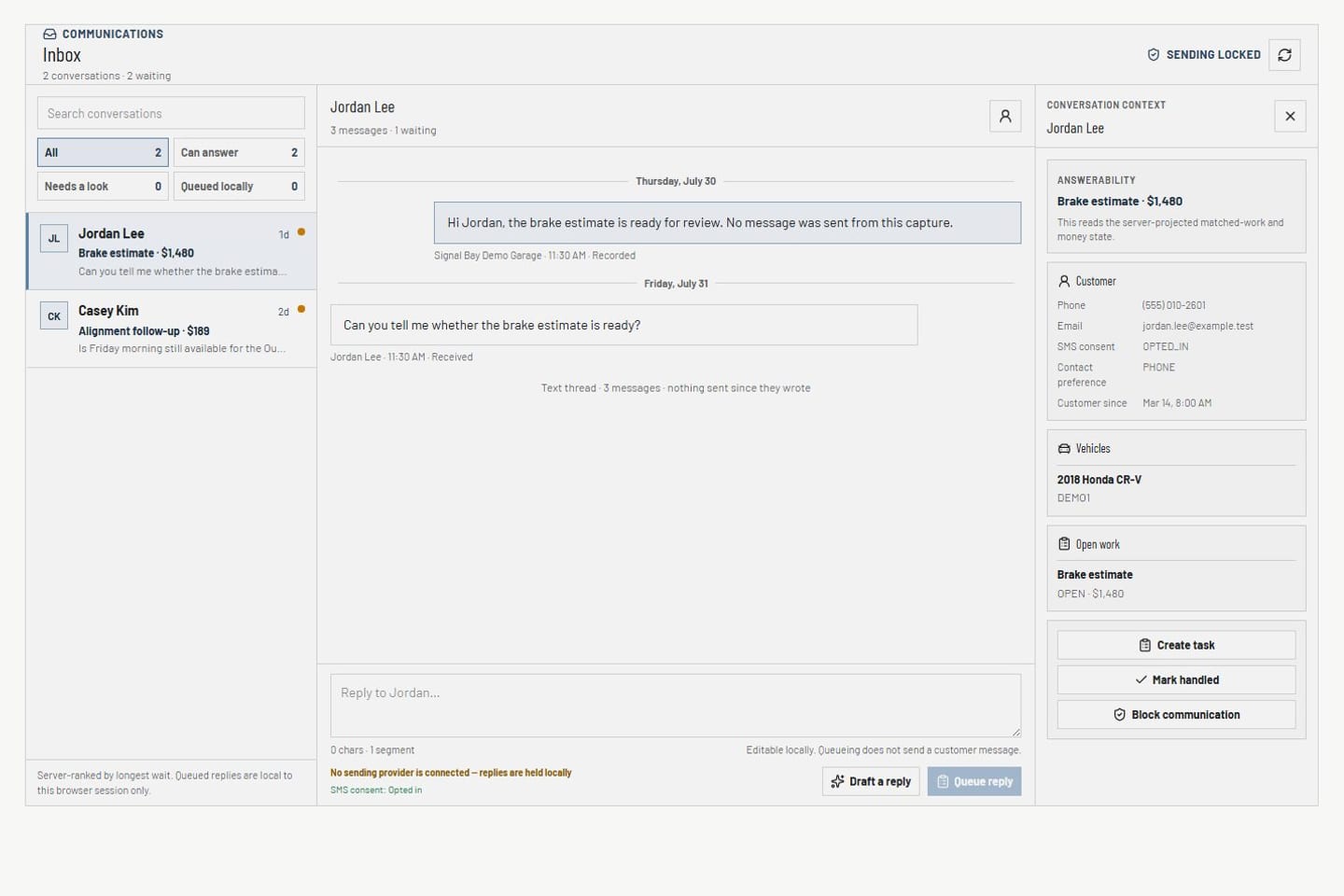
Reach customers from the communications inbox.

SMS and email conversations sit beside the customer record with templates, drafts, audiences, and journeys in the same workspace. Every message is consent-checked before it sends.

  • SMS and email inbox
  • Audience and draft preparation
  • Journey planning
  • Consent and suppression center
Product screens shown with demo data.
VehicleDesk communications inbox with conversations, customer context, and delivery state

05 / Reporting

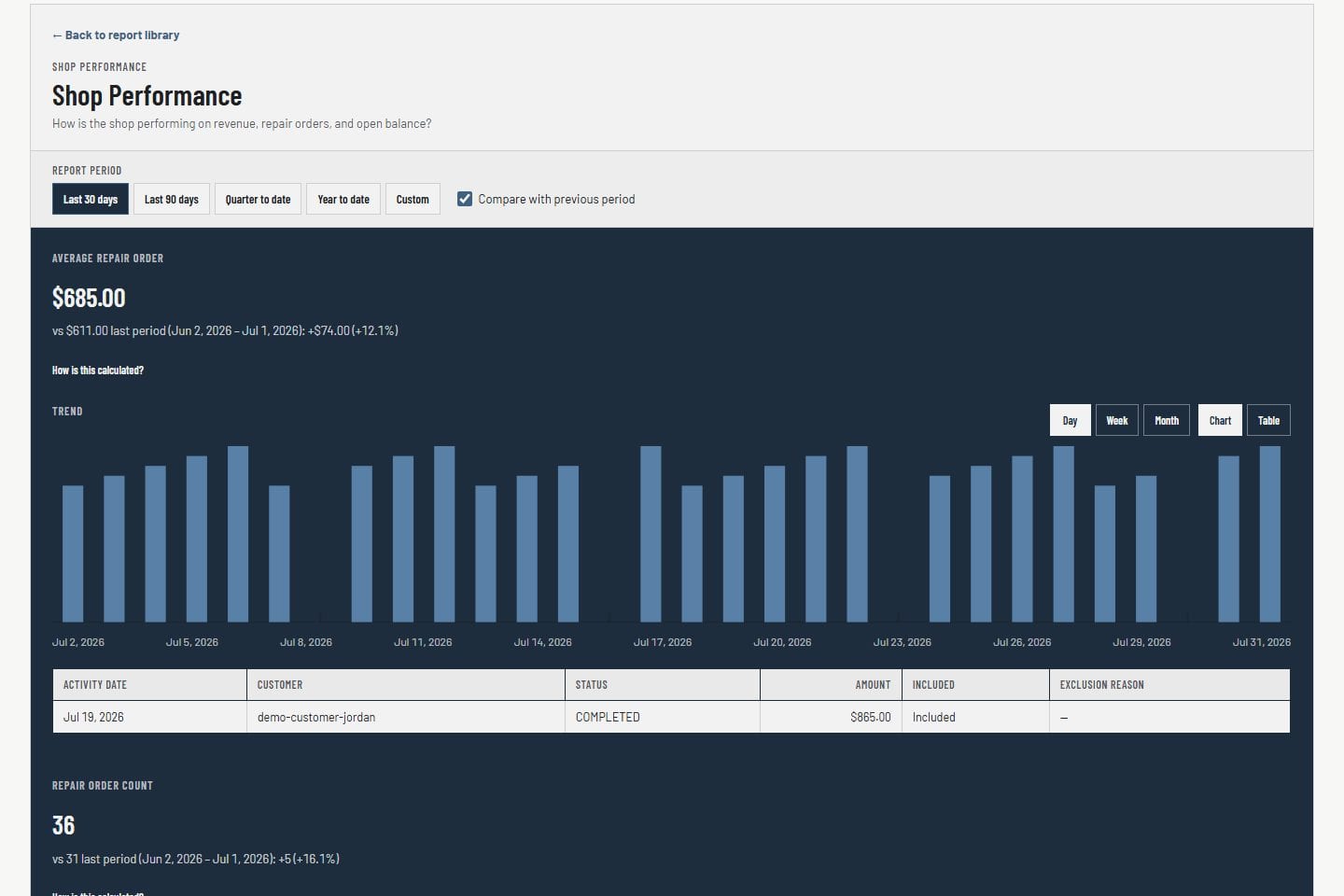
Run the shop on the reports screen that reconciles.

Owners see workload, revenue, visits, and repair-order activity by range and source. The figures reconcile with the weekly close, so every decision rests on the numbers the shop closes on.

  • Owner command context
  • Workload, revenue, visits, and repair orders
  • Date-range and source filters
  • Weekly close reconciliation
Product screens shown with demo data.
VehicleDesk owner reporting workspace with revenue, repair-order, visit, and range context

06 / Data confidence

Know the numbers are current from the Sync Health screen.

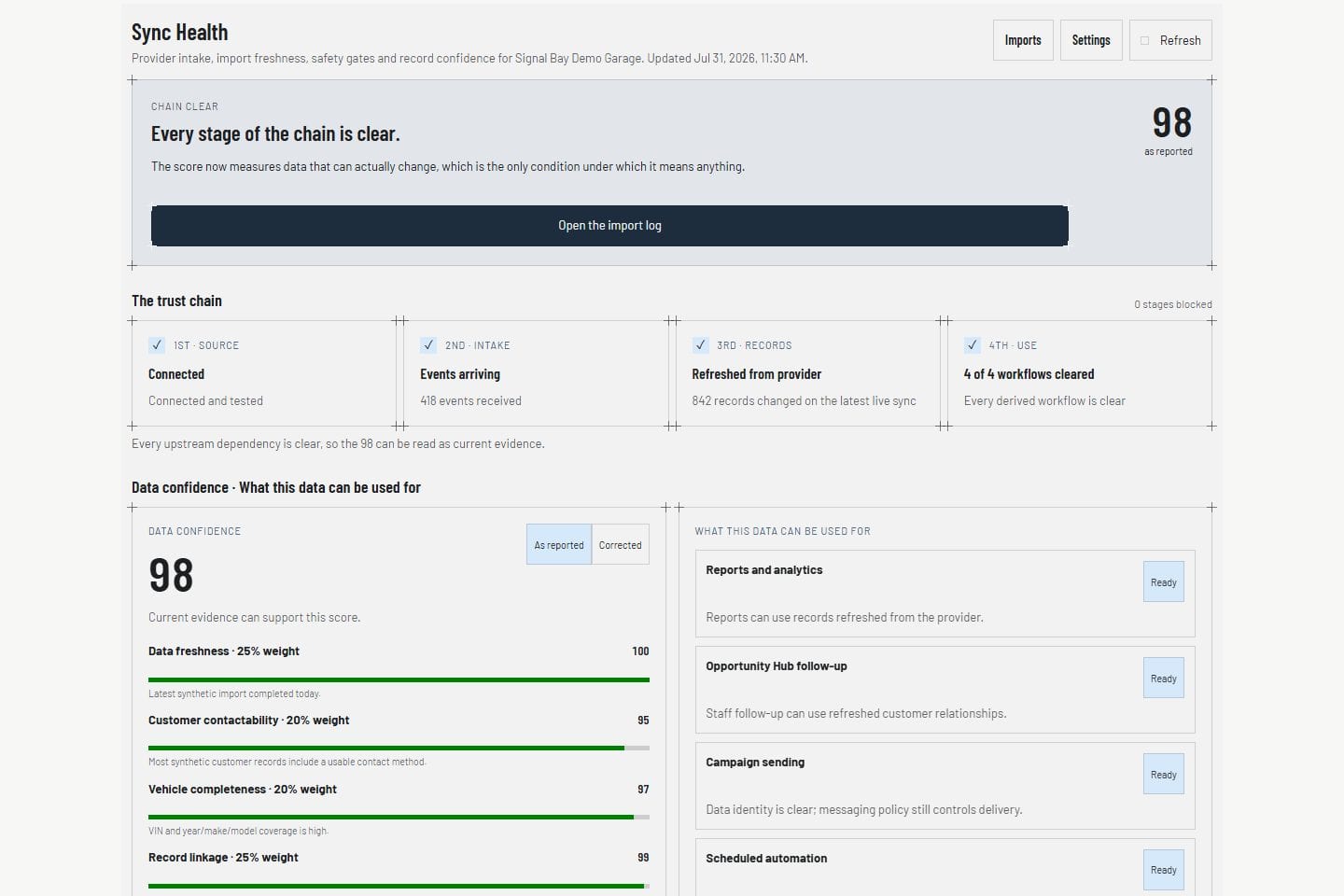
Sync Health shows import freshness, coverage, mappings, and duplicates before a queue or report depends on the record. Data-quality findings keep the shop's records clean.

  • Shopmonkey connection
  • Import jobs
  • Sync Health
  • Shop-system diagnostics
  • Data-quality findings
Product screens shown with demo data.
VehicleDesk Sync Health page with integration and data-confidence status

07 / Team

Run the team from the settings and compliance screens.

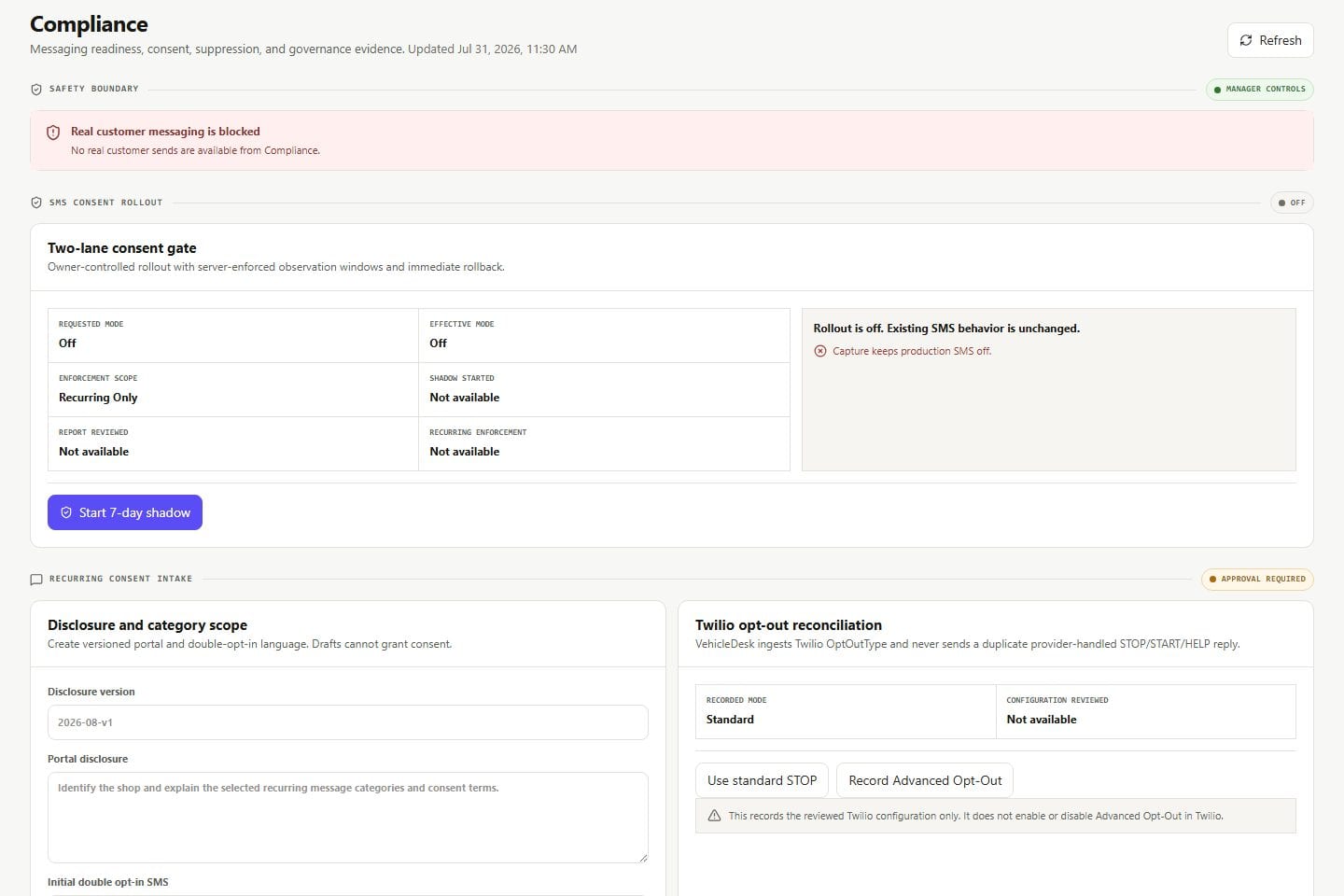
Team roles, sessions, shop settings, consent policy, and audited access live in their own space. Owners control who sees what without touching customer-facing work.

  • Team members and roles
  • Account sessions and security
  • Shop and integration settings
  • Compliance center and audit trail
Product screens shown with demo data.
VehicleDesk compliance workspace with consent, suppression, policy, and access evidence

Shopmonkey

Shopmonkey stays the system of record. VehicleDesk runs the day.

Your repair history, invoices, and payments stay in Shopmonkey. VehicleDesk syncs them and runs the customer side of the shop on top.

Source, operating layer, and outcome

Source

Shopmonkey

The shop system keeps the repair record.

  • Customers, vehicles, and repair orders
  • Services, invoices, and payments
  • Financial finalization

Operating layer

VehicleDesk

VehicleDesk runs the customer side of the day on those records.

  • Today board, repair-order board, and appointments
  • Deferred-service pipeline and opportunity queue
  • Consent-checked SMS and email
  • Parts costs, weekly close, and reporting

Outcome

Recovered revenue

The shop sees the results on the schedule and in the close.

  • Declined work sold and scheduled
  • Every call prepared with the full record
  • Customers reached between visits
  • Numbers that reconcile every week

Next step

See the seven systems run on your shop's records.

A walkthrough of the seven systems on your workflow: the Today board, deferred recovery, customer profiles, consent-checked messaging, parts costs, and the weekly close.