Today

Build the day from a live timeline and work tray.

Every advisor opens the morning with the follow-ups already booked by the hour and every unscheduled customer in one searchable tray. The reason, the value, and the record sit on the card.

Today workboard Product screens shown with demo data.
VehicleDesk Today workboard with an hourly follow-up timeline and unscheduled work tray

Today

The whole day on one screen. Booked follow-ups by the hour, the open queue beside them, and the next action one click away.

How it works

The day stays visible while the team moves work.

The workboard holds booked follow-ups and the open queue together, so every advisor sees capacity and picks the next customer with the record in hand.

01 / Prioritize

See booked follow-ups and open work at once.

The timeline lays out the day by hour. The tray beside it keeps the remaining queue searchable and sortable by priority, value, or customer.

  • Hourly timeline with scheduled follow-ups
  • Searchable unscheduled tray with customer, vehicle, and value context
  • Drag, schedule, reschedule, clear, and follow-up controls
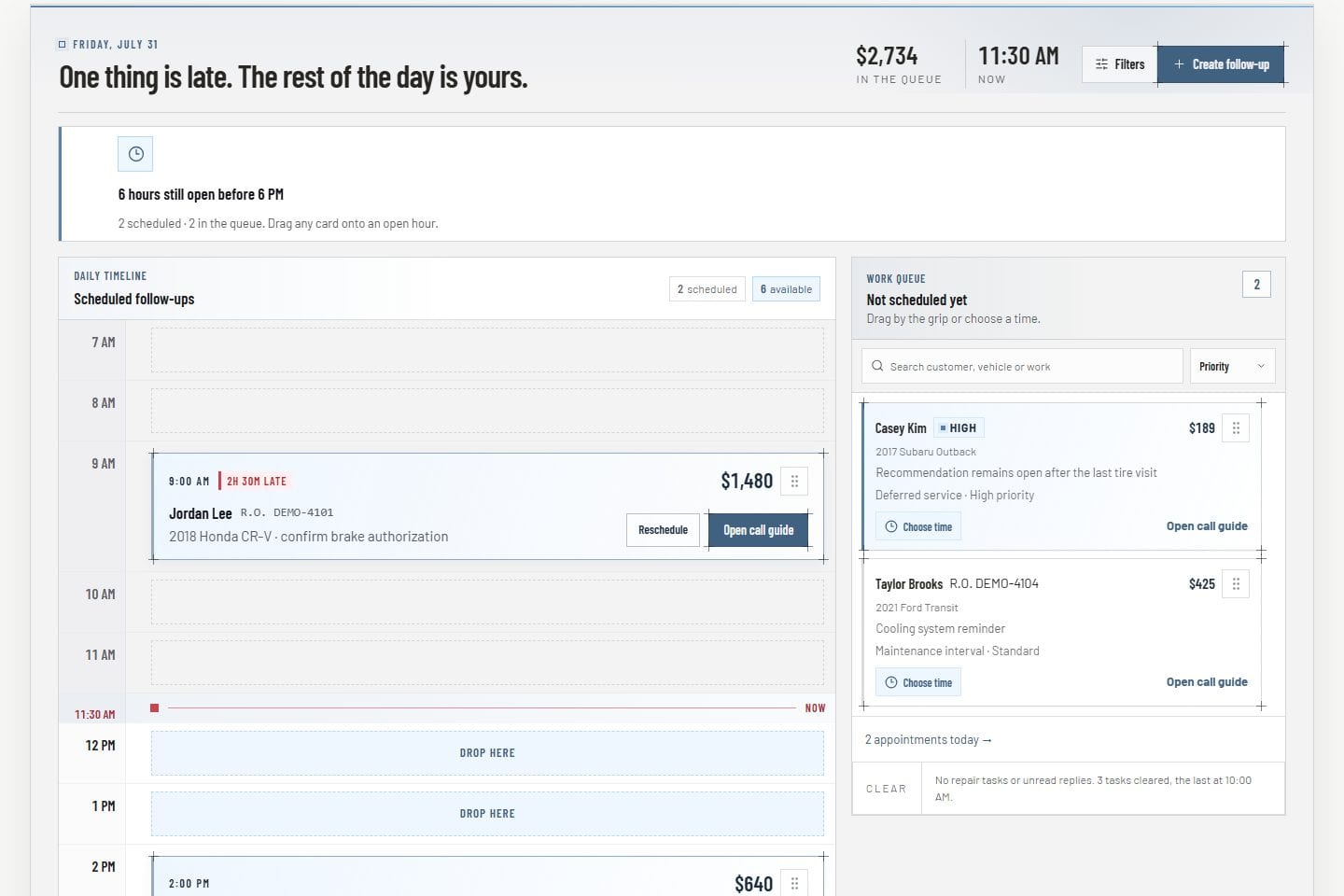
Today workboard Product screens shown with demo data.
VehicleDesk Today workboard with an hourly follow-up timeline and unscheduled work tray

02 / Prepare

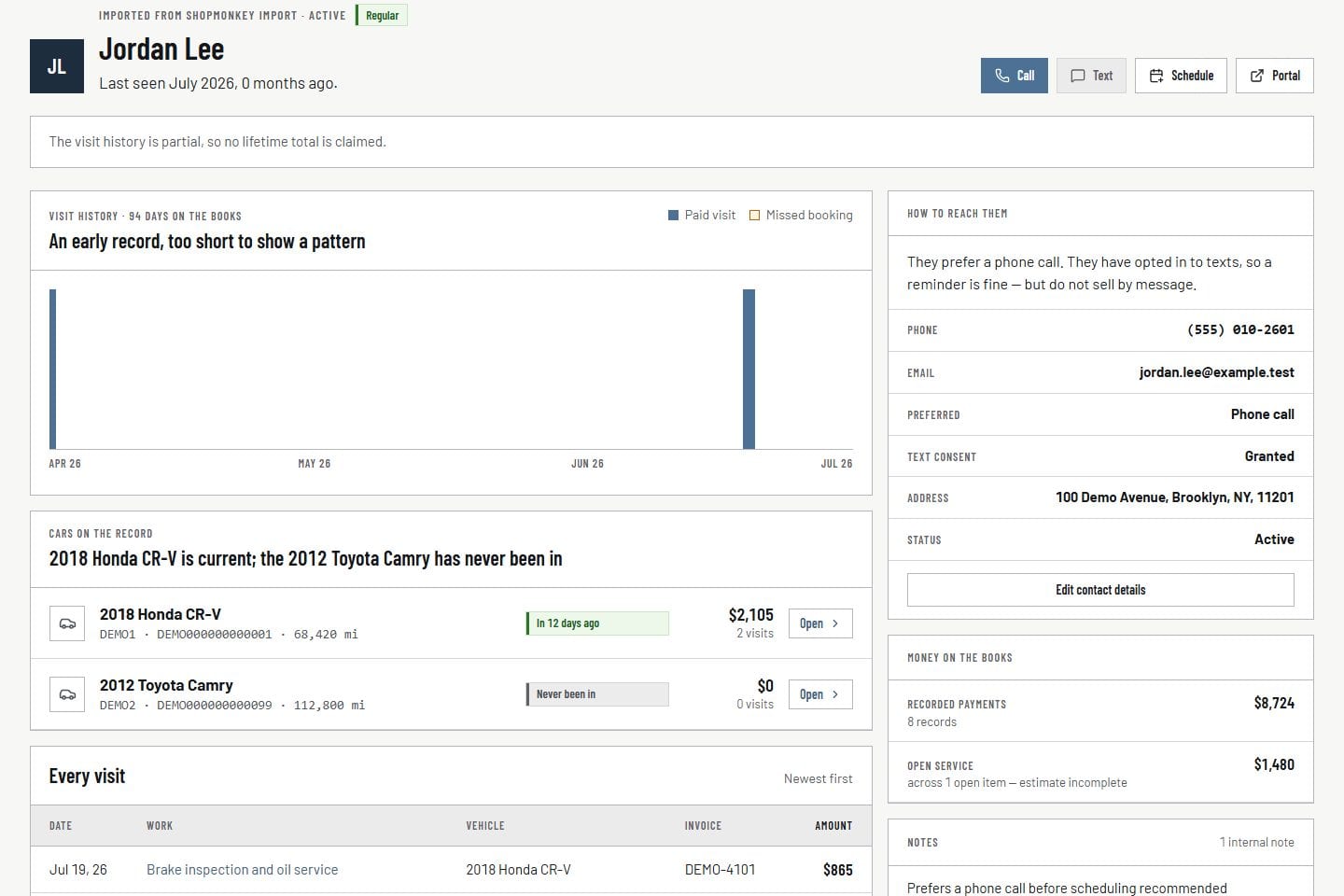
Keep the reason and the relationship on the card.

Customer, vehicle, task, priority, timing, and value travel with the work. Nobody rebuilds context from three other screens.

  • Customer and vehicle on the same card
  • Reason, priority, and value in reach
  • Full relationship record one click away
Customer record Product screens shown with demo data.
VehicleDesk relationship timeline with a customer, vehicles, service, and payment context

03 / Track

Schedule, move, clear, or plan the next touch.

Drag-and-drop and explicit controls update the plan, and every change lands on the record. Customer messages go out consent-checked from the same workflow.

  • Place work onto open time
  • Reschedule without losing the reason
  • Clear or hand off with the record attached
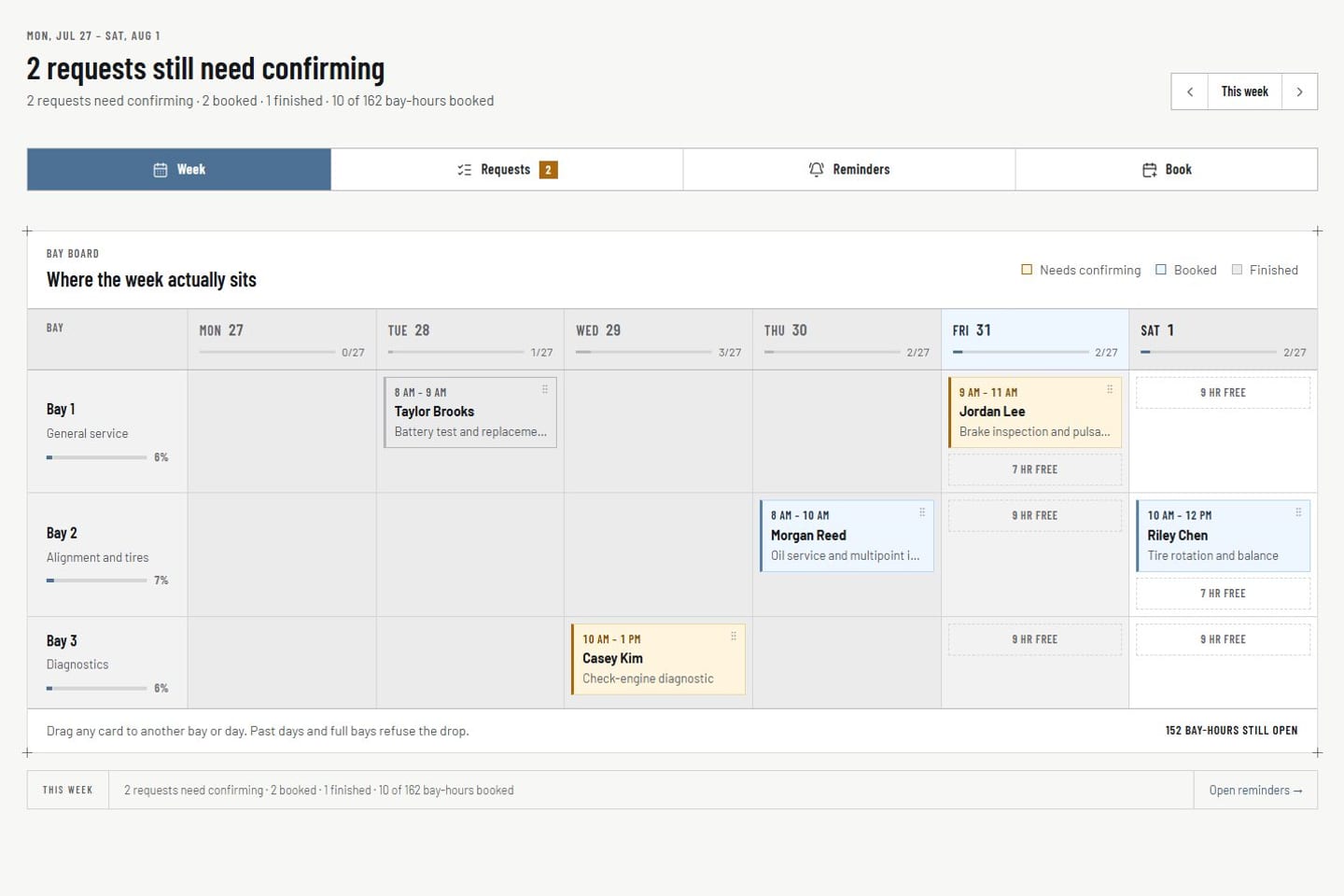
Appointments Product screens shown with demo data.
VehicleDesk appointment workspace with request, schedule, customer, and vehicle context

In practice

Prioritize, prepare, and track the next action.

Advisors read the day, open the record behind a card, and move the work with one control.

  1. 01

    Prioritize

    Read booked hours and the open tray together, then pick the next customer.

  2. 02

    Prepare

    Open customer, vehicle, value, and reason before changing the plan.

  3. 03

    Track

    Schedule, move, clear, or create the next follow-up so the team always knows who owns the next touch.

How it fits

VehicleDesk runs the day. Shopmonkey stays the system of record.

VehicleDesk runs the day and records every action. Your team makes the call to the customer, and Shopmonkey stays the system of record.

What Today holds and what the team does with it

VehicleDesk

The working plan

The timeline shows follow-up hours and the work assigned to this view, so the team sees capacity at a glance.

  • Hourly follow-up timeline
  • Searchable unscheduled tray
  • Schedule, move, and clear controls

Your team

The next customer conversation

The workboard prepares and records the work. Your advisors choose the conversations that move the day.

  • Pick the next conversation
  • Confirm the booking in Appointments
  • Send consent-checked messages from the inbox

Connected work

The day stays connected to the work around it.

Today is the team's plan. Reminders create work, appointments set shop capacity, and the relationship record explains why each customer needs attention.

  • Reminders and rules

    Create, schedule, snooze, resolve, and hand off follow-up. Done states and task recovery keep unfinished work visible.

    Open this workflow
  • Appointments

    Review requests, availability, bay placement, and reminder state beside the advisor plan.

    Open this workflow
  • Customer context

    Open the relationship, vehicle, service, consent, and next action behind any work item.

    Open this workflow

Book a demo

Walk through your shop's morning queue.

Bring one real morning. We will build the timeline, work the tray, and show the next action landing on the record.