Deferred Services

Move deferred service from open review to scheduled work.

Every declined recommendation from Shopmonkey lands in a visible pipeline with the customer, vehicle, estimated value, contact history, notes, and a phone-first call workspace. Your team advances it stage by stage until it is booked.

Deferred-service pipeline Product screens shown with demo data.
VehicleDesk deferred-service pipeline rendered with service and customer data

Deferred Services

Declined work stops disappearing. It moves through stages you see, with the customer and the recommendation on the same card.

How it works

Advance a recommendation from first look to scheduled work.

Your team works deferred service through visible stages with the service line, estimated value, and call guide attached to every card.

01 / Prioritize

Start with the recommendations ready for outreach.

Recovery health, priority, value, and the best next move put the right customer at the top with the service context in view.

  • Open, Needs follow-up, Contacted, and Scheduled stages
  • Priority, value, and next-move context on the card
  • List and board views of the same pipeline
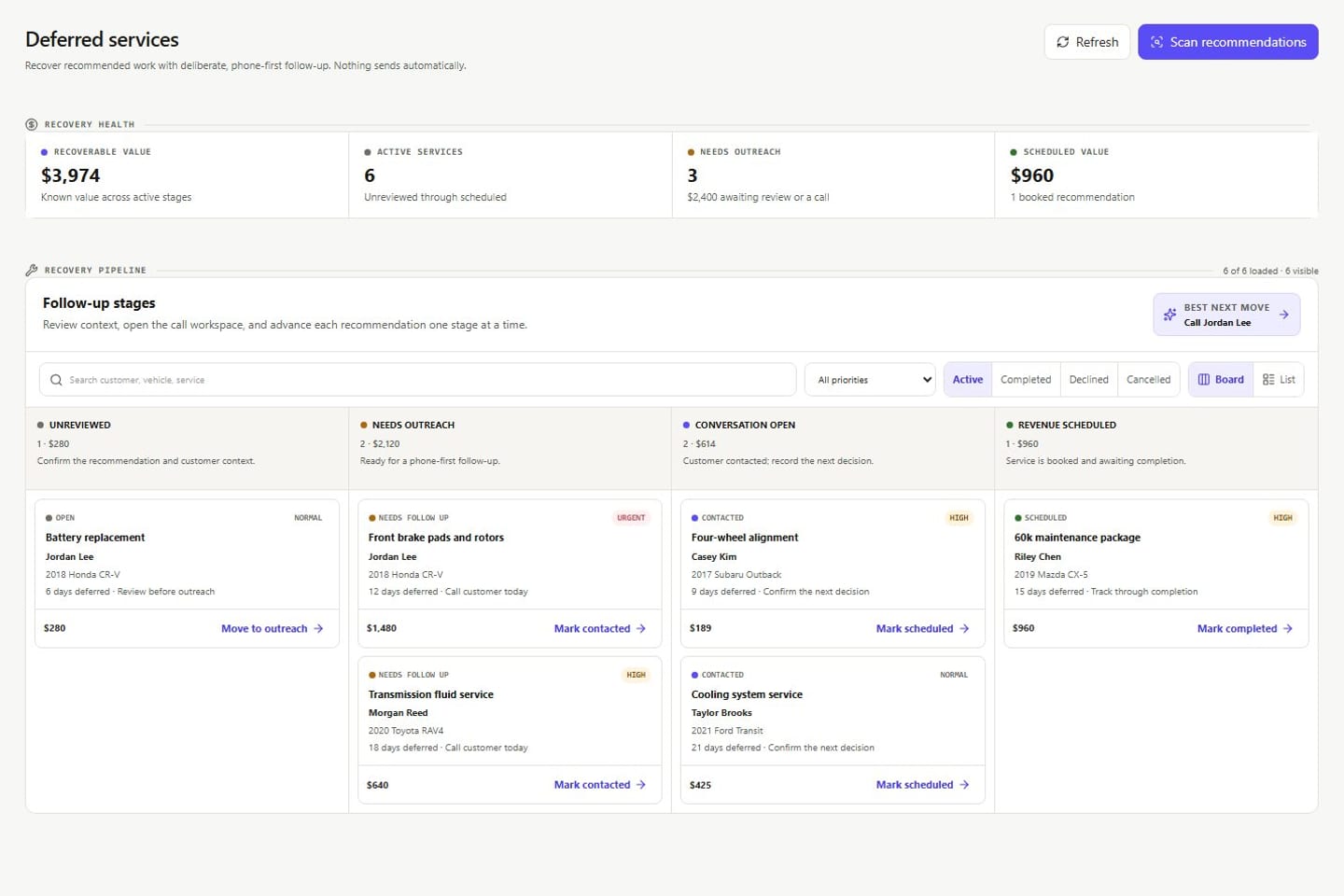
Deferred-service pipeline Product screens shown with demo data.
VehicleDesk deferred-service pipeline rendered with service and customer data

02 / Prepare

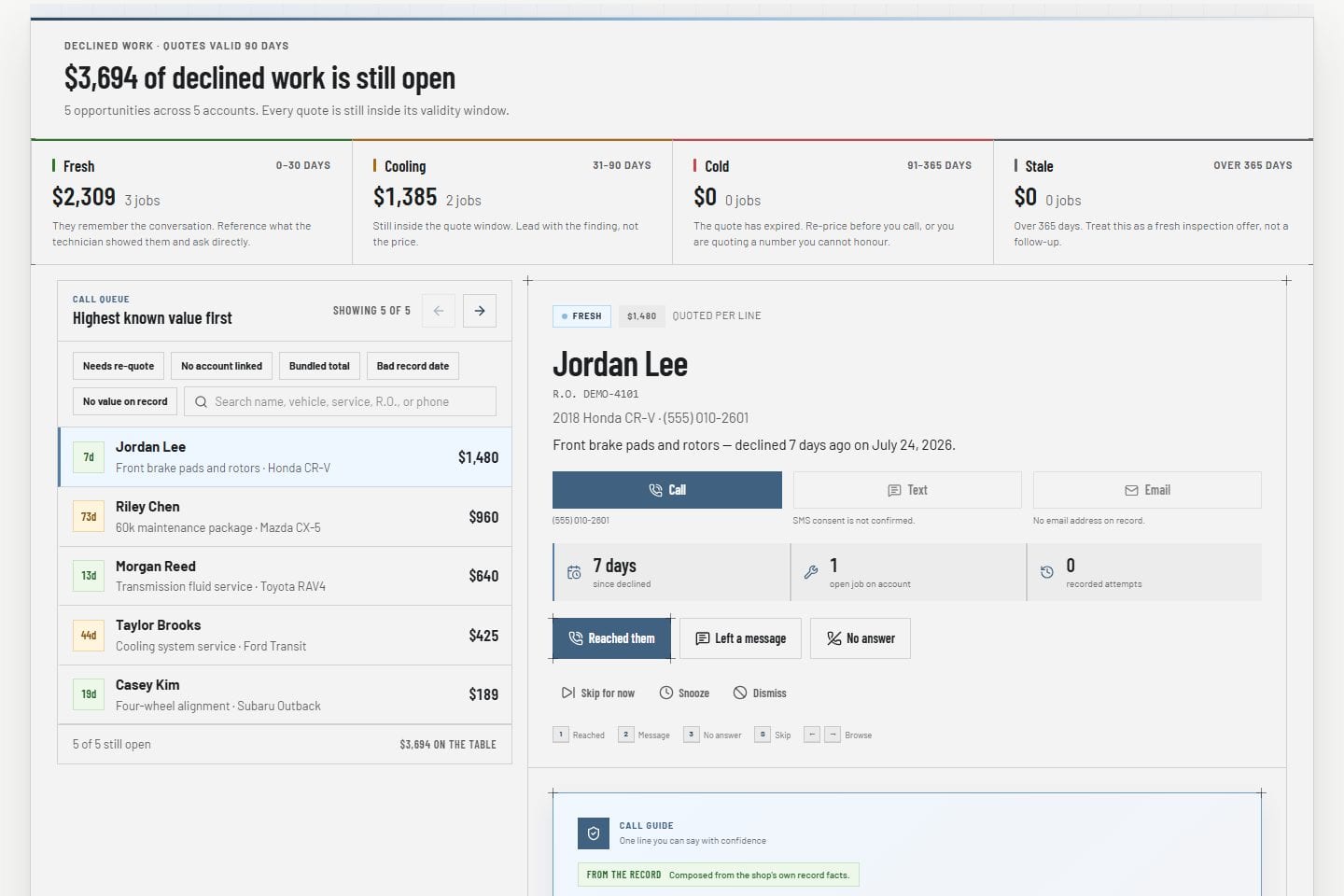
Open the phone-first customer and service workspace.

The recommendation, vehicle, value, history, and contact readiness sit together with a call guide written from the customer's own record.

  • Customer and vehicle beside the recommendation
  • Notes, reminders, and tasks in the same workspace
  • Call guide on every card
Call workspace Product screens shown with demo data.
VehicleDesk opportunity call queue with a customer, declined work, guardrails, and outcomes

03 / Track

Advance one visible stage at a time.

Open, Needs follow-up, Contacted, and Scheduled are stages your team moves by drag or by button. Every change lands on the record.

  • Stage changes stay on the record
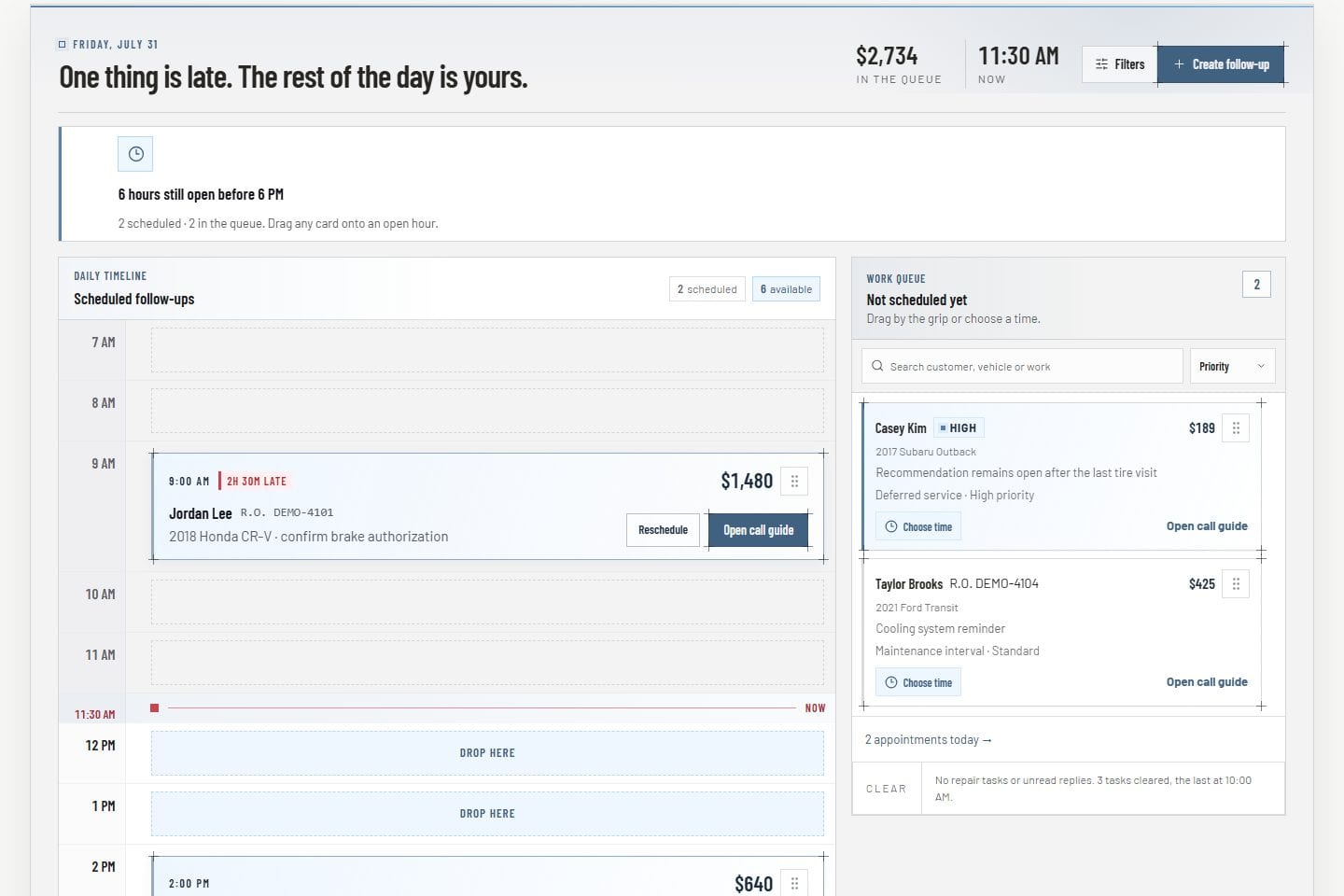
  • Scheduled work carries into the day plan
  • Shopmonkey stays the system of record
Today workboard Product screens shown with demo data.
VehicleDesk Today workboard with an hourly follow-up timeline and unscheduled work tray

In practice

Prioritize the recommendation, prepare the call, and advance one stage.

The pipeline holds the work. Your team makes the call and moves the card.

  1. 01

    Prioritize

    Pick the recommendations with the most value and the readiest customer.

  2. 02

    Prepare

    Read the service line, the history, and the call guide before dialing.

  3. 03

    Advance

    Move the stage, add a note or reminder, and book the work.

How it fits

VehicleDesk runs the day. Shopmonkey stays the system of record.

VehicleDesk runs the day and records every action. Your team makes the call to the customer, and Shopmonkey stays the system of record.

Recovery work in VehicleDesk and the repair record in Shopmonkey

VehicleDesk

Visible recovery stages

Pipeline movement, notes, reminders, tasks, and outcomes live in VehicleDesk, attached to the imported recommendation.

  • Open through Scheduled stages
  • Phone-first customer workspace
  • Stage controls on every card

Shopmonkey

The system of record

Repair history stays in Shopmonkey. VehicleDesk runs the follow-up and books the work.

  • Repair history stays in Shopmonkey
  • Call guide built from the customer's record
  • Your team makes every call

Connected work

Recovery work continues beyond the pipeline card.

Deferred recommendations draw on the customer and vehicle record, create reminders and Today work, and move into appointment planning when the customer says yes.

  • Customer and vehicle record

    Review service history, mileage, notes, contact readiness, and maintenance history before outreach.

    Open this workflow
  • Today and reminders

    Place the next touch on the team plan and keep unfinished work visible.

    Open this workflow
  • Appointment planning

    Carry scheduled work into the shop's appointment and capacity workflow.

    Open this workflow

Book a demo

See your deferred-service workflow.

Bring one declined recommendation. We will walk the stages, the call workspace, and the booking.