Data Quality

Catch the record problems that change the day's decisions.

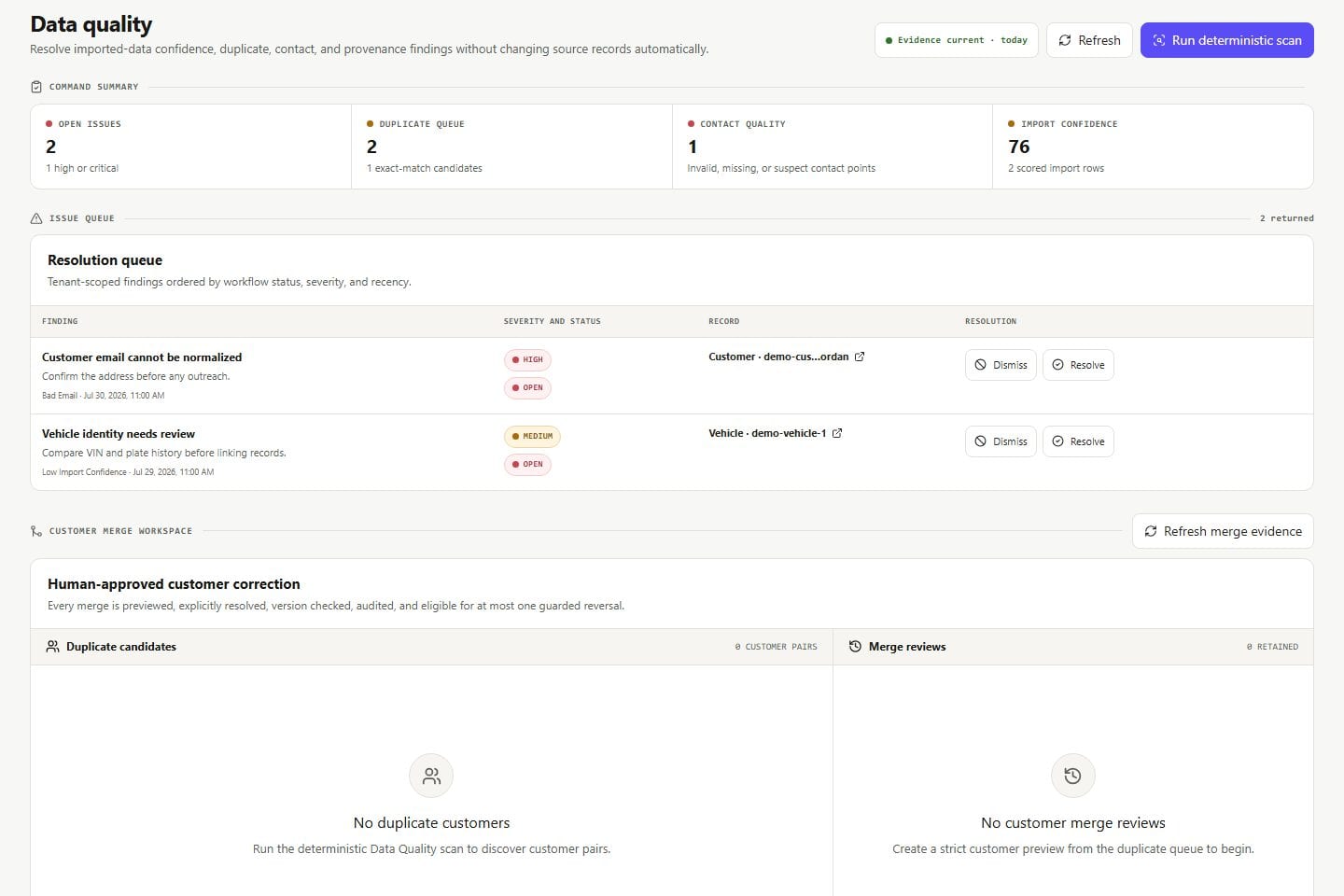
VehicleDesk surfaces import confidence, provenance, duplicate candidates, contact quality, malformed fields, and linkage gaps, ranked by the queues, relationships, and reports they touch.

Data quality Product screens shown with demo data.
VehicleDesk data-quality workspace with provenance, duplicate, contact, and linkage findings

Data Quality

You always know the numbers are current. Findings rank by impact, the source stays visible, and every correction is inspectable.

How it works

Rank findings by impact, keep the source visible, and inspect the fix.

The workflow finds the problem, shows where it came from, and prepares the correction for the team to apply.

01 / Rank

Rank findings by workflow impact.

Missing vehicle links, uncertain contact points, duplicate candidates, and stale source data each change daily work differently. The list orders them by what they affect.

  • Import confidence and source provenance
  • Duplicate, contact-quality, and linkage findings
  • Impact-ordered review
Data quality Product screens shown with demo data.
VehicleDesk data-quality workspace with provenance, duplicate, contact, and linkage findings

02 / Trace

Keep the source and related records visible.

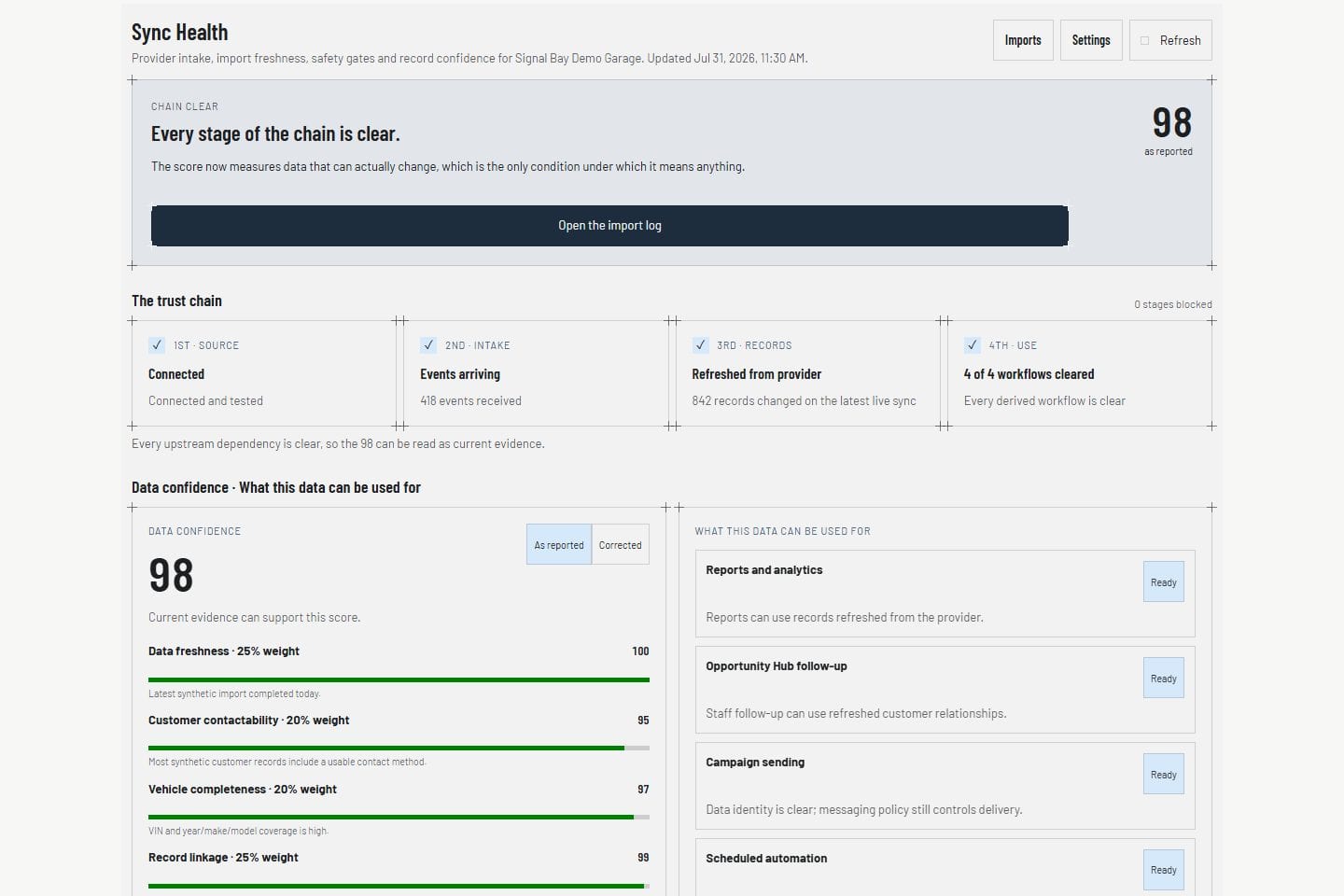
Import run, mapping, timestamp, provenance, and downstream relationships show where a finding came from and what it affects.

  • Provenance beside the finding
  • Downstream queues and profiles in view
  • Sync health for freshness and coverage
Sync health Product screens shown with demo data.
VehicleDesk Sync Health view with integration state

03 / Review

Inspect the correction, then apply it.

Duplicate and merge candidates show the proposed result with a confidence score. The team applies the fix with the source in view.

  • Inspectable correction on every finding
  • Confidence shown beside each candidate
  • Fixes applied by your team with the source in view
Customer record Product screens shown with demo data.
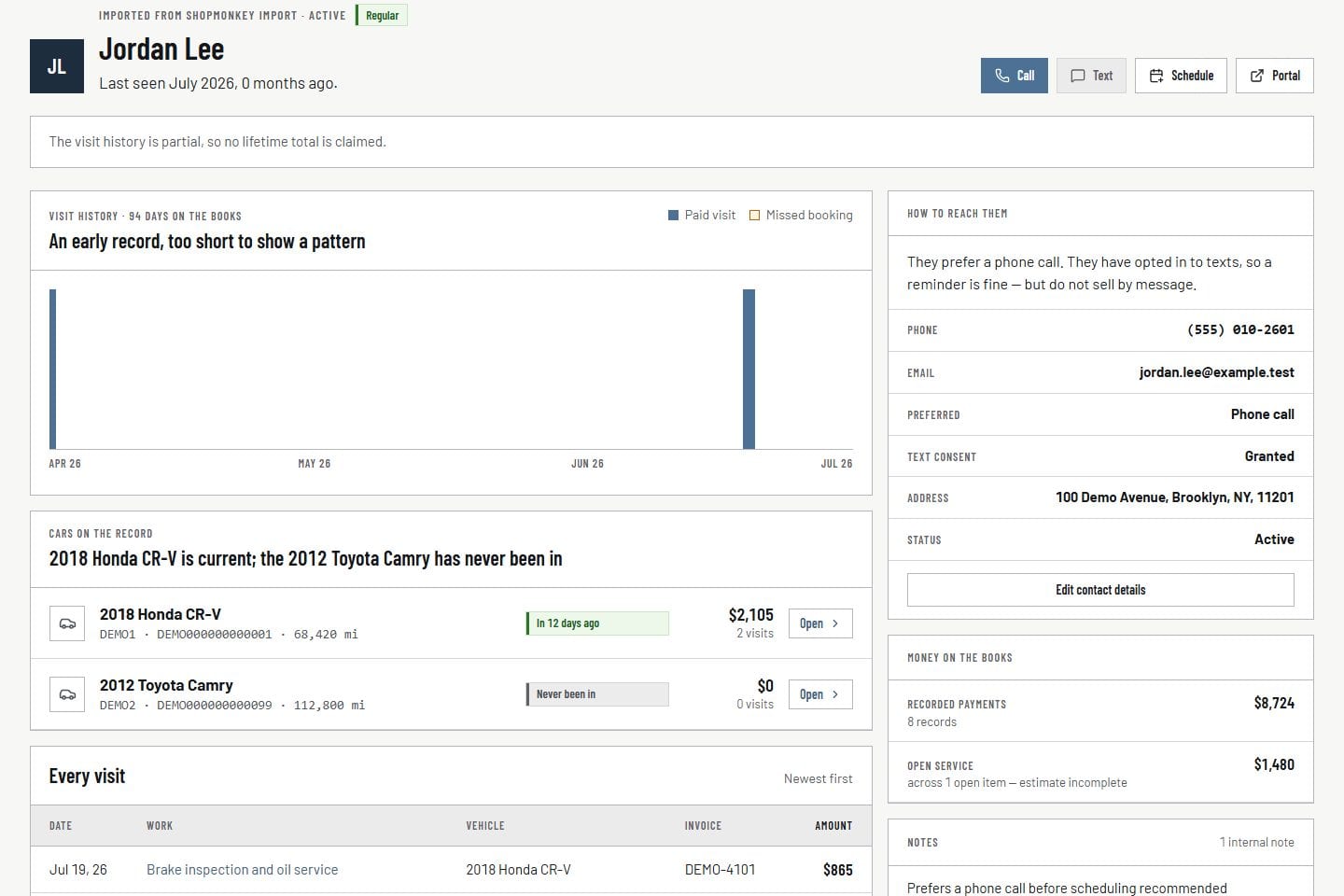
VehicleDesk relationship timeline with a customer, vehicles, service, and payment context

In practice

Find it, trace it, fix it.

The team ranks the finding, reads the source, and applies the inspected correction.

  1. 01

    Rank

    Start with the findings that change queues, relationships, or reports.

  2. 02

    Trace

    Read import provenance and the downstream records the finding touches.

  3. 03

    Review

    Inspect the proposed correction and apply it.

How it fits

VehicleDesk runs the day. Shopmonkey stays the system of record.

VehicleDesk runs the day and records every action. Your team makes the call to the customer, and Shopmonkey stays the system of record.

What the findings show and what the team fixes

VehicleDesk

Ranked, traceable findings

The team sees import confidence, duplicates, contact quality, and linkage gaps before relying on the record.

  • Provenance and confidence
  • Duplicate and linkage candidates
  • Inspectable correction

Your team

The applied fix

The team inspects the proposed correction and applies it, with the source and the confidence score in view.

  • Merge applied by your team
  • Confidence shown per finding
  • Every correction on the record

Connected work

Data quality feeds every downstream workflow.

Findings connect the import boundary to customer and vehicle records, team queues, messaging eligibility, and reporting.

  • Shopmonkey and sync health

    Inspect import runs, mappings, quota, errors, and freshness beside the source connection.

    Open this workflow
  • Customer and vehicle records

    See how duplicates, contact points, ownership, and linkage shape the relationship view.

    Open this workflow
  • Communication compliance

    Keep uncertain or suppressed contact points out of the eligible set.

    Open this workflow

Book a demo

See the data-quality findings your shop needs.

Bring one record problem that changes a queue. We will trace provenance, impact, and the correction.