Parts and Vendor Costs

Keep every parts invoice, return, core, and credit accounted for.

VehicleDesk records vendor invoices, links parts to the repair order, reconciles totals, and keeps returns, cores, credits, and aged open costs visible until someone closes them.

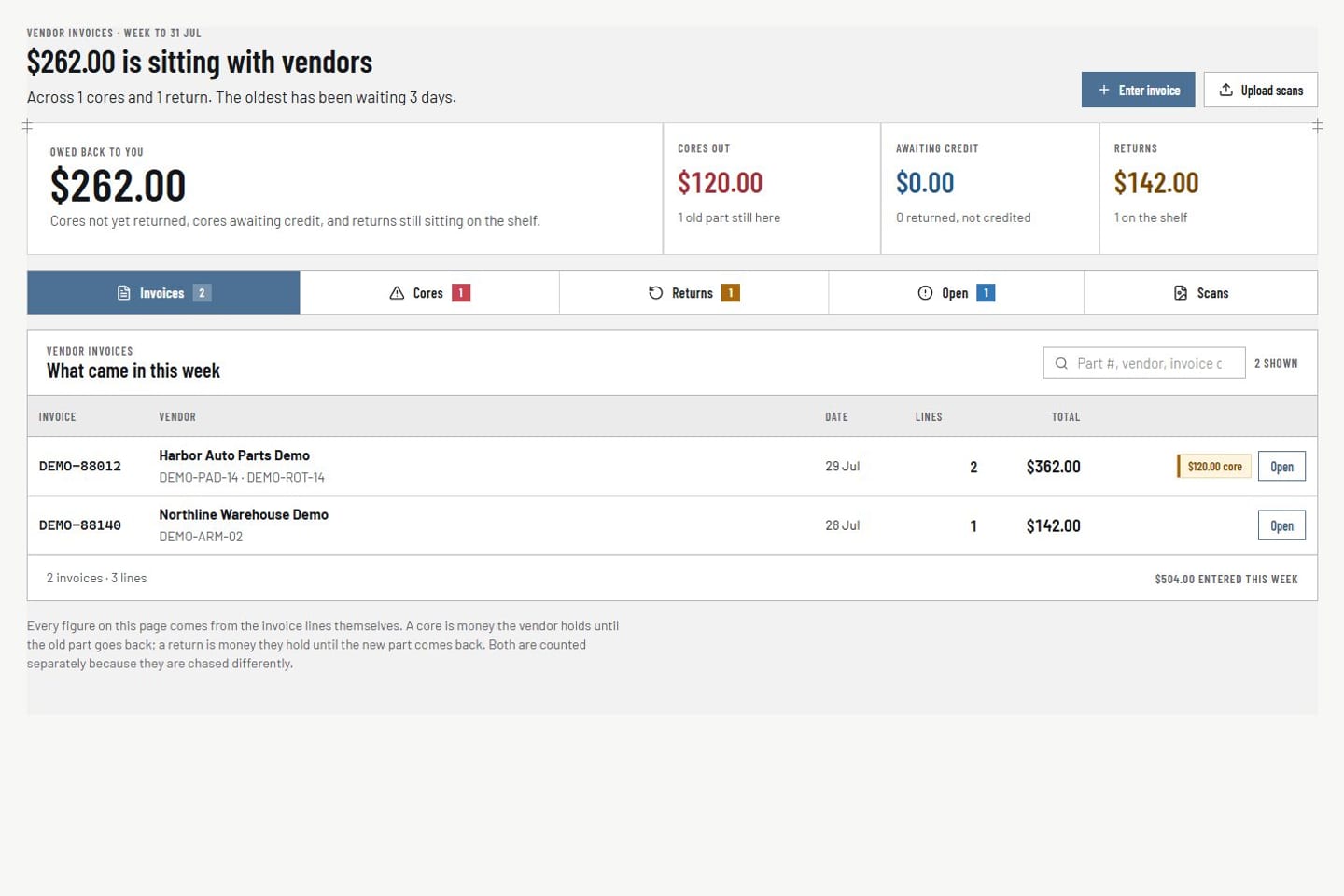
Parts and vendor costs Product screens shown with demo data.
VehicleDesk parts workspace with vendor invoices, returns, cores, credits, and repair-order context

Parts and Vendor Costs

Parts costs stay tied to the job. Returns, cores, and credits stop slipping through the cracks.

How it works

Record the vendor invoice, reconcile the exceptions, and close the follow-up.

Parts control runs beside the shop's accounting. The general ledger and purchasing stay in the tools you already use.

01 / Record

Enter the vendor invoice with the job attached.

Invoice, vendor, date, totals, repair-order references, and line-level part context stay together on one record.

  • Vendor invoice entry and search
  • Repair-order and part-context linking
  • Totals reconciled on the document
Parts and vendor costs Product screens shown with demo data.
VehicleDesk parts workspace with vendor invoices, returns, cores, credits, and repair-order context

02 / Reconcile

Separate the exceptions that need different outcomes.

Returns, cores, vendor credits, and unresolved costs stay distinct instead of collapsing into one variance nobody explains.

  • Returns, cores, credits, and aged-open review
  • Each exception tracked on its own
  • Repair-order context on every line
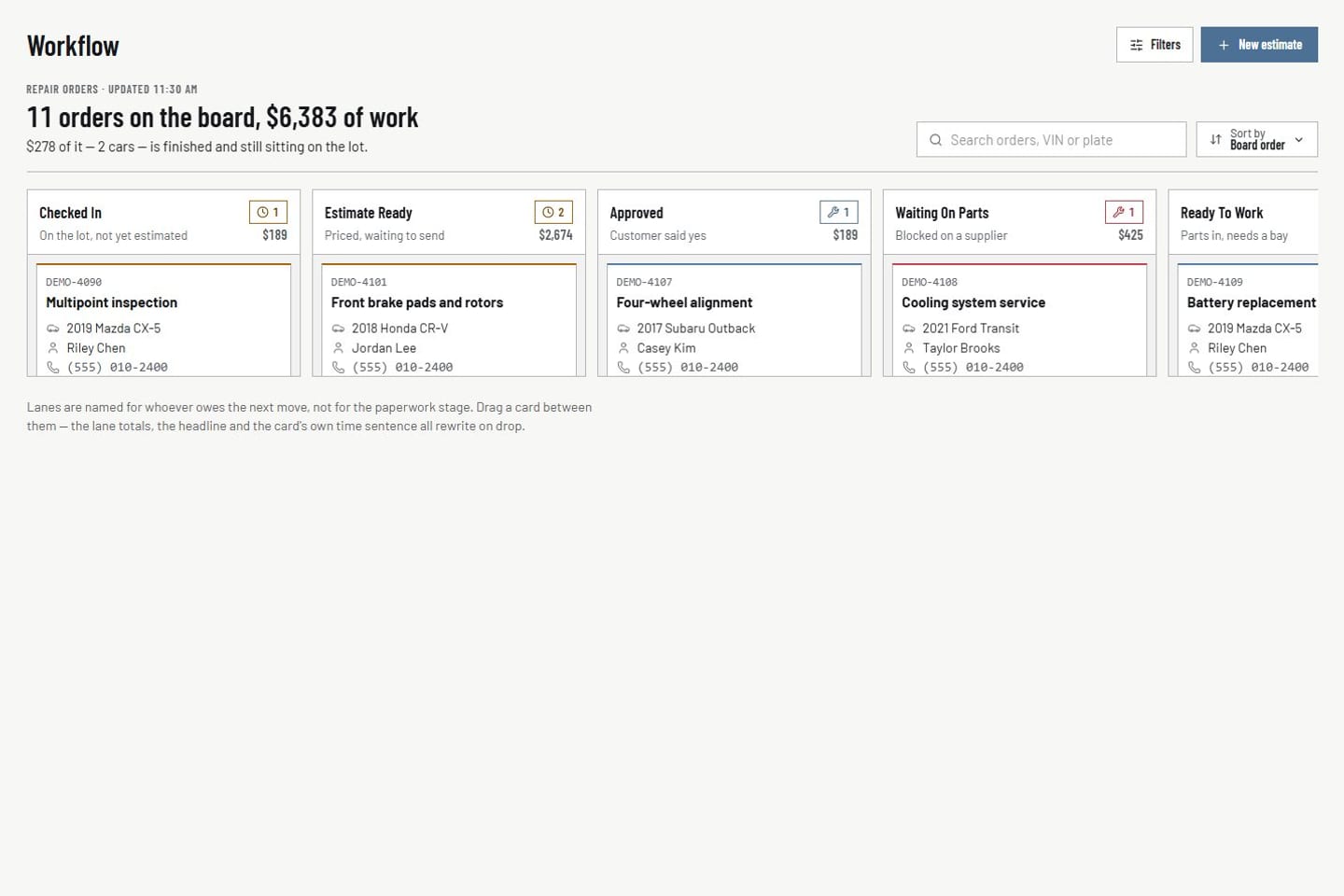
Repair orders Product screens shown with demo data.
VehicleDesk repair-order board with customer, vehicle, value, and workflow-stage context

03 / Resolve

Search, age, and close the follow-up.

The team finds existing records, reviews what is still open, and records the close. The owner view shows what is aging.

  • Search existing vendor documents
  • Age unresolved costs in the open set
  • Owner view shows aging cost pressure
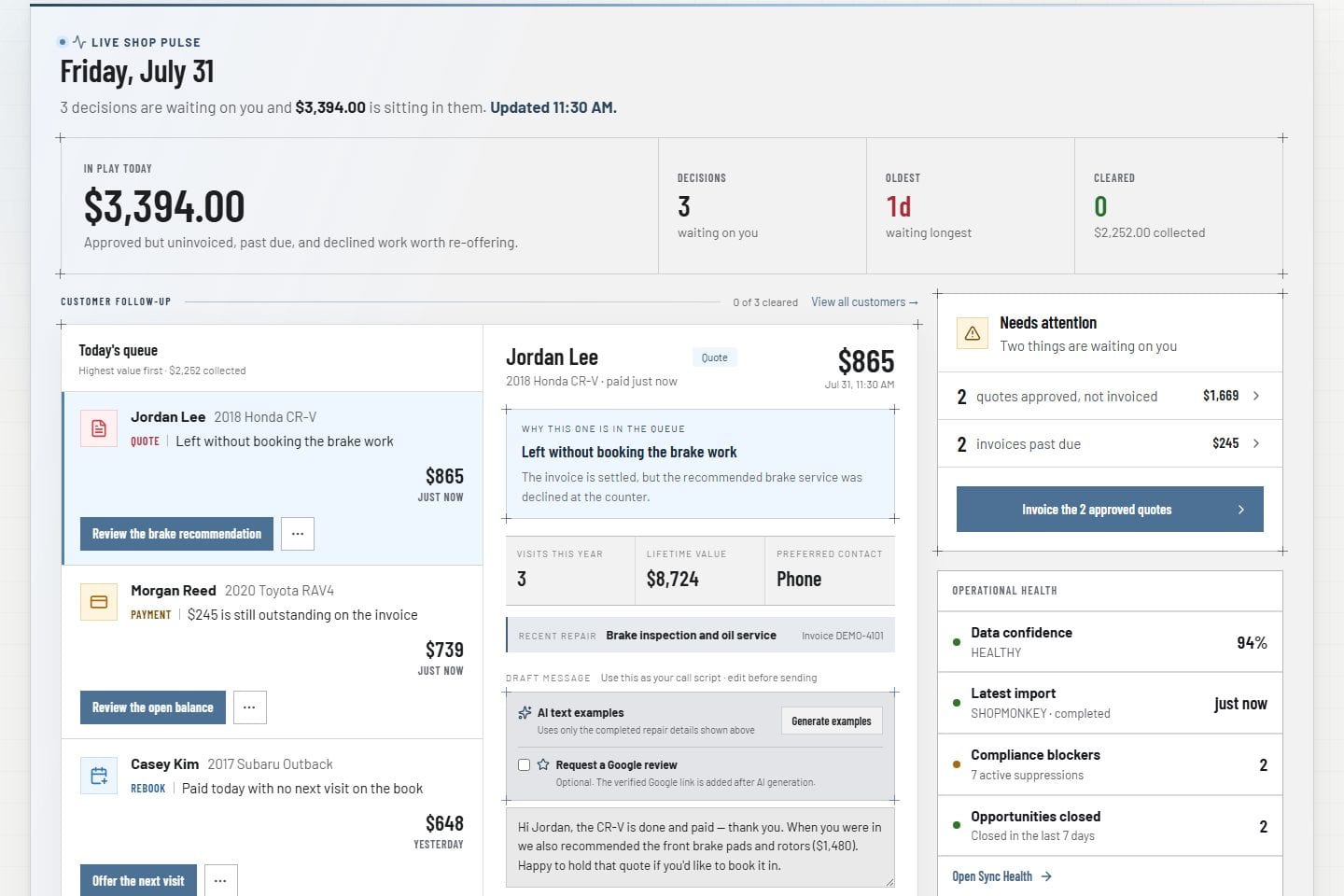
Owner command Product screens shown with demo data.
VehicleDesk owner command dashboard with shop data

In practice

Document, exception, then close.

The team enters the vendor invoice, splits returns and cores from credits, and ages what is still open.

  1. 01

    Record

    Enter the vendor invoice with repair-order and part context attached.

  2. 02

    Reconcile

    Keep returns, cores, credits, and unresolved costs as distinct exceptions.

  3. 03

    Resolve

    Search, age, and close the follow-up. Your ledger stays in your accounting tool.

How it fits

VehicleDesk runs the day. Shopmonkey stays the system of record.

VehicleDesk runs the day and records every action. Your team makes the call to the customer, and Shopmonkey stays the system of record.

Parts control in VehicleDesk and the ledger in your accounting tool

VehicleDesk

Operational control

Vendor invoices, repair-order links, returns, cores, and aged-open costs stay visible until the team closes them.

  • Invoice entry and search
  • Repair-order part context
  • Returns, cores, credits, and aged-open review

Accounting

The ledger stays where it is

Financial posting, stocking, and purchasing stay in the shop's accounting and purchasing tools. VehicleDesk keeps the operating picture current.

  • Ledger in your accounting tool
  • Purchasing in your existing tools
  • Weekly close built from the same records

Connected work

Parts exceptions stay connected to active shop work.

Every vendor document traces back to the repair order and the customer and vehicle behind it, and the owner view shows what is still open.

  • Repair orders

    Trace part and invoice context back to the active job that created the exception.

    Open this workflow
  • Owner operating view

    Review open cost and workflow pressure from the owner command view.

    Open this workflow
  • Shopmonkey connection

    Keep imported repair records and invoicing tied to the system of record.

    Open this workflow

Book a demo

See the parts and vendor-cost workflow.

Bring one vendor invoice or return. We will trace it to the repair order and close it out.