Communications

Run every customer conversation from one inbox with the record beside it.

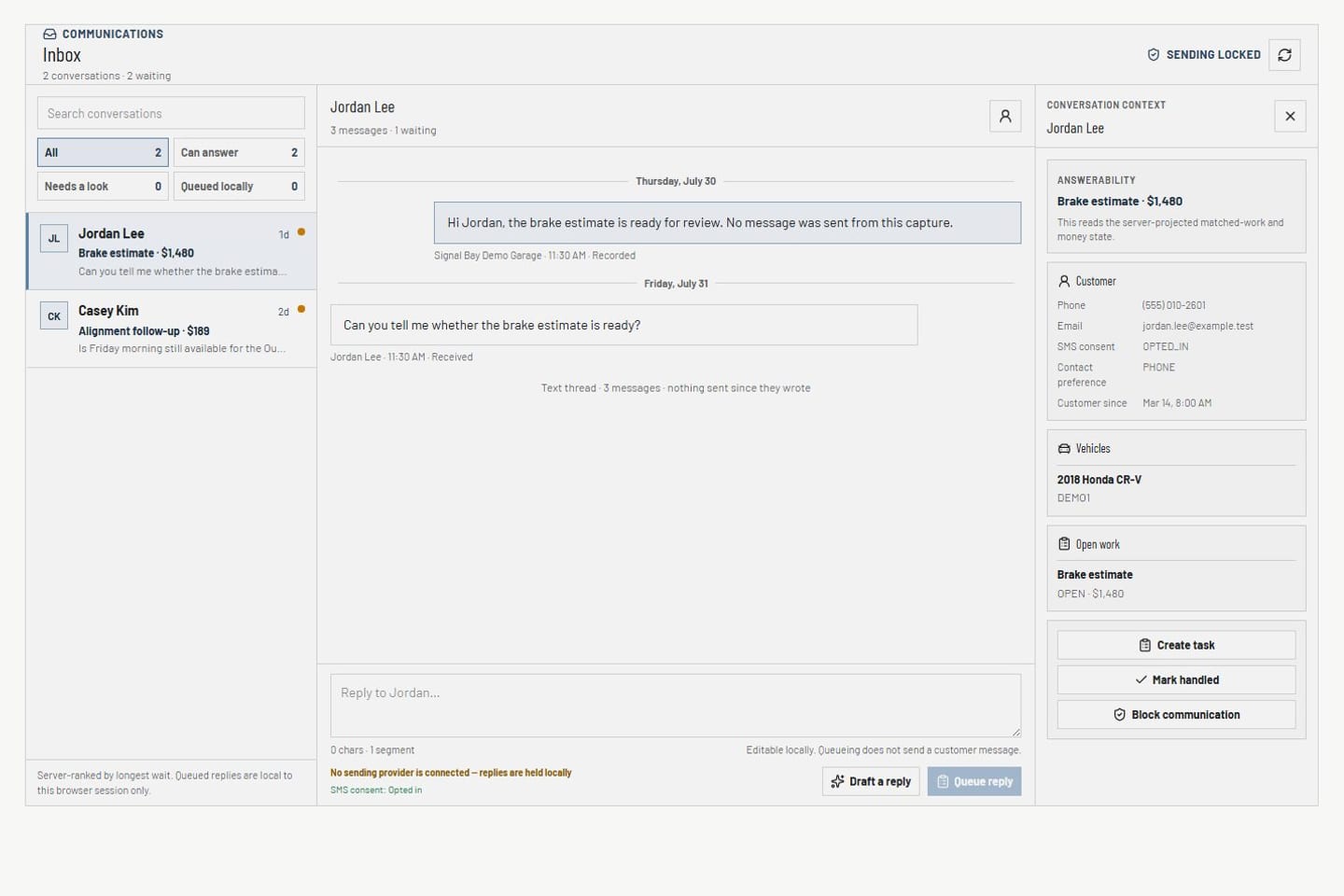
SMS and email conversations, consent, suppression, and eligibility live in one workspace. The inbox keeps customer, vehicle, and work context beside each thread, and every message is consent-checked before it sends.

Communications inbox Product screens shown with demo data.
VehicleDesk communications inbox with conversations, customer context, and delivery-safety state

Communications

Review the conversation, prepare the reply from the record, and send with eligibility already checked.

How it works

Review the conversation, prepare the reply, and track delivery.

The inbox keeps conversation context and eligibility together, and every message goes out consent-checked with its delivery state tracked.

01 / Review

Review the SMS and email conversations that need attention.

Conversation activity and consent state show what needs a reply, what is record-only, and why a channel or customer is ineligible.

  • SMS and email conversations with review, handled, and archived states
  • Consent, suppression, and eligibility in view
  • Blockers shown on the conversation
Communications inbox Product screens shown with demo data.
VehicleDesk communications inbox with conversations, customer context, and delivery-safety state

02 / Prepare

Work the conversation with the record in view.

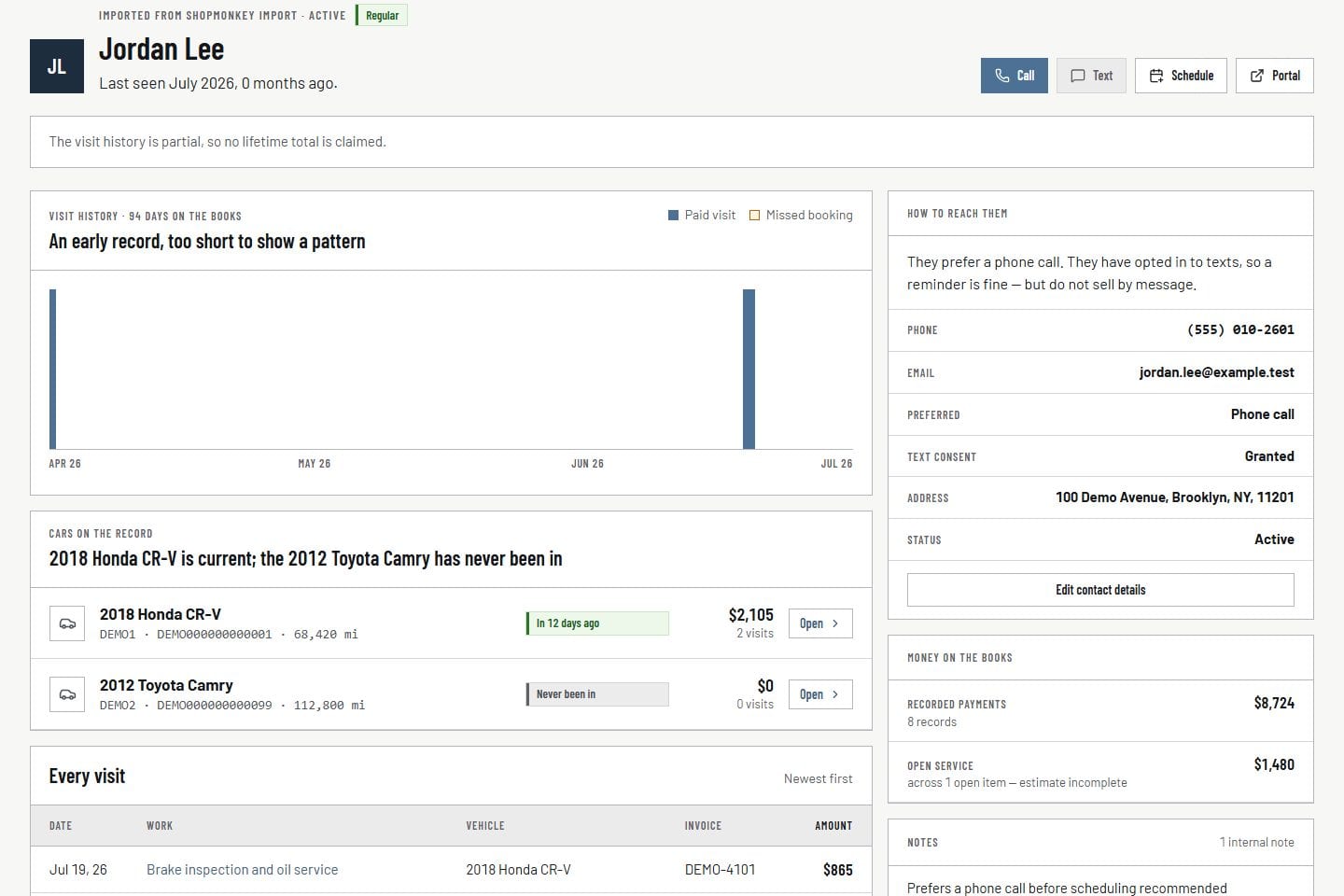
The inbox keeps customer, vehicle, work, consent, draft, and queue context together, so the reply comes from the record.

  • Customer and vehicle beside the thread
  • Templates and eligibility in the same workspace
  • Drafts stay drafts until your team sends
Customer record Product screens shown with demo data.
VehicleDesk relationship timeline with a customer, vehicles, service, and payment context

03 / Track

See draft, queued, delivered, and blocked as separate states.

Drafted, approved, queued, delivered, failed, and blocked each show as their own state, so the shop knows exactly what reached the customer.

  • Distinct draft, queue, delivery, and blocked states
  • Your team sends
  • Eligibility checked before delivery
Compliance center Product screens shown with demo data.
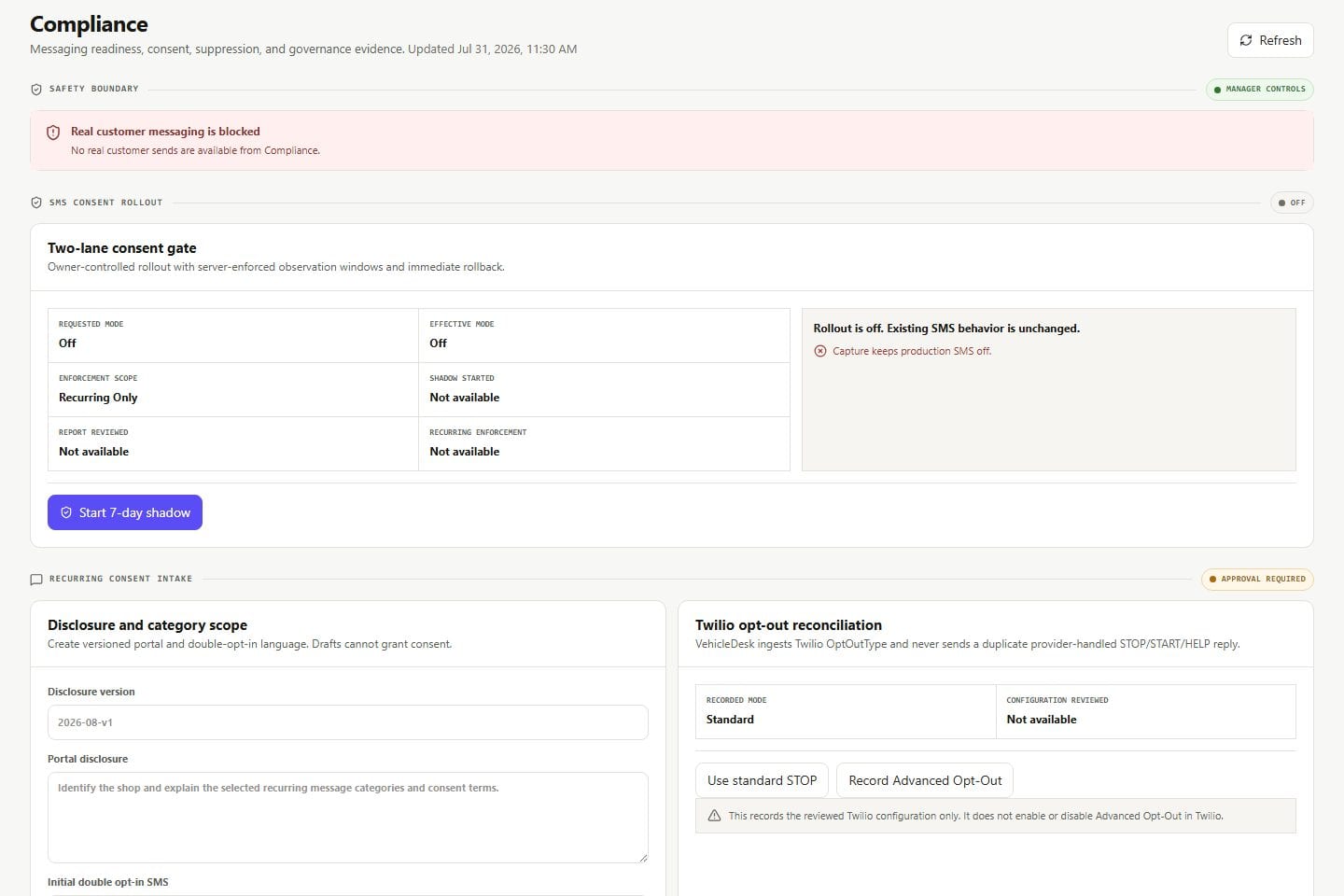
VehicleDesk compliance workspace with consent, suppression, policy, and blocked-send evidence

In practice

Review, prepare, then send.

The team reads the inbox, prepares from the customer record, and sends with delivery tracked.

  1. 01

    Review

    Read the current conversations and why one is blocked.

  2. 02

    Prepare

    Open customer, vehicle, consent, and template context beside the thread.

  3. 03

    Send

    Send the consent-checked message. Draft, queue, delivery, and blocked states stay distinct.

How it fits

VehicleDesk runs the day. Shopmonkey stays the system of record.

VehicleDesk runs the day and records every action. Your team makes the call to the customer, and Shopmonkey stays the system of record.

The inbox in VehicleDesk and the send your team makes

VehicleDesk

Inbox, eligibility, and records

The team works conversations with customer context, consent, templates, and delivery state in one workspace.

  • SMS and email conversations with context
  • Consent and suppression in view
  • Distinct draft and delivery states

Your team

The send

Every message is consent-checked before it sends, and delivered messages show separately from drafts.

  • Your team sends the message
  • Eligibility checked before send
  • Draft and delivery stay distinct

Connected work

Every conversation starts with the record.

Customer records establish the relationship, compliance controls establish eligibility, and the queues establish why and when to follow up.

  • Customer context

    Review contact preference, consent, vehicles, service history, notes, and the reason for the conversation.

    Open this workflow
  • Compliance and provider state

    Inspect consent, suppression, channel configuration, provider state, and blocked reasons.

    Open this workflow
  • Team follow-up

    Keep reminders and Today work beside the conversation that closes them.

    Open this workflow

Book a demo

See the inbox running your shop's conversations.

Bring one customer conversation. We will read eligibility, the draft, and the send.