Reputation

Answer every review with the customer record in view.

The Reviews workspace organizes rating distribution, unanswered-review triage, reply drafting, and mismatch checks, and publishes replies through the shop's connected Google Business Profile.

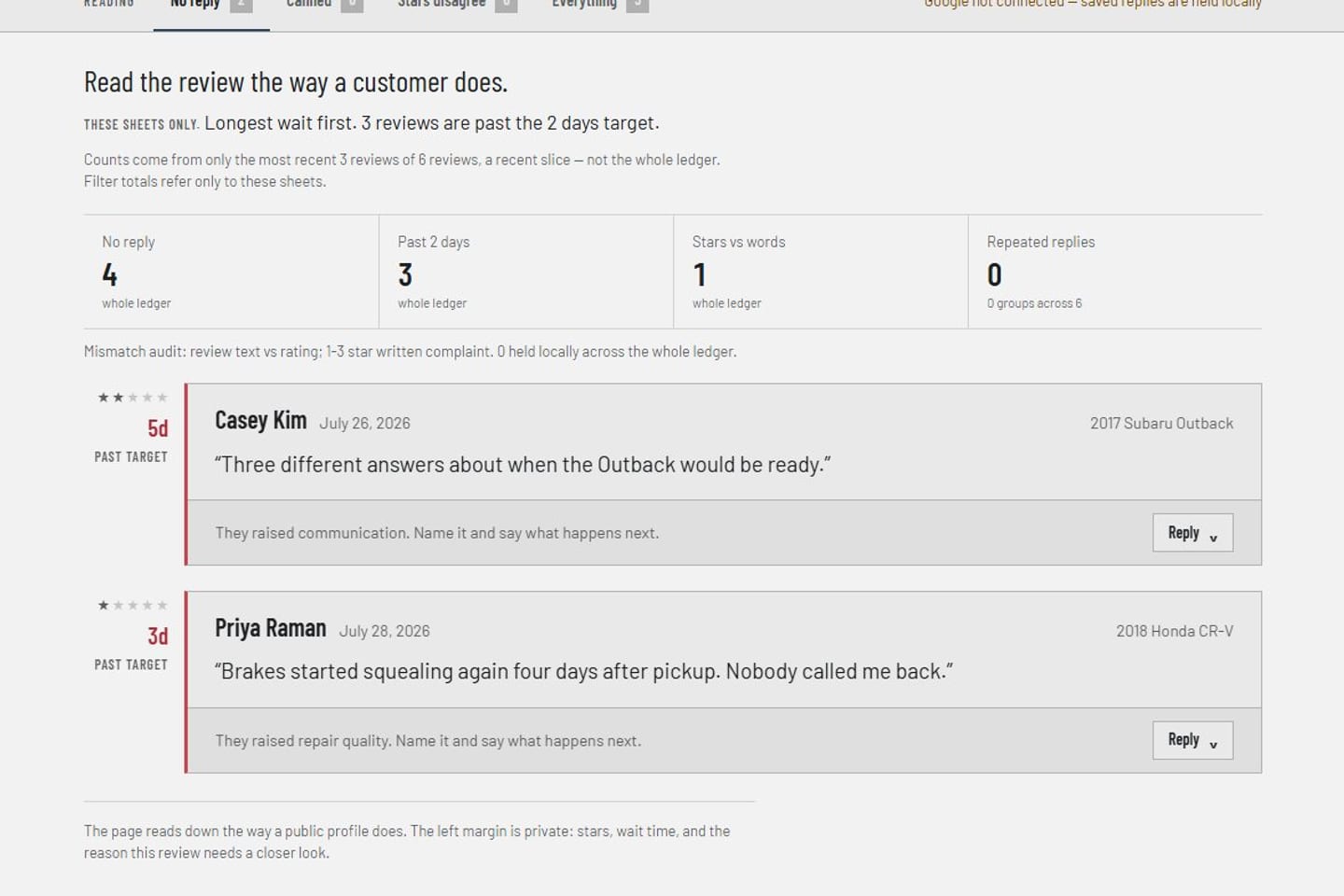
Review triage Product screens shown with demo data.
VehicleDesk reviews workspace with ratings, triage, reply state, and mismatch checks

Reputation

Unanswered reviews queue up with the customer and the visit beside them. Replies publish through the connected location.

How it works

Triage reviews, prepare replies, and publish through Google.

The team works unanswered reviews with the customer record attached. Import and reply run through the shop's connected Business Profile, location, and quota.

01 / Triage

See distribution, unanswered reviews, and mismatches together.

The workspace organizes rating distribution, unanswered reviews, reply quality, customer context, and review-specific preparation.

  • Review distribution and unanswered triage
  • Mismatch checks beside the thread
  • Customer context on the same card
Review triage Product screens shown with demo data.
VehicleDesk reviews workspace with ratings, triage, reply state, and mismatch checks

02 / Prepare

Draft replies and private-first requests from the record.

Reply drafts and request templates pull the customer and service context, and replies publish through the shop's connected Google location.

  • Reply drafts with customer and service context
  • Private-first request drafts
  • Replies publish through the connected location
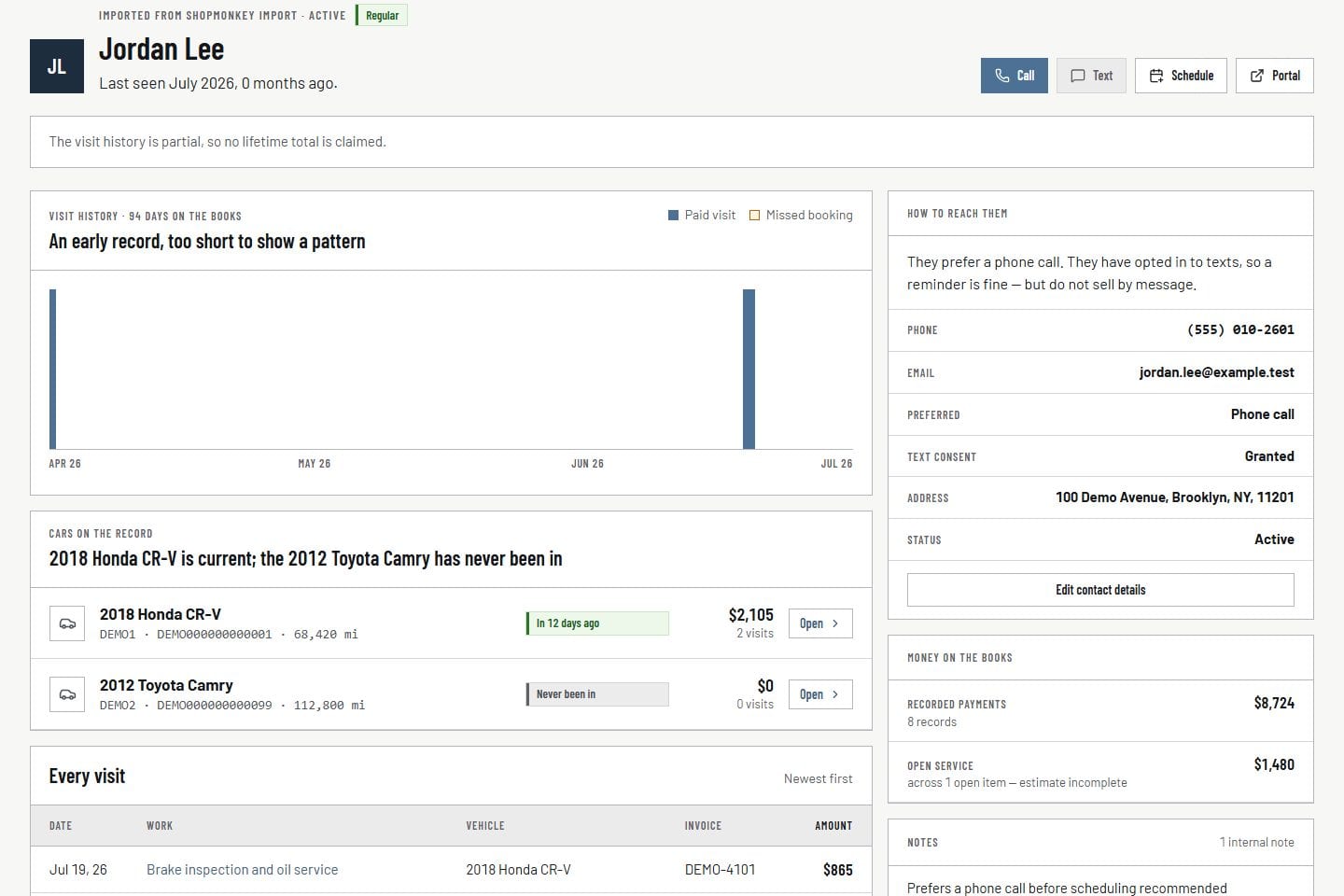
Customer record Product screens shown with demo data.
VehicleDesk relationship timeline with a customer, vehicles, service, and payment context

03 / Connect

See Google connection, location, quota, and errors beside the work.

The workspace shows connection, account, location, quota, and error state, so the team knows a reply is live the moment it publishes.

  • Connection, account, and location in view
  • Quota and error state on the same surface
  • Publication status on every reply
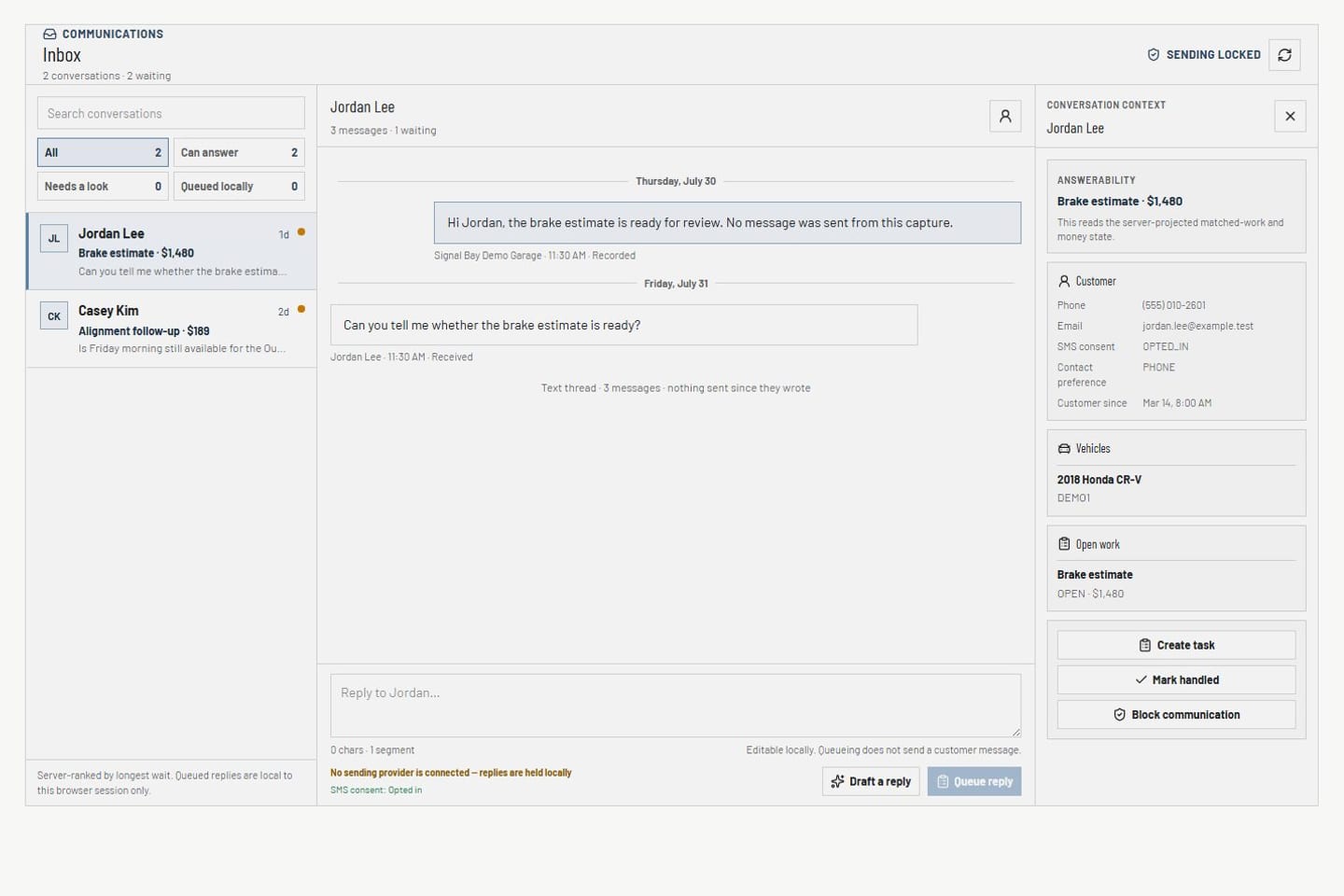
Communications Product screens shown with demo data.
VehicleDesk communications inbox with conversations, customer context, and delivery-safety state

In practice

Triage, prepare, then publish through the connected location.

The team ranks unanswered reviews, drafts from the customer record, and publishes with the Google connection state in view.

  1. 01

    Triage

    Read rating distribution, unanswered reviews, and mismatch checks.

  2. 02

    Prepare

    Draft a reply or private-first request with customer and service context attached.

  3. 03

    Connect

    Publish through the connected Google location and watch the status land.

How it fits

VehicleDesk runs the day. Shopmonkey stays the system of record.

VehicleDesk runs the day and records every action. Your team makes the call to the customer, and Shopmonkey stays the system of record.

Review triage in VehicleDesk and publication through Google

VehicleDesk

The review triage workspace

The team organizes reviews, drafts replies, and sees connection state on the same screen.

  • Distribution and unanswered triage
  • Reply drafts from the record
  • Connection, quota, and error state

Google Business Profile

Publication through the connected location

Import and reply run through the shop's Business Profile connection, location selection, and quota.

  • Connected Google Business Profile
  • Location and quota in view
  • Draft and published replies tracked separately

Connected work

Reputation work draws on the relationship and the connection.

A good reply starts with the customer and service history, follows the same consent-checked path as other outreach, and shows the Google connection state.

  • Customer relationship

    Review the vehicle, service, invoice, notes, and prior contact behind a review.

    Open this workflow
  • Communication controls

    Keep drafts, eligibility, consent, suppression, provider state, and delivery distinct.

    Open this workflow
  • Integrations

    Inspect connection ownership and status for the Google Business Profile.

    Open this workflow

Book a demo

See the reputation workflow with your team.

Bring one unanswered review. We will read the customer record, the draft reply, and the Google connection state.