Appointments

Turn appointment requests into a schedule the shop runs.

VehicleDesk keeps request intake, calendar and workboard state, customer and vehicle matching, capacity, and handoffs together. Your team reviews each request and confirms the booking.

Appointments Product screens shown with demo data.
VehicleDesk appointment workspace with request, schedule, customer, and vehicle context

Appointments

Requests come in. The team matches the customer, places the work, and confirms the booking on one screen.

How it works

Review the request, place the schedule, and hand off the next step.

The team reads the customer, vehicle, requested service, and timing, then places the work on the calendar. Reminders queue on the plan and go out consent-checked.

01 / Review

Start with the request and the relationship.

The customer, vehicle, requested service, timing, notes, and matching state sit together before the schedule changes.

  • Appointment request, calendar, and workboard views
  • Customer and vehicle matching with service context
  • Requests and confirmed bookings tracked as separate states
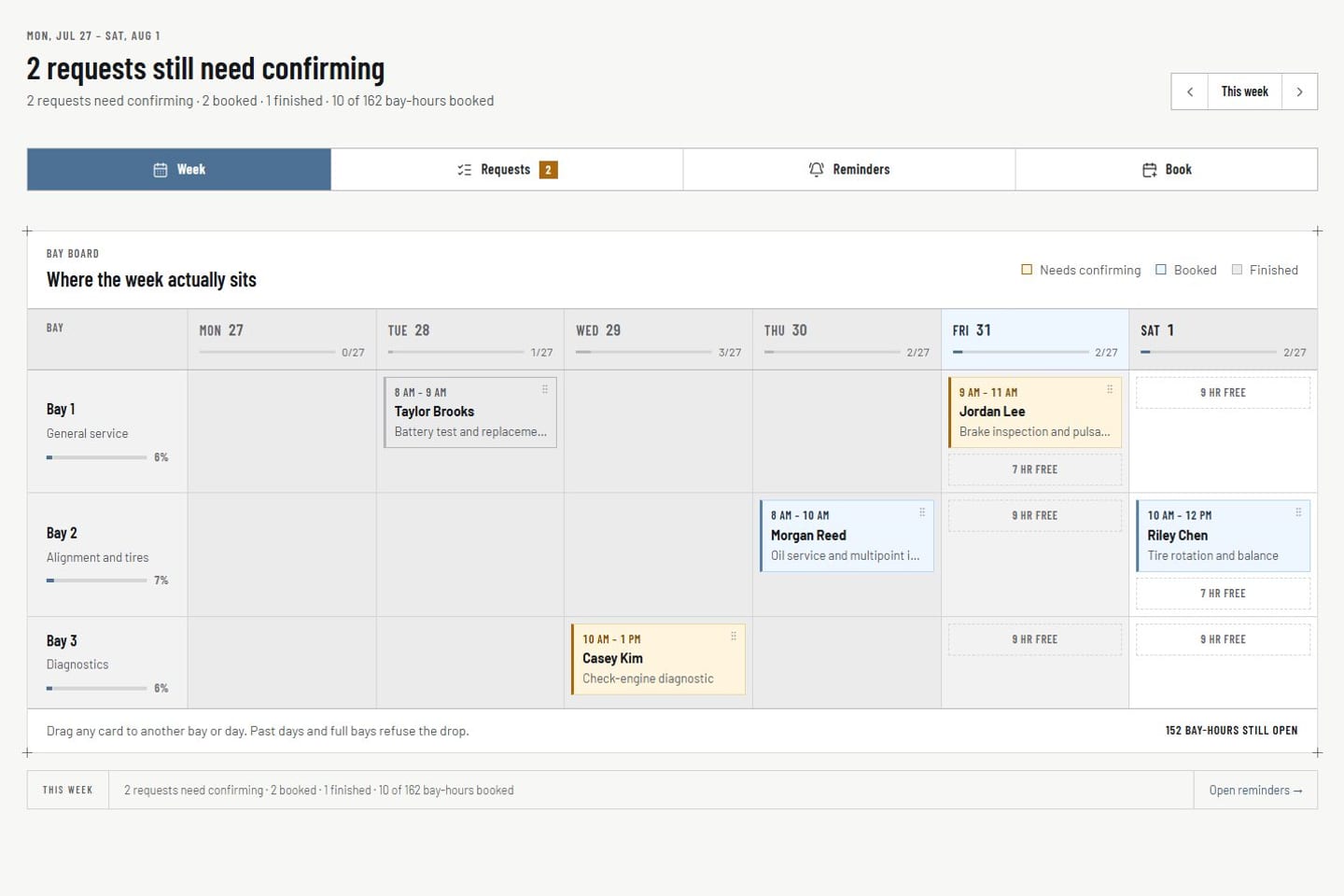
Appointments Product screens shown with demo data.
VehicleDesk appointment workspace with request, schedule, customer, and vehicle context

02 / Schedule

Place work with capacity in view.

Calendar and board controls record the appointment state while capacity context shows the team how full the day already is.

  • Schedule state on calendar and board
  • Capacity context beside the slot
  • Warnings when a day is running full
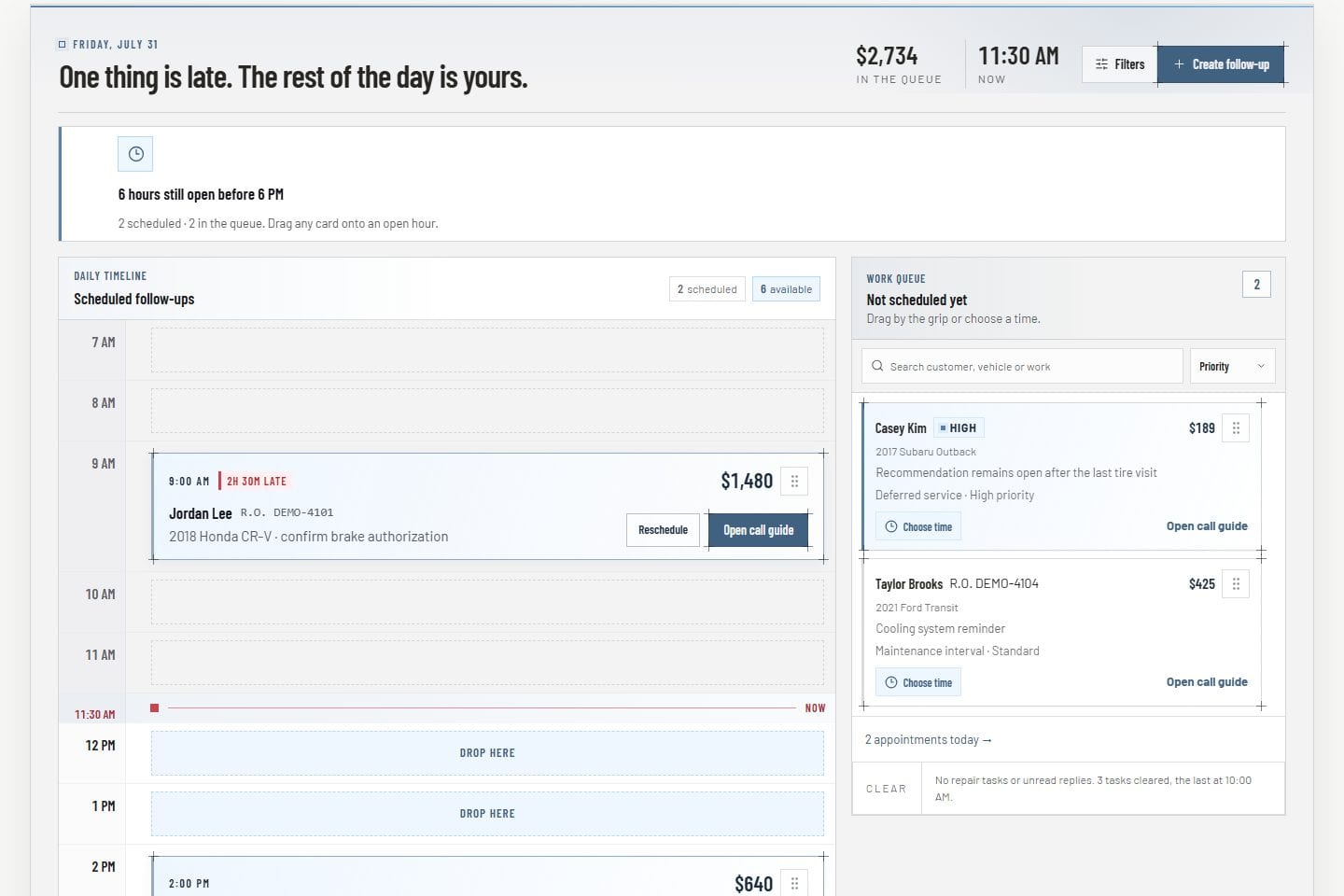
Today workboard Product screens shown with demo data.
VehicleDesk Today workboard with an hourly follow-up timeline and unscheduled work tray

03 / Handoff

Create the next action with an owner.

Tasks, opportunities, reminders, and Today work carry ownership forward when a request needs preparation or a call back.

  • Task, opportunity, and reminder handoffs
  • Customer and vehicle stay on the next step
  • Customer messages go out consent-checked from the inbox
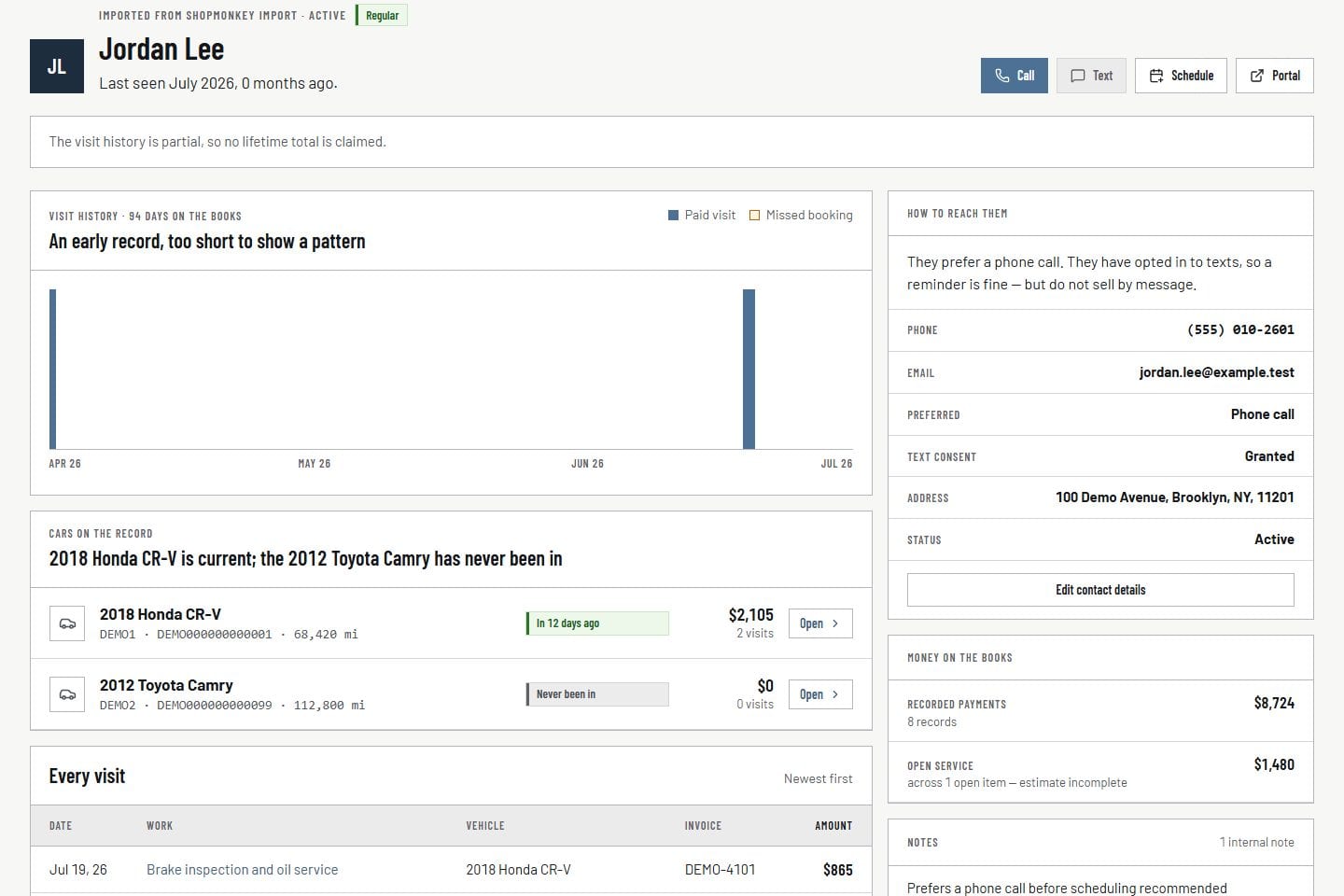
Customer record Product screens shown with demo data.
VehicleDesk relationship timeline with a customer, vehicles, service, and payment context

In practice

Intake, placement, and handoff on one screen.

The team reviews the request, places it on the schedule, and creates the next owned action.

  1. 01

    Review

    Read the request, the match, and the relationship record before changing the day.

  2. 02

    Schedule

    Place calendar and board state with capacity in view.

  3. 03

    Handoff

    Create a task, reminder, or Today item when the request needs a person next.

How it fits

VehicleDesk runs the day. Shopmonkey stays the system of record.

VehicleDesk runs the day and records every action. Your team makes the call to the customer, and Shopmonkey stays the system of record.

The request and the confirmed booking

VehicleDesk

Request and schedule

Request intake and schedule state stay distinct, and the team's review turns a request into a confirmed booking.

  • Request, calendar, and workboard views
  • Customer and vehicle matching
  • Handoffs to Today and reminders

Your team

The confirmed booking

Reminders and notifications prepare the team for the conversation, and consent-checked messaging handles the customer contact.

  • Your team confirms the booking
  • Capacity warnings on the slot
  • Consent-checked confirmation messages

Connected work

Appointments connect the advisor plan to active shop work.

The schedule sits between customer and vehicle context, Today work, reminders, and the repair-order board that carries active service forward.

  • Today and reminders

    Bring open appointment work into the team plan and keep every next touch owned.

    Open this workflow
  • Customer and vehicle

    Review the relationship, service history, mileage, maintenance, and open work behind the request.

    Open this workflow
  • Active repair work

    Carry the scheduled customer and vehicle into the repair-order workflow.

    Open this workflow

Book a demo

See how appointments fit your shop day.

Bring one request-to-book path. We will walk intake, the schedule, and the handoff.