Repair Orders

Run the active board on the repair orders that still need action.

VehicleDesk pulls active work from Shopmonkey onto a board organized by workflow stage, with customer, vehicle, value, service lines, and estimate state on every card. Paid, invoiced, archived, and stale estimates leave the board on their own.

Repair-order board Product screens shown with demo data.
VehicleDesk repair-order board with customer, vehicle, value, and workflow-stage context

Repair Orders

The board shows only the jobs that still need a hand. Shopmonkey stays the system of record.

How it works

Focus the queue, open the job, and move work forward.

The board keeps active work in view. Paid, invoiced, archived, and stale estimates leave the queue by rule, and finished history stays in Shopmonkey.

01 / Focus

Keep the queue to work that still needs action.

Paid and invoiced work, archived estimates, empty estimates older than two weeks, and non-empty estimates older than one month leave the board automatically.

  • Board stages and a detail workspace for every job
  • Active work only, by rule
  • Drag, quick view, ready, complete, and archive controls
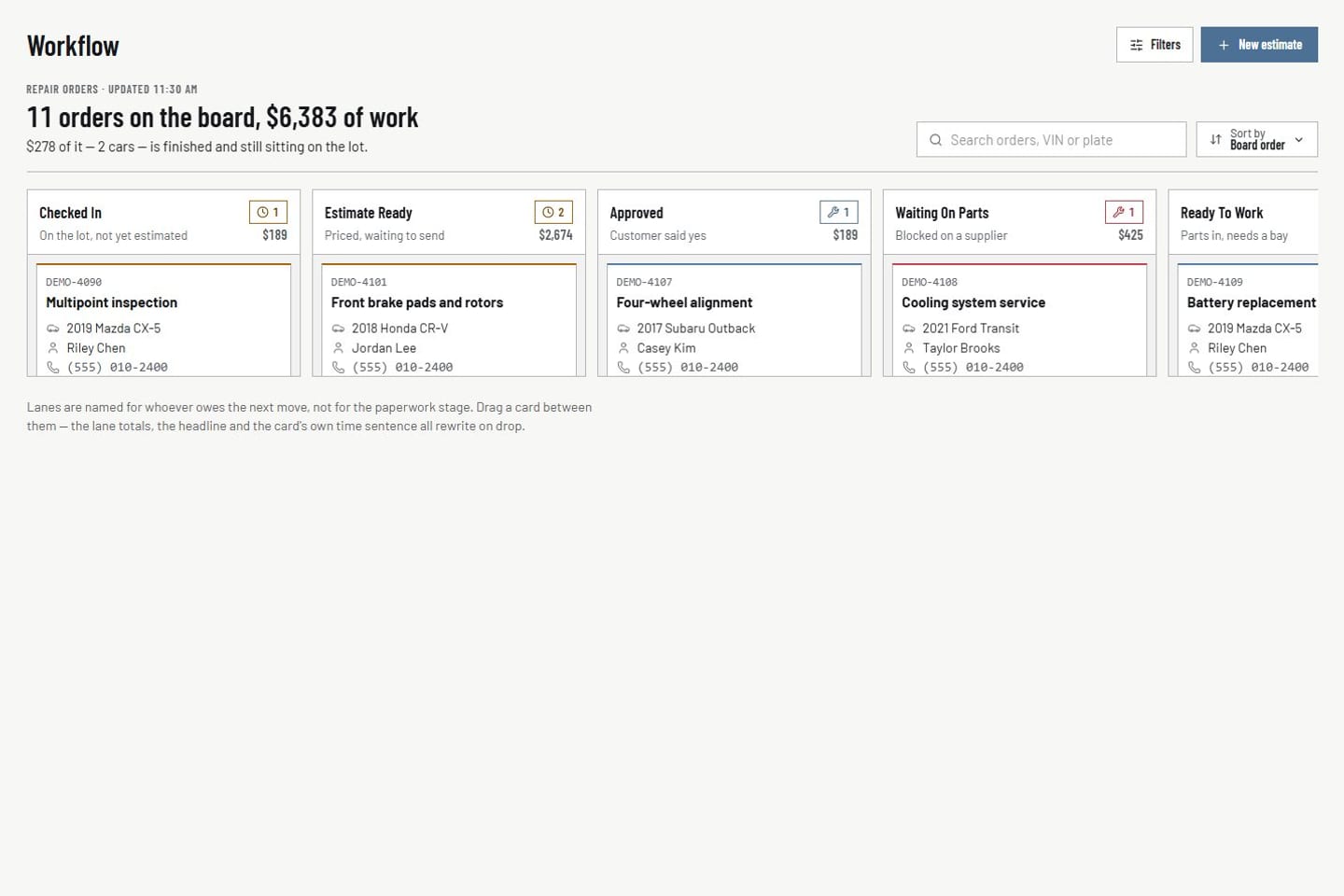
Repair-order board Product screens shown with demo data.
VehicleDesk repair-order board with customer, vehicle, value, and workflow-stage context

02 / Open

Open service and estimate context without leaving the board.

The detail view keeps the linked customer, vehicle, value, mileage, service lines, and estimate state together.

  • Customer, vehicle, value, service-line, and estimate context
  • Mileage and service lines on the same card
  • The whole job on one screen
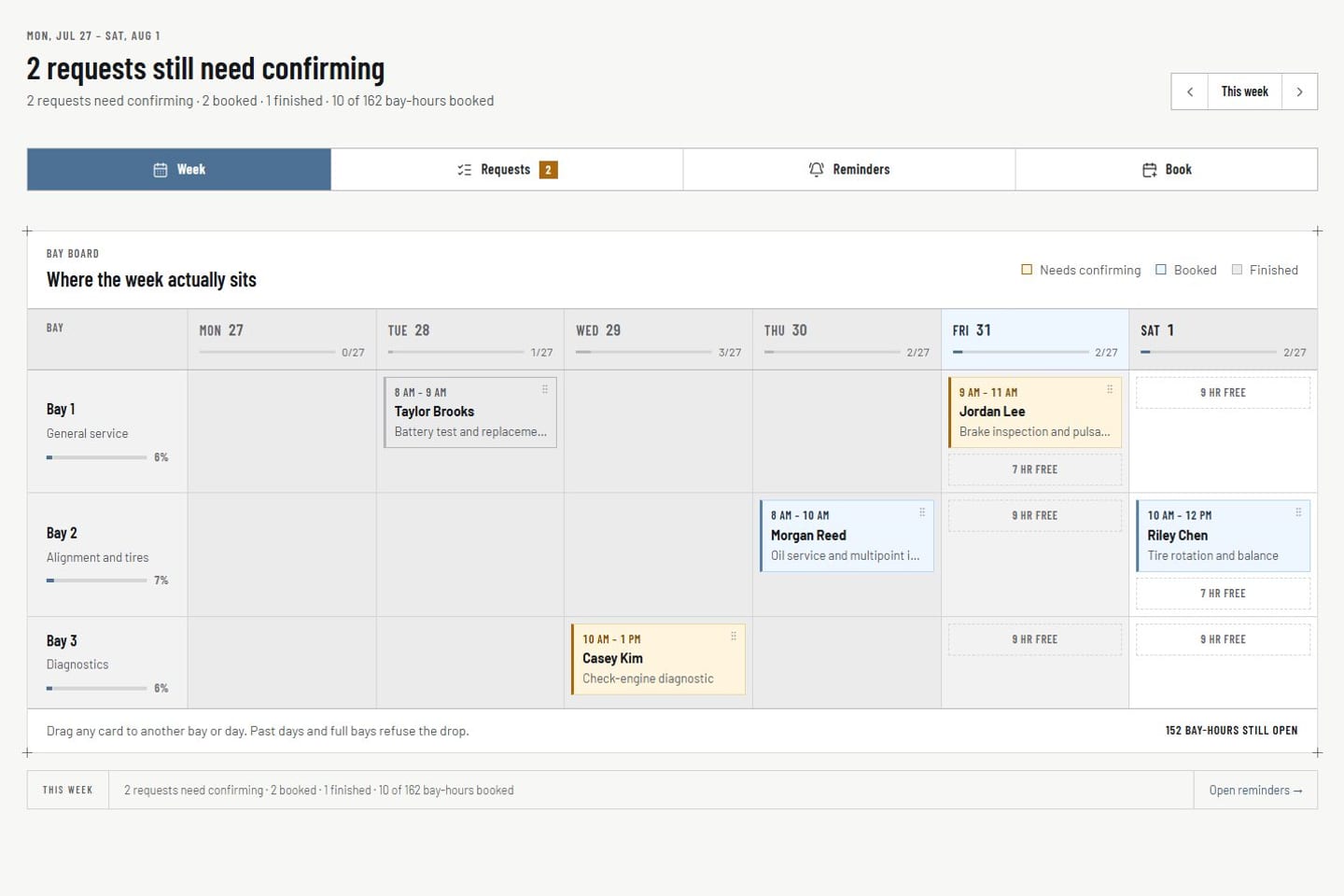
Appointments Product screens shown with demo data.
VehicleDesk appointment workspace with request, schedule, customer, and vehicle context

03 / Move

Move the job forward on the board.

Drag, archive, ready-for-pickup, and complete actions update the board instantly, so the whole shop sees current state. The repair order itself stays in Shopmonkey.

  • Board stage with quick view and detail workspace
  • Parts and vendor costs attached to the job
  • Shopmonkey stays the system of record
Repair-order board Product screens shown with demo data.
VehicleDesk repair-order board with customer, vehicle, value, and workflow-stage context

In practice

Work the board. Shopmonkey keeps the record.

The team focuses the active queue, inspects the job, and moves it forward. Final numbers stay in Shopmonkey.

  1. 01

    Focus

    See only the imported work that still belongs on an active board.

  2. 02

    Open

    Read customer, vehicle, value, and service lines without leaving the job.

  3. 03

    Move

    Update the VehicleDesk stage. Edit the repair order itself in Shopmonkey.

How it fits

VehicleDesk runs the day. Shopmonkey stays the system of record.

VehicleDesk runs the day and records every action. Your team makes the call to the customer, and Shopmonkey stays the system of record.

Board movement in VehicleDesk and the repair record in Shopmonkey

VehicleDesk

The active-work board

Drag, archive, ready-for-pickup, and complete actions update the VehicleDesk workflow state for the whole shop.

  • Actionable stages
  • Customer and service context on the card
  • Finished work leaves the board by rule

Shopmonkey

The repair record

Repair-order edits and invoicing continue in Shopmonkey. The board runs the shop's workflow on top.

  • Repair records and invoicing
  • Estimates published by your team
  • Board movement recorded in VehicleDesk

Connected work

Active work stays connected from booking through cost review.

The repair-order board sits between appointment intake, the customer and vehicle record, and the parts invoices and returns that shape the job's margin.

  • Appointments

    Place and confirm work against the requested time, bay, customer, and vehicle.

    Open this workflow
  • Customer and vehicle

    Open the relationship, service, mileage, inspection, and maintenance history behind the order.

    Open this workflow
  • Parts and vendors

    Enter vendor invoices, reconcile totals, link parts to repair orders, and track returns and cores.

    Open this workflow

Book a demo

See your active jobs on the board.

Bring one active job. We will read the board, the customer context, and how the workflow runs beside Shopmonkey.