Customer Profiles

See the customer, the vehicles, the service, and every conversation in one place.

The profile connects contact readiness, vehicle ownership, service episodes, recorded payments, notes, mileage, appointments, consent, and follow-up. Lifetime and recent value come straight from imported payment records.

Customer relationship Product screens shown with demo data.
VehicleDesk relationship timeline with a customer, vehicles, service, and payment context

Customer Profiles

One workspace for the relationship. Open it, read the history, and leave the next task for the team.

How it works

Start from the relationship, inspect the history, and create the next step.

Lifetime and recent value come from imported payment and service records. The full repair history stays linked in Shopmonkey.

01 / Start

Start from the relationship state.

Headline value, last visit, vehicles, and open service tell the team why this profile needs attention today.

  • Grouped relationship timeline, notes, and tasks
  • Contact readiness, consent, open work, and next action
  • Value calculated from imported payment records
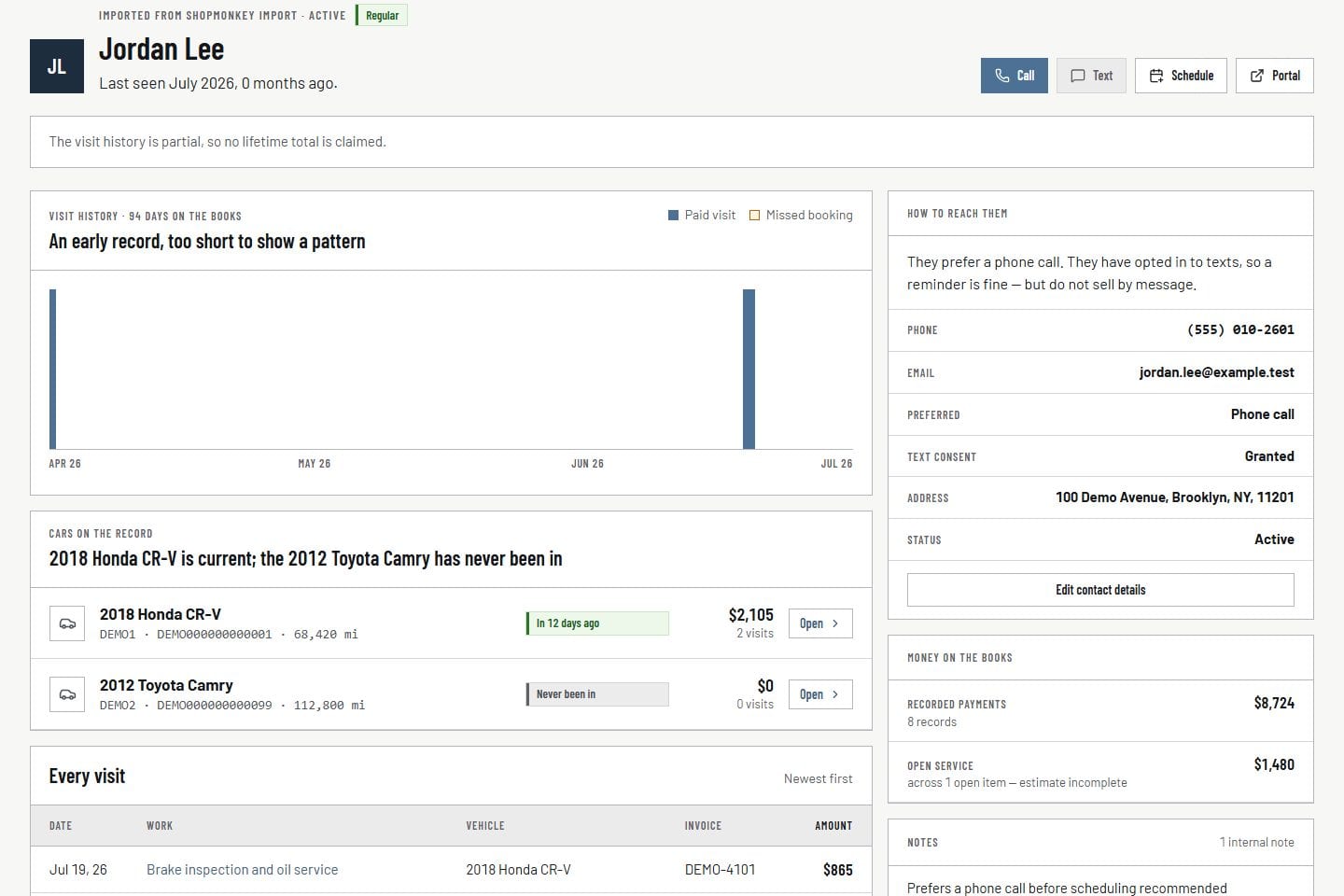
Customer relationship Product screens shown with demo data.
VehicleDesk relationship timeline with a customer, vehicles, service, and payment context

02 / Inspect

Inspect history, maintenance, and active work together.

Service, invoice, payment, note, appointment, mileage, inspection, roadmap, and opportunity history stay connected to the same person.

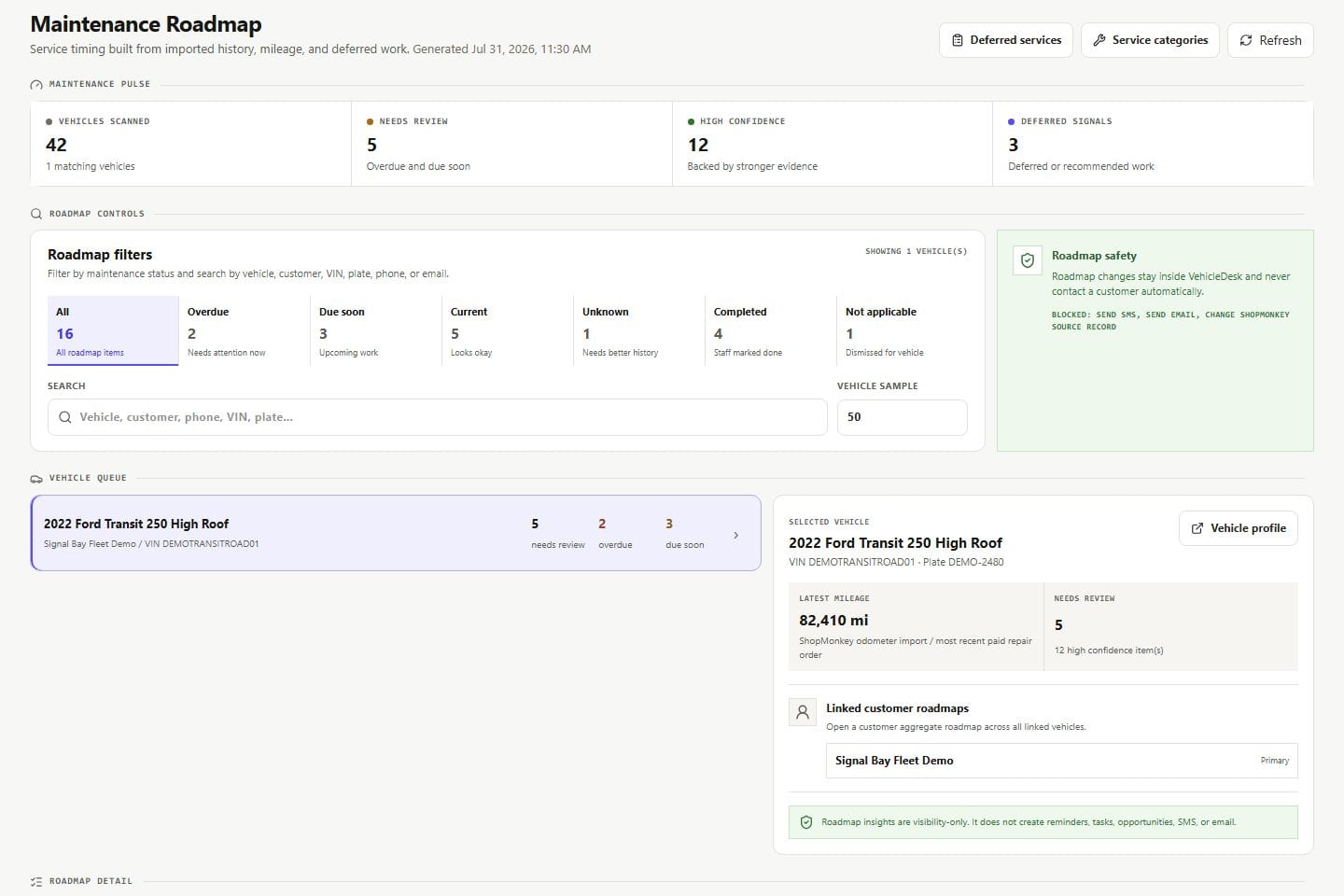
  • Vehicles, mileage, inspections, and maintenance roadmap
  • Service and payment episodes on one timeline
  • Open work attached to the person
Maintenance roadmap Product screens shown with demo data.
VehicleDesk maintenance roadmap with vehicle, mileage, service, and recommendation evidence

03 / Continue

Create the next step with the history attached.

Notes, tasks, reminders, and next steps live on the profile. Imported repair and payment records keep their source meaning.

  • Notes and follow-up on the profile
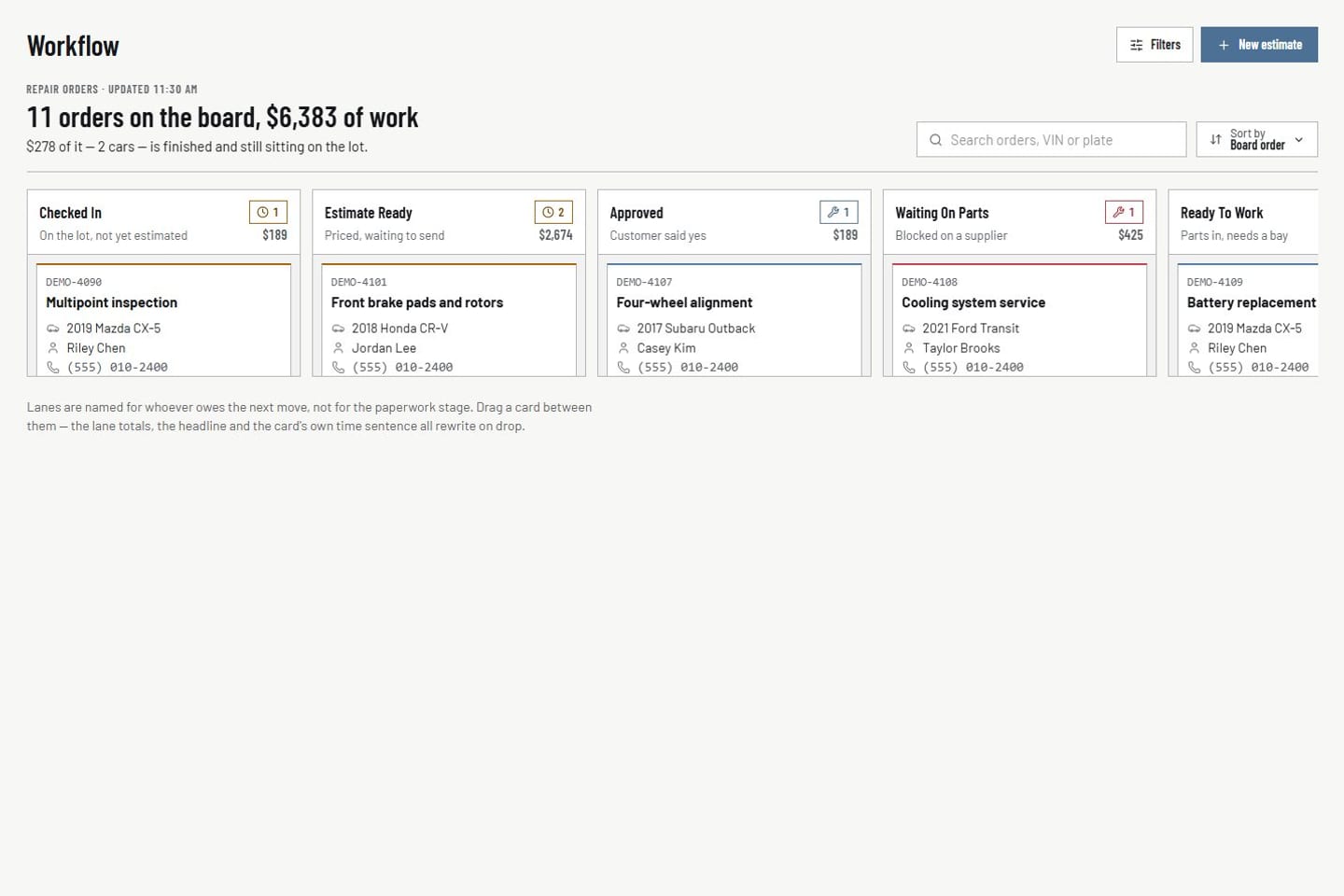
  • Active repair work on the same relationship
  • Repair history linked in Shopmonkey
Repair orders Product screens shown with demo data.
VehicleDesk repair-order board with customer, vehicle, value, and workflow-stage context

In practice

Read the record, then create the next step.

The team opens the person, inspects the vehicles and history, and leaves a task, note, or reminder the rest of the shop follows.

  1. 01

    Start

    Read relationship state, value, visits, and open work first.

  2. 02

    Inspect

    Trace vehicles, mileage, inspections, service, and payments on the same timeline.

  3. 03

    Continue

    Create notes, tasks, and reminders while repair history stays linked in Shopmonkey.

How it fits

VehicleDesk runs the day. Shopmonkey stays the system of record.

VehicleDesk runs the day and records every action. Your team makes the call to the customer, and Shopmonkey stays the system of record.

The relationship workspace and the repair record

VehicleDesk

One relationship workspace

The team sees the person, the vehicles, and the next action without hopping across disconnected screens.

  • Timeline, notes, and tasks
  • Vehicles and maintenance history
  • Consent and contact readiness

Shopmonkey

The system of record

VehicleDesk organizes the relationship. Shopmonkey keeps the repair history, and value comes from imported payments.

  • Repair history stays in Shopmonkey
  • Value from imported payments
  • Notes and follow-up live in VehicleDesk

Connected work

One relationship record supports the rest of the shop.

Customer profiles are the bridge between vehicle maintenance, recovery work, active repair orders, appointments, and the notes that keep the team in sync.

  • Vehicles and maintenance

    Review vehicle health, inspections, service intervals, mileage, and the next maintenance action.

    Open this workflow
  • Recovery workflows

    Move from the relationship into deferred recommendations, opportunities, reminders, and inactive-customer work.

    Open this workflow
  • Active repair work

    Connect current work back to the customer, vehicle, value, service lines, and source record.

    Open this workflow

Book a demo

Walk through a customer profile.

Bring one customer you actually work. We will open the timeline, the vehicles, and the next step.