The operating platform for independent auto repair shops
Run the whole shop from one operating platform.
VehicleDesk turns your Shopmonkey records into today's jobs, prepared conversations, and recovered revenue. Owners see the whole shop and advisors work the next action.
Open the day, move repair orders, recover deferred work, know the customer, stay in touch, and run on numbers that reconcile. Every screen keeps the customer, the vehicle, and the next action together.
01 / Today
Start every day with the calls already lined up.
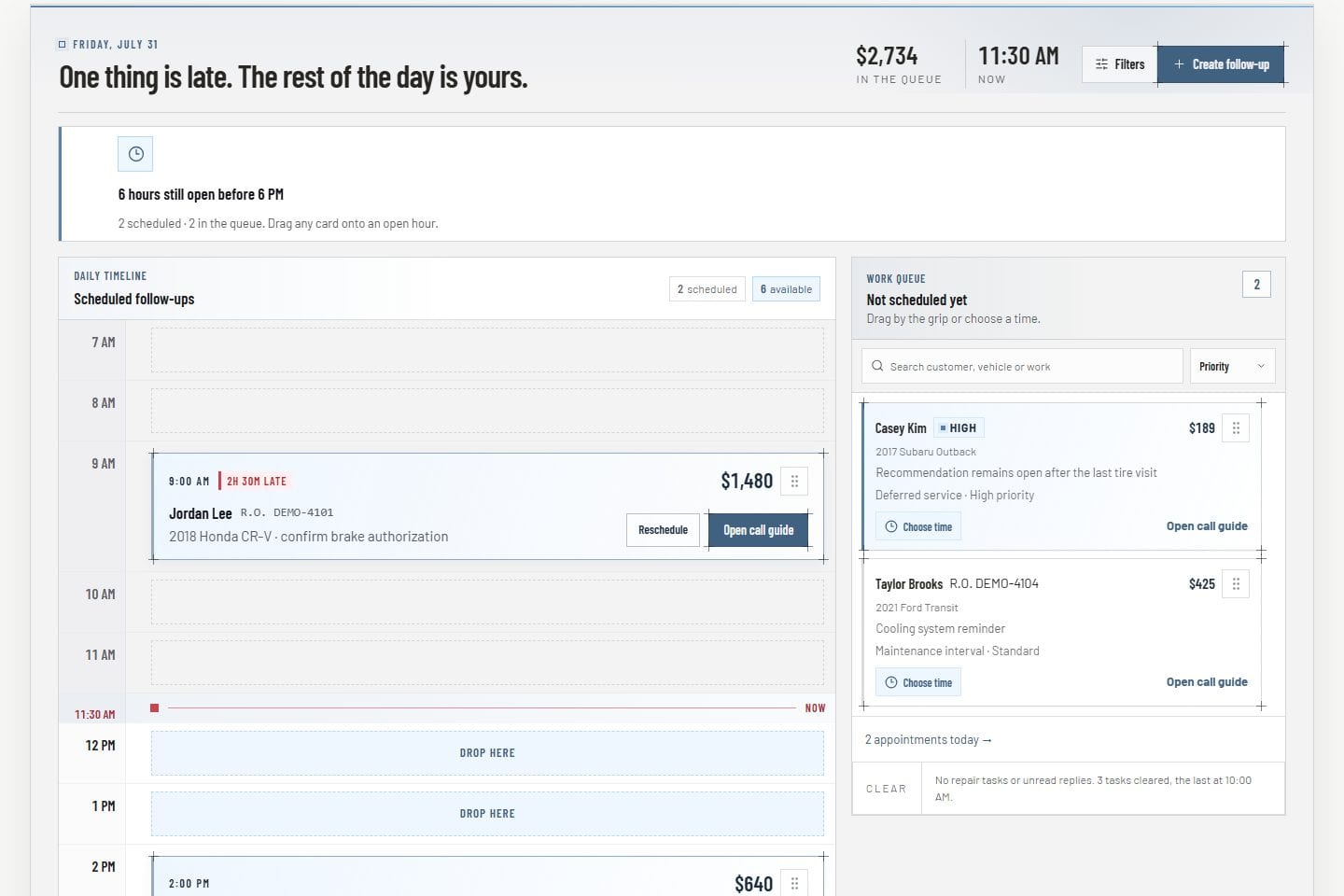
The Today board puts scheduled follow-ups on an hourly timeline with unscheduled customer work in a searchable tray beside it. Advisors open the day knowing who to call, about which vehicle, and when.
Hourly schedule with open time visible
Searchable queue with customer, vehicle, and value
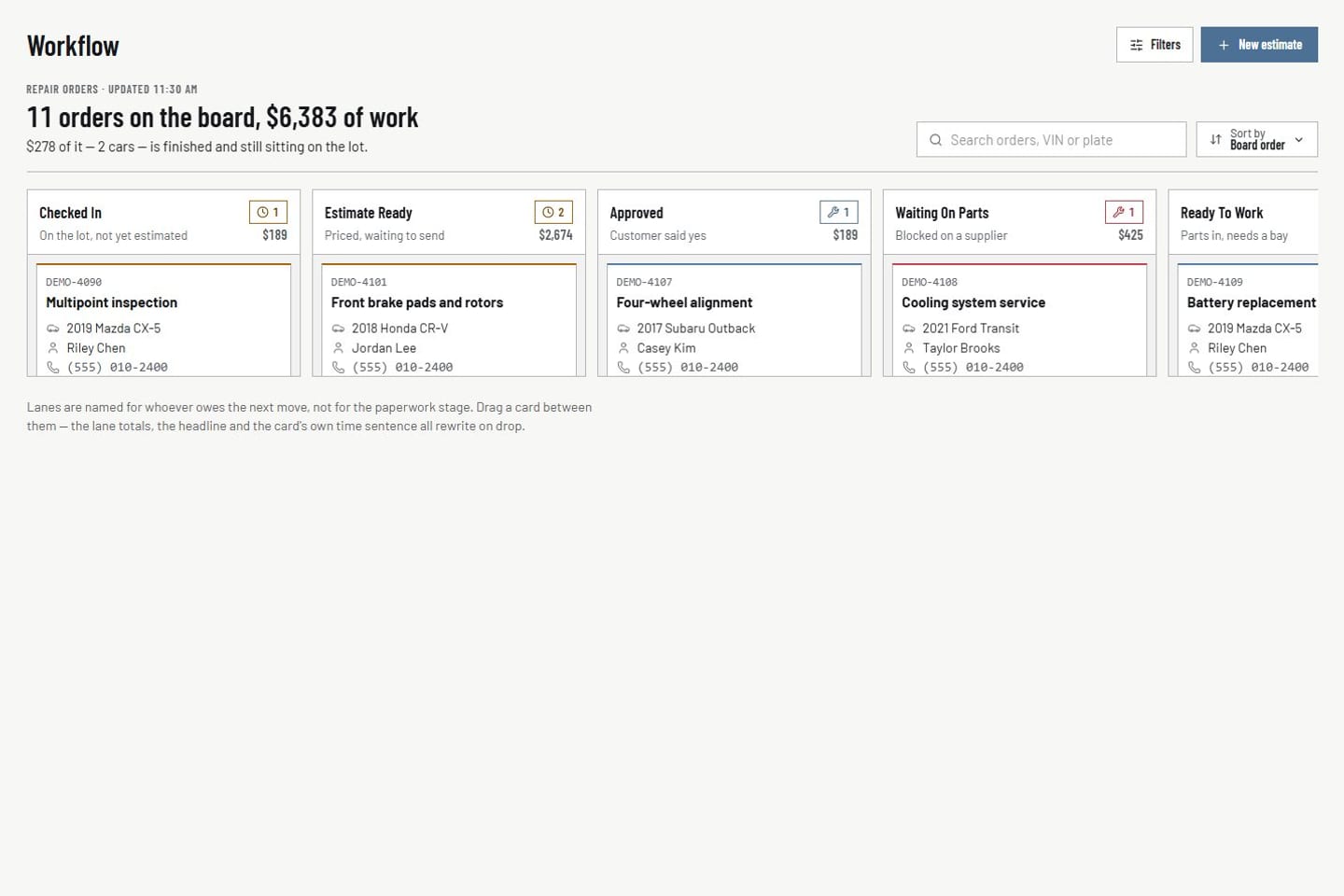
The repair-order board shows active work by stage with drag and quick view. Appointments sit on the same board, so the day stays connected from promise to pickup.
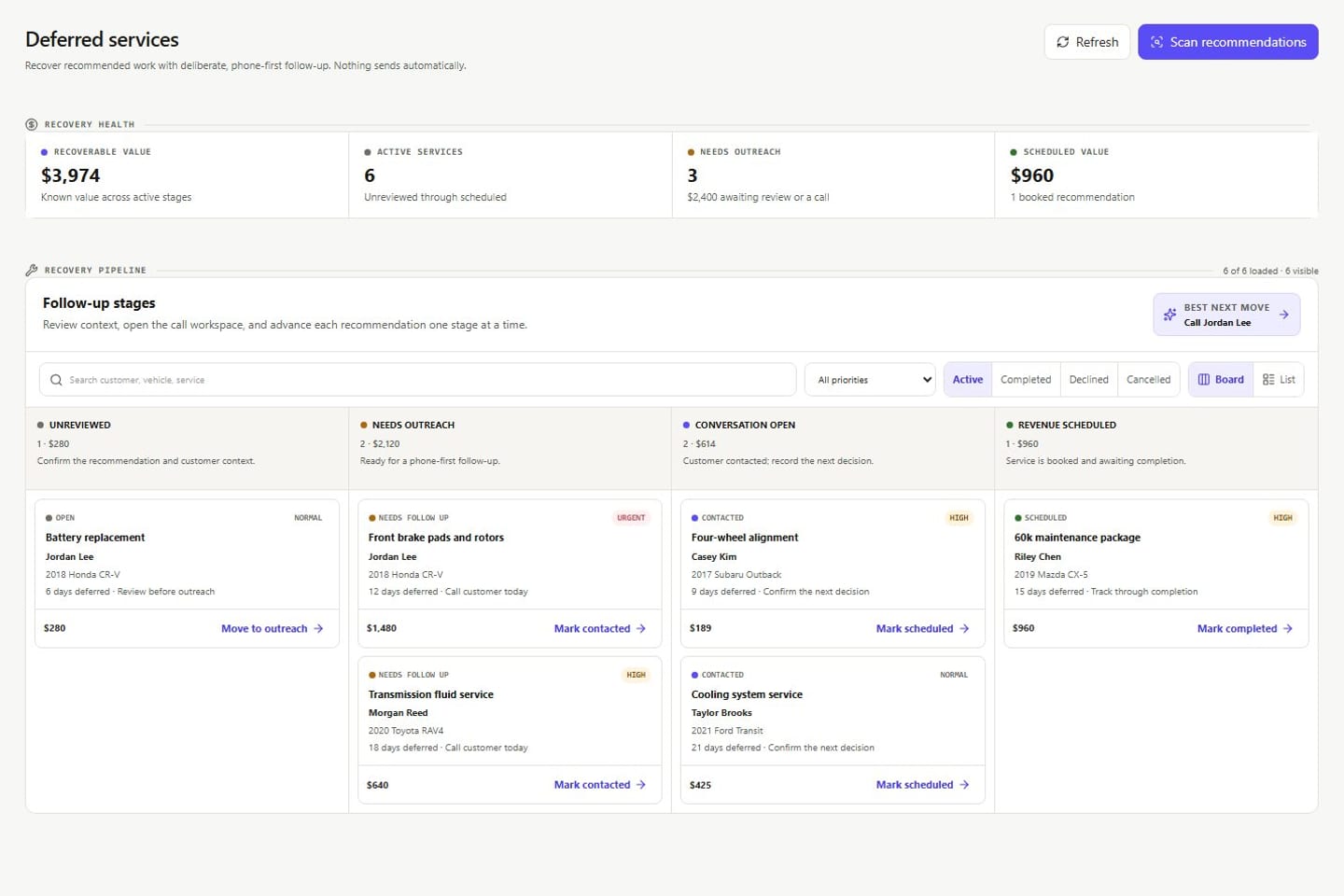
Deferred recommendations move through a four-stage pipeline from open review to scheduled work. Opportunity Hub serves one customer-ready call at a time with the value and a talk track attached.
Open, Needs follow-up, Contacted, and Scheduled stages
One customer, service, value, and talk track in focus
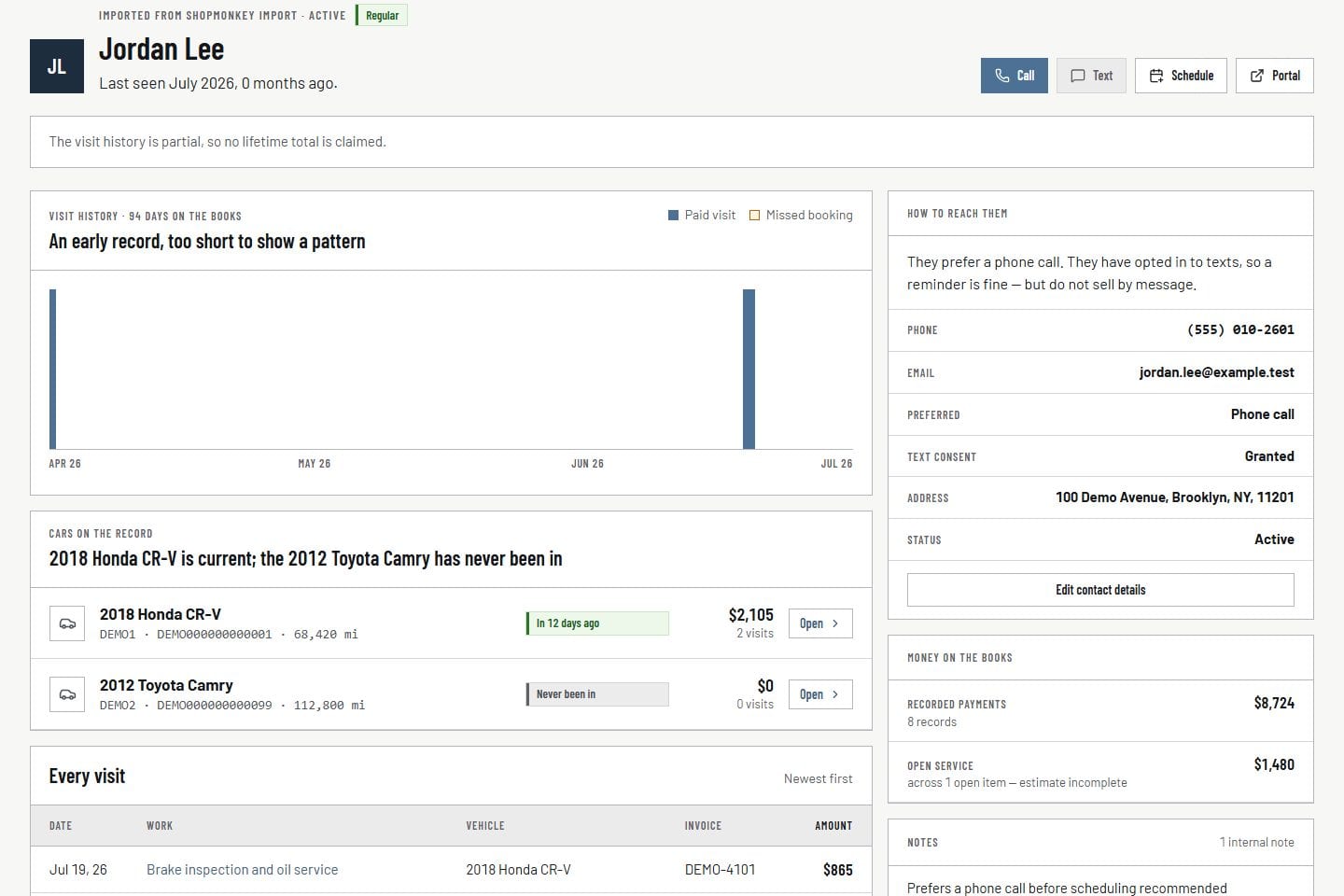
Customer profiles group vehicles, service history, payments, notes, mileage, consent, and follow-up in one workspace. The next step starts from real history.
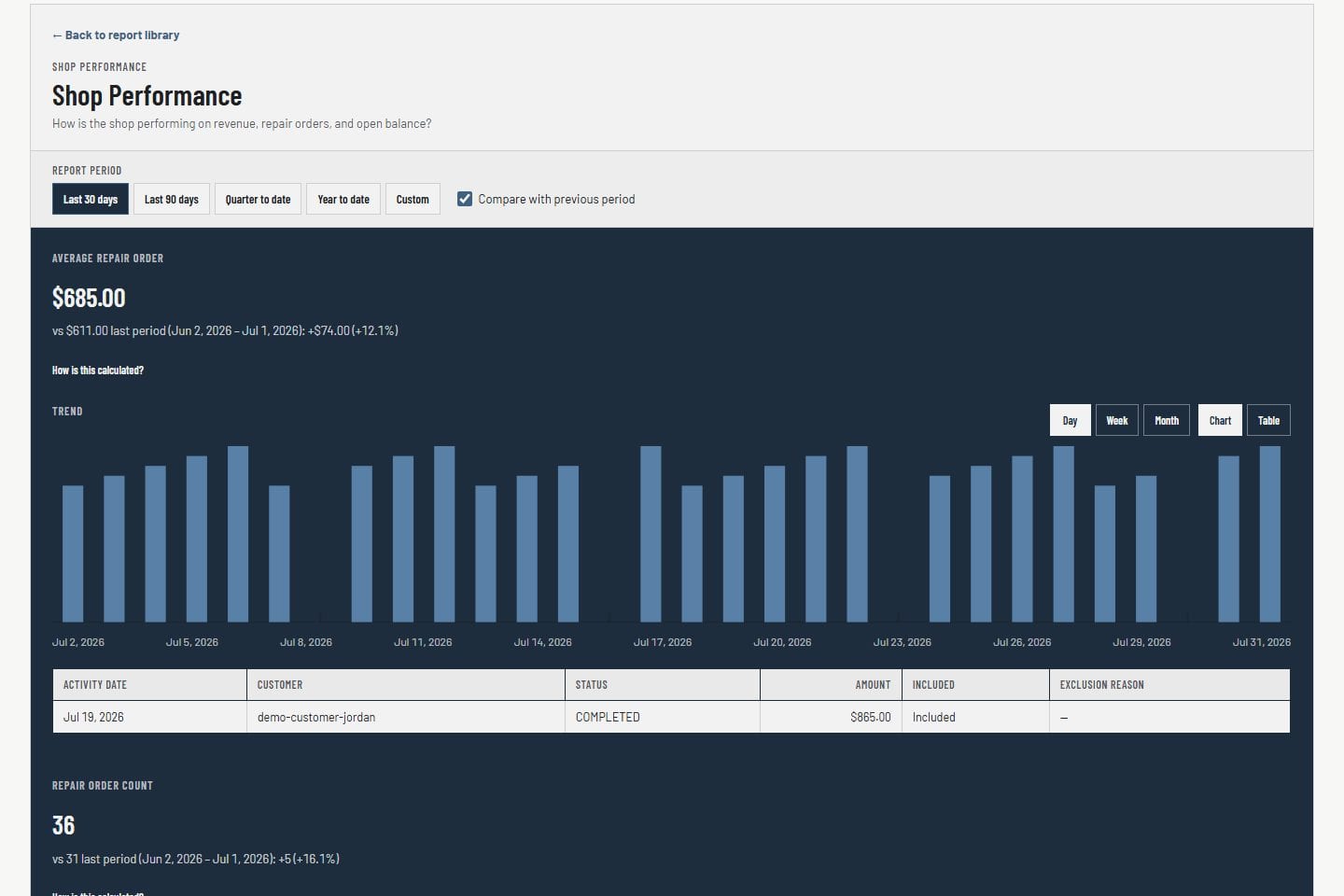
Dashboards collect revenue, visits, and repair-order activity in one place and reconcile with the weekly close. Data-quality checks flag stale or incomplete records before anyone relies on them.
Revenue, visits, and repair-order activity in one view
Figures that reconcile with the weekly close
Data-quality checks for stale or incomplete records
Four steps from the records the shop already keeps to revenue on the schedule.
01
Connect Shopmonkey
Customers, vehicles, repair orders, and payments sync from your Shopmonkey account. The picture starts full on day one.
02
See the day
Today's follow-ups, open repair orders, deferred work, and appointments land on boards and queues, ready when the doors open.
03
Act with context
Advisors open the customer, the vehicle, and the service story on one screen, then make the call with a talk track in reach.
04
Recover revenue
Declined work gets scheduled, messages go out consent-checked, and every outcome lands on the record and in the weekly close.
Built for the people running the shop
The same records, shaped for the decision in front of you.
Owners get the shop picture. Advisors get prepared work. Both views read the same customer, vehicle, and repair-order records.
Owner view
See the whole shop, then open any record.
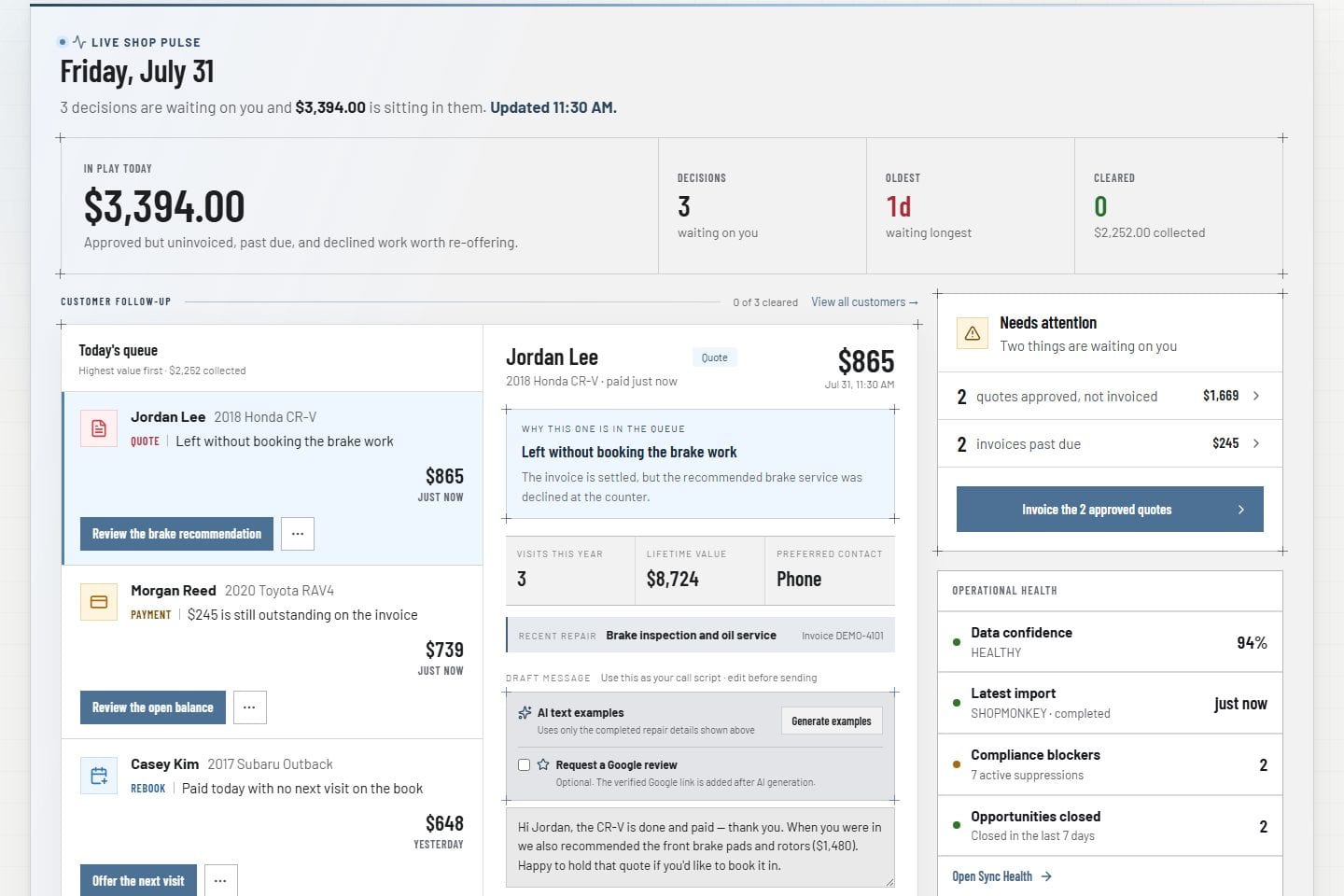
The owner dashboard shows today's workload, recovery value, and follow-up in one view. Every figure opens to the customer, vehicle, or repair order behind it.
Workload, recovery value, and follow-up on one command view.
Revenue on the table
Deferred work and open opportunities carry their dollar value until they are sold.
Numbers that reconcile
Dashboards, reports, parts costs, and the weekly close agree with each other.
Works with your shop system
Shopmonkey stays the system of record.
Customers, vehicles, repair orders, and payments sync from your Shopmonkey account. VehicleDesk runs the board, the follow-ups, deferred work, communications, parts costs, the weekly close, and reporting on top of them.
Every shop works inside its own isolated tenant. Staff sign in with multi-factor authentication, access follows roles, integration credentials stay encrypted, and owners review audit activity and sync health whenever they want.
Your shop's records live in their own tenant. No other shop sees them.
MFA and secure sessions
Every staff sign-in uses multi-factor authentication on a protected session.
Encrypted integration credentials
Shopmonkey credentials stay encrypted on the server and never reach the browser.
Permission-based access
Owners, advisors, and staff each see exactly the work their role covers.
Audit visibility
Every workflow action and import run stays on the audit trail for owners to review.
Sync health
Import freshness and integration state are visible on one screen, so you always know the numbers are current.
Next step
See how VehicleDesk runs your shop's day.
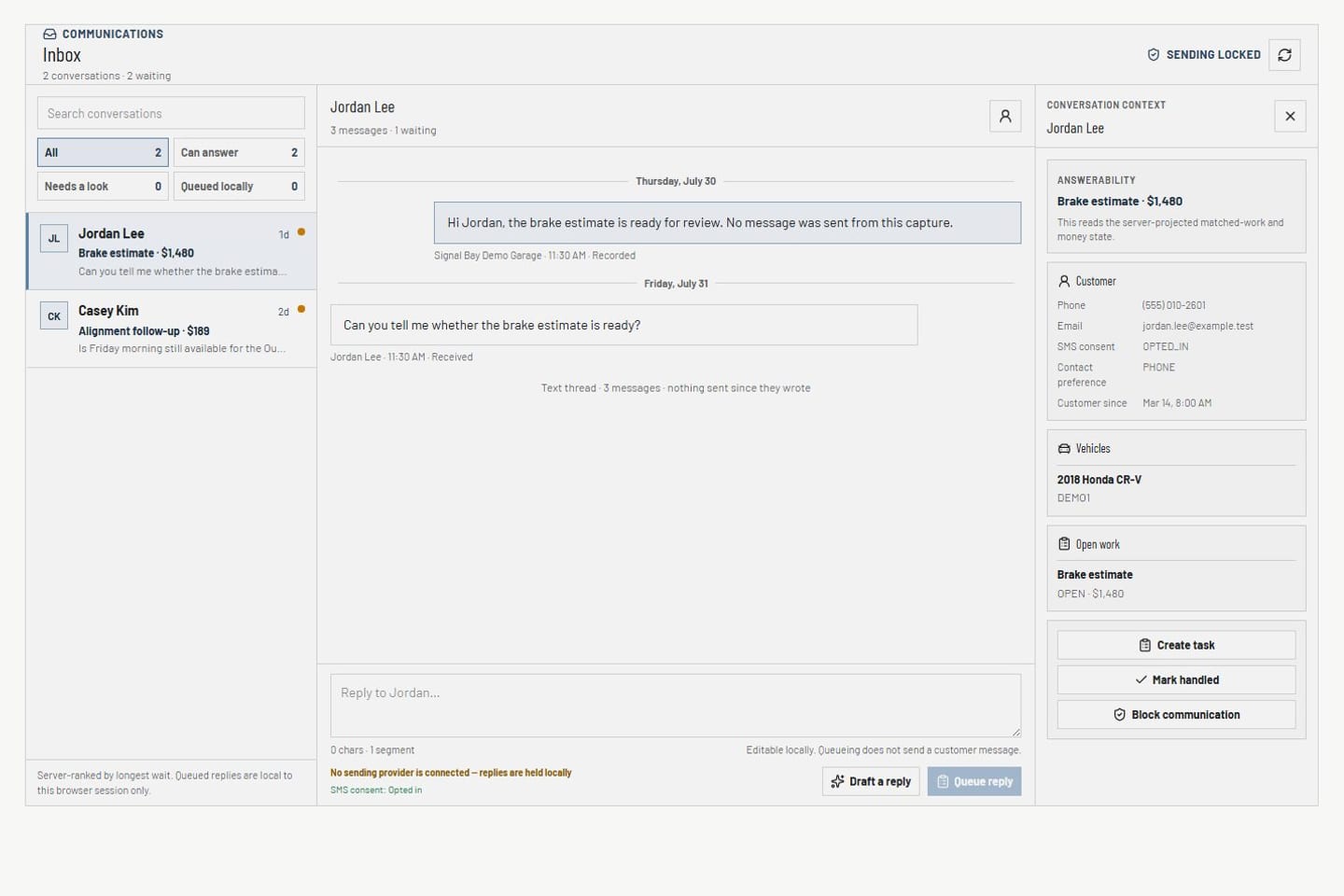
A walkthrough of the operating day on your workflow: the Today board, deferred recovery, customer context, consent-checked messaging, and the weekly close.