Owner Analytics

Read workload, revenue, visits, and customer activity in one owner view.

The owner command view builds summary, trend, source, and follow-up data from the shop's own records. Reporting breaks revenue, repair orders, visits, and customer segments down by range and dimension.

Owner reporting Product screens shown with demo data.
VehicleDesk reports workspace with revenue, repair-order, visit, range, and comparison context

Owner Analytics

Start from the shop picture, then open the records and coverage behind each number.

How it works

Start from the shop picture, then open the records behind each number.

Coverage and freshness sit beside every figure, so you always know the numbers are current.

01 / Command

Start from the owner command view.

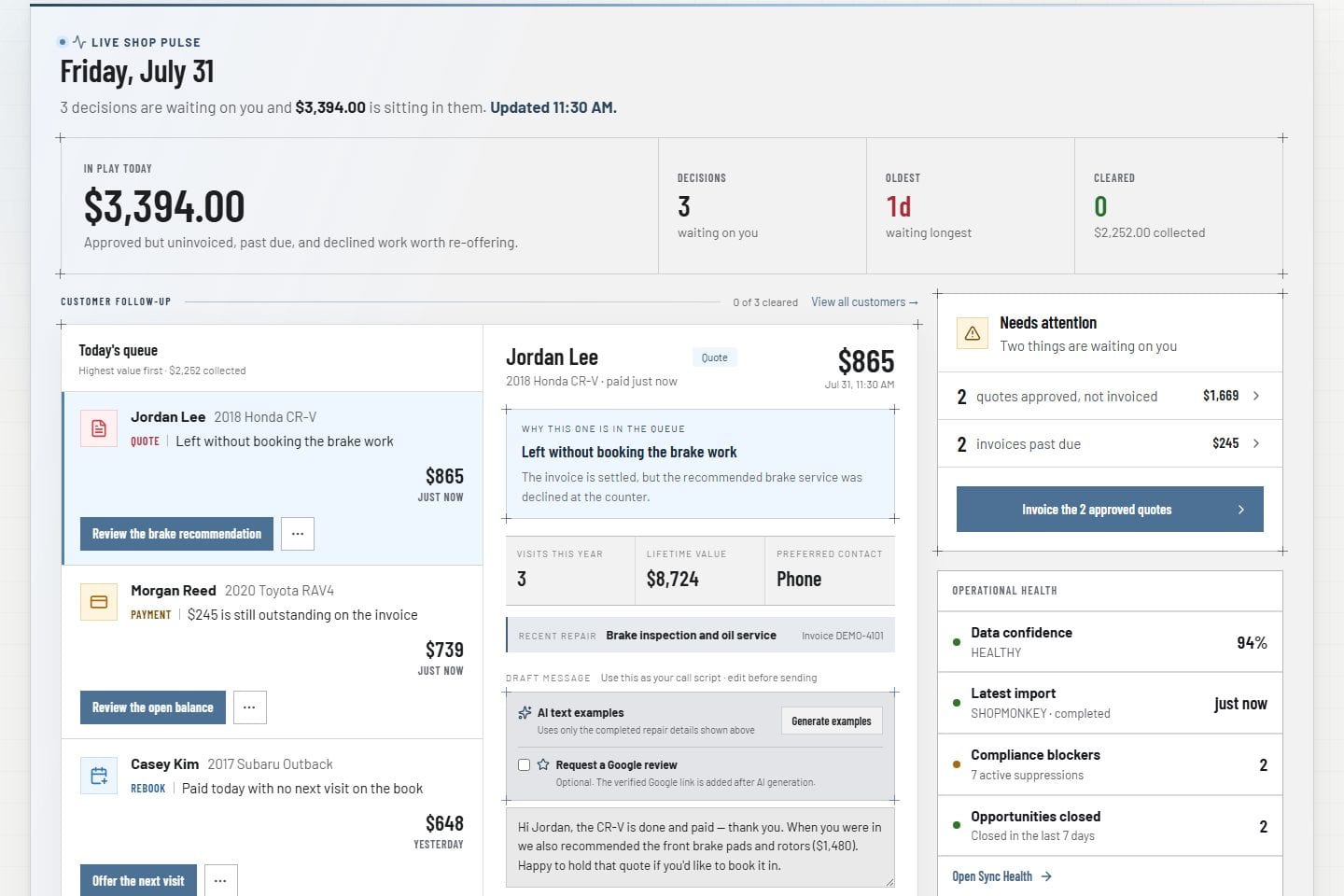
Working ranges, revenue, visits, repair orders, source filters, attention items, and follow-up items come from the live shop workflow.

  • Owner dashboard with working ranges and source filters
  • Follow-up and attention items on the same view
  • Summaries built from imported history
Owner command Product screens shown with demo data.
VehicleDesk owner command dashboard with shop data

02 / Inspect

Inspect performance by range and dimension.

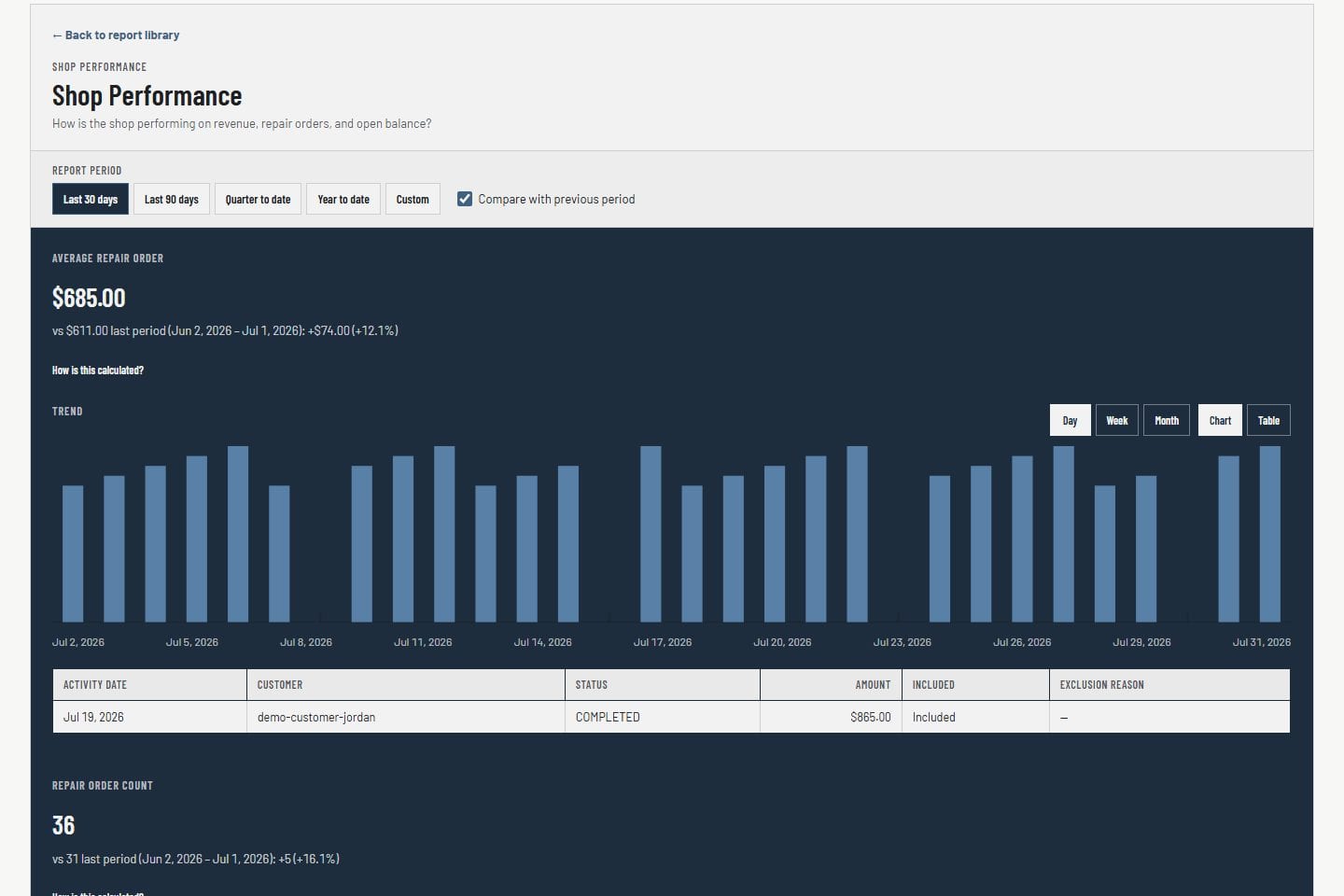
Reporting walks date ranges, segments, period comparison, and revenue decomposition with coverage and freshness beside the number.

  • Revenue, repair orders, visits, and customer segments
  • Range and dimension controls
  • Coverage and freshness beside the figure
Owner reporting Product screens shown with demo data.
VehicleDesk reports workspace with revenue, repair-order, visit, range, and comparison context

03 / Validate

Keep basis, coverage, and freshness beside the number.

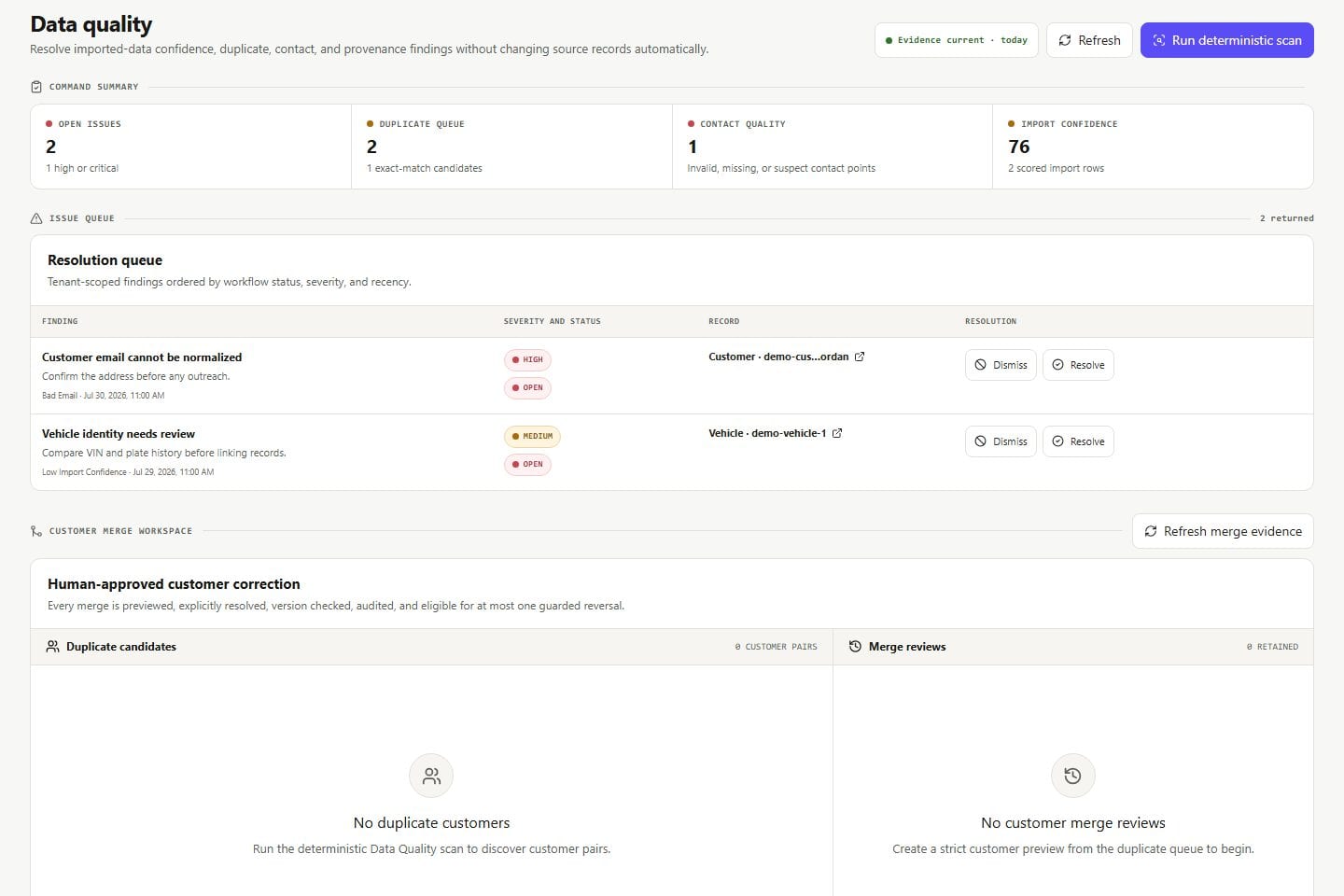
Every figure shows the imported payment, service, customer, and repair-order history behind it, with the period's coverage labeled.

  • Visible coverage and freshness
  • Period coverage labeled on every figure
  • Numbers trace back to operating records
Data quality Product screens shown with demo data.
VehicleDesk data-quality workspace with provenance, duplicate, contact, and linkage findings

In practice

Read the shop, then open the records behind it.

Owners start with command, inspect a range, and read the coverage before acting on a number.

  1. 01

    Command

    Read workload, revenue, visits, and follow-up from the owner view.

  2. 02

    Inspect

    Open ranges, segments, and decomposition with the comparison basis visible.

  3. 03

    Validate

    Read coverage and freshness, then act on the figure.

How it fits

VehicleDesk runs the day. Shopmonkey stays the system of record.

VehicleDesk runs the day and records every action. Your team makes the call to the customer, and Shopmonkey stays the system of record.

The number and the records behind it

VehicleDesk

Owner command and reporting

Owners inspect workload, revenue, visits, and customer activity by range and dimension, all from the shop's own records.

  • Command summary from live records
  • Range and dimension reporting
  • Coverage and freshness in view

Coverage

Numbers with their basis shown

Reports reflect the imported payment, service, customer, and repair-order history behind them, and coverage stays visible on every figure.

  • Coverage and freshness labeled
  • Figures trace to operating records
  • Ranges and dimensions under your control

Connected work

Owner insight rests on the operating records behind it.

Every performance number traces back to daily work, customer retention, parts activity, and the integration coverage behind it.

  • Owner command

    Review workload, trend, attention, follow-up, and operating health from the owner view.

    Open this workflow
  • Data confidence

    Inspect import freshness, linkage, duplicates, provenance, and source coverage behind a number.

    Open this workflow
  • Operations and parts

    Connect performance questions to appointments, repair work, customer activity, and vendor invoice control.

    Open this workflow

Book a demo

See the owner reporting that matters to your shop.

Bring one operating question. We will read the owner view, the range, and the coverage behind the number.