For independent repair shops

Run the whole day on top of Shopmonkey.

Connect Shopmonkey and the shop is live in a week. Customers, vehicles, repair orders, invoices, and payments sync in. The board, follow-ups, deferred work, parts costs, and weekly close run in VehicleDesk. Shopmonkey stays the system of record.

Runs onShopmonkeySystem of record for repair and financial records
Go-liveLive in a weekConnect, sync, and run the first day
The dayOne placeBoard, follow-ups, parts, and close
FreshnessAlways currentWebhooks plus continuous polling

You already have a repair system. VehicleDesk runs everything around it: the board, the follow-ups, the parts costs, and the weekly close.

The independent shop

Shop screens

Connect, sync, then run the day.

Independent shops connect Shopmonkey, watch the history land, and run the board, parts costs, and data quality from the same records.

01 / Sync Health

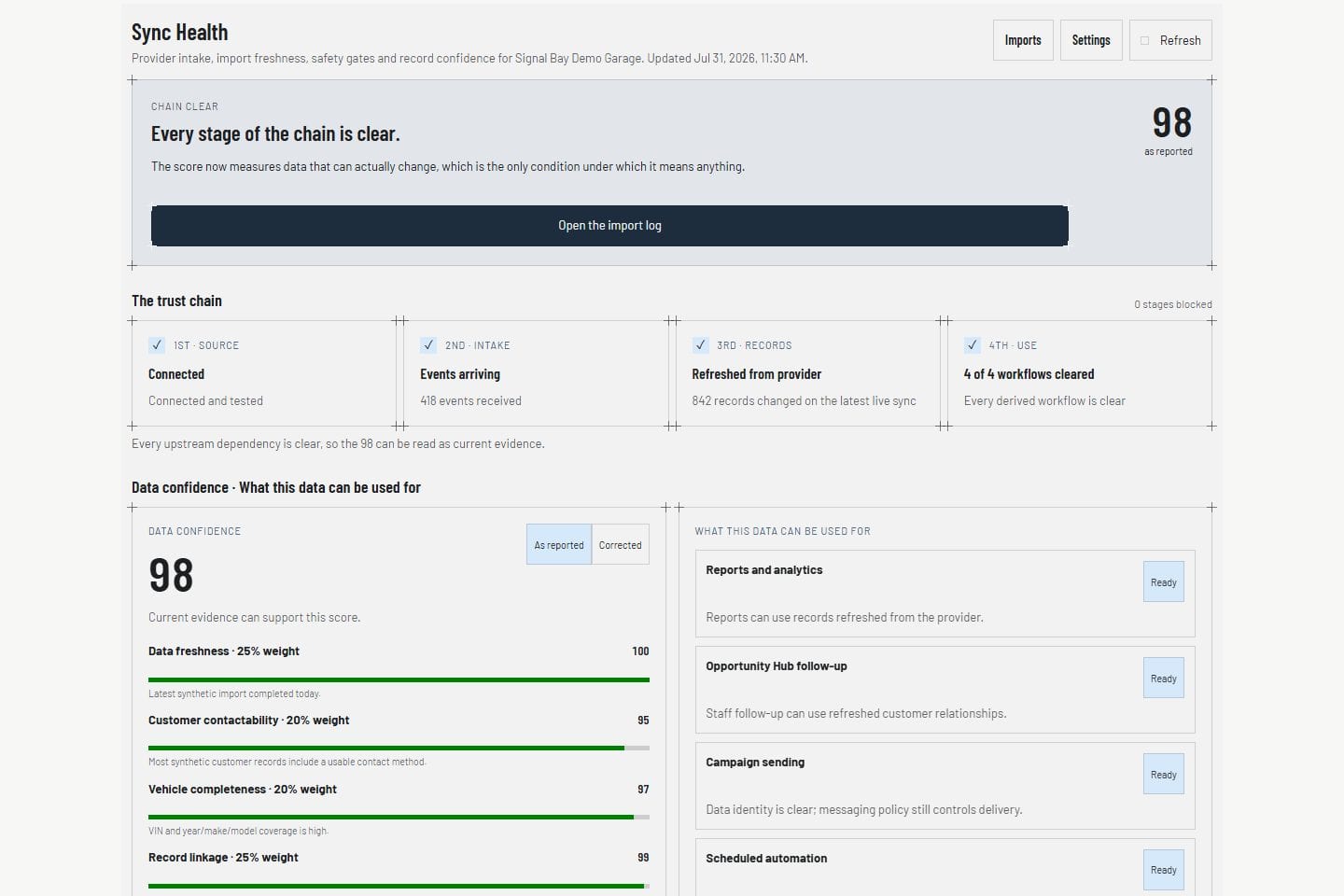
Know the numbers are current.

Sync Health shows the last sync, webhook state, and coverage for every record type. You always know the data the team is working from is current.

  • Last sync and webhook state in view
  • Coverage by record type
  • Provider state without exposing secrets
See the Shopmonkey connection
Sync Health Product screens shown with demo data.
VehicleDesk Sync Health view with integration, freshness, and coverage state

02 / Repair orders

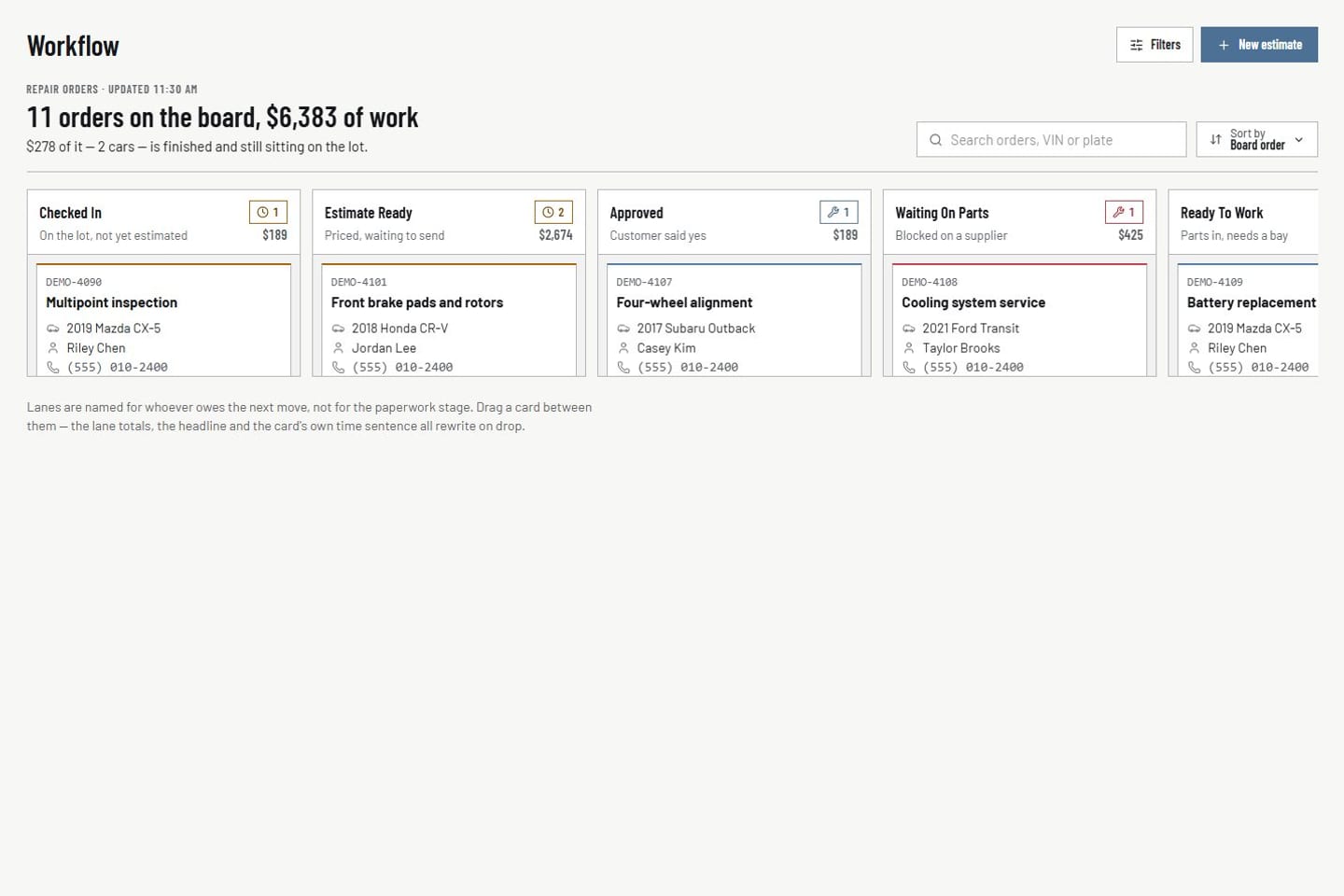
Move active work across the board with the customer attached.

The repair-order board organizes active work by stage with customer, vehicle, value, and service lines on each card. Move a card and the workflow status follows. Shopmonkey keeps the repair record.

  • Board stages and a detail workspace
  • Customer, vehicle, value, and service lines together
  • Ready, complete, and archive controls
See repair orders
Active shop work Product screens shown with demo data.
VehicleDesk active repair-order board rendered with shop work

03 / Parts and vendor costs

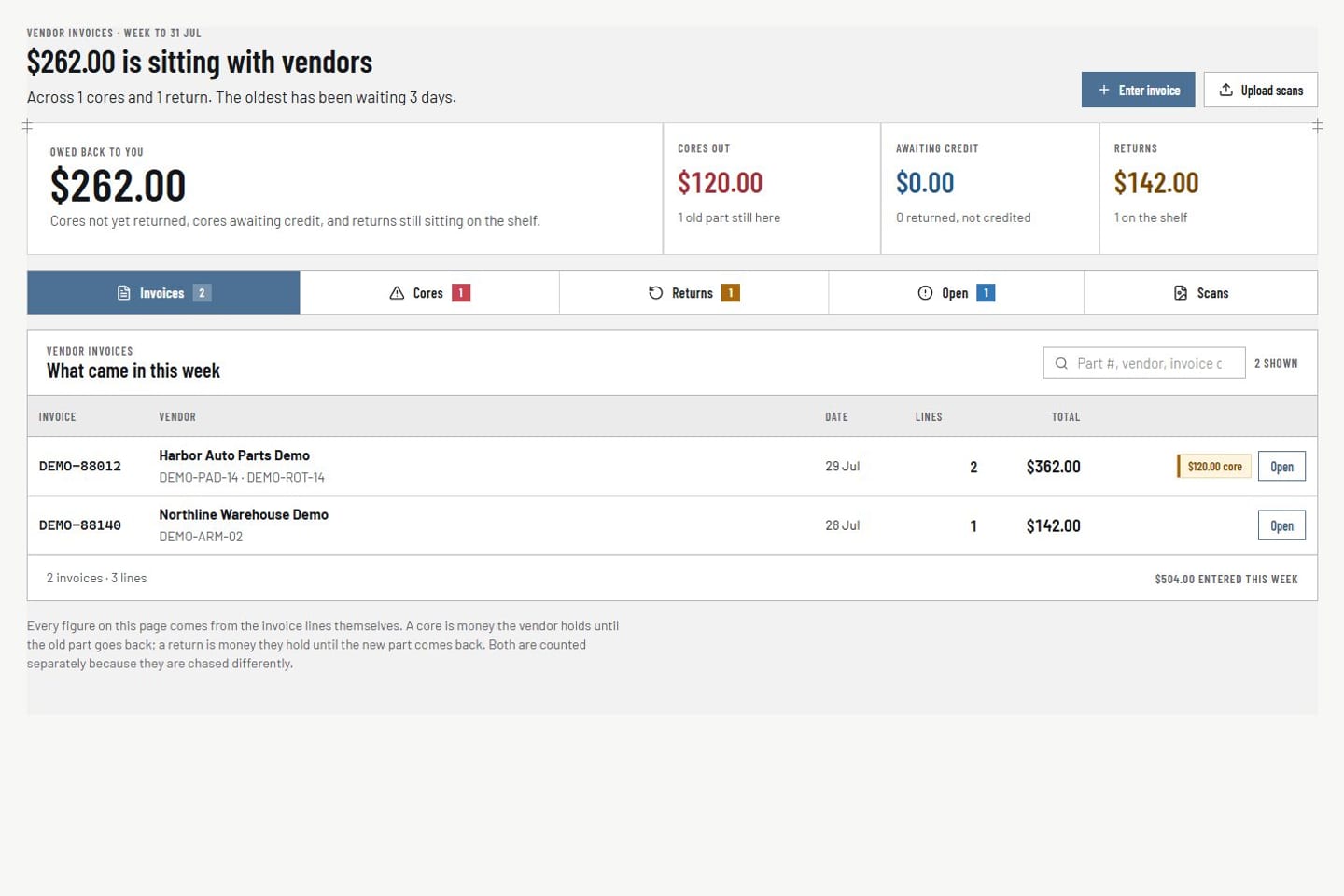
Keep vendor invoices, returns, and cores on the repair order.

Enter the vendor invoice, link it to the job, and keep returns, cores, and credits distinct. Aged open costs stay visible until they are resolved.

  • Vendor invoice entry with repair-order links
  • Returns, cores, and credits tracked separately
  • Aged open costs visible until resolved
See parts and vendor costs
Parts and vendor costs Product screens shown with demo data.
VehicleDesk parts workspace with vendor invoices, returns, cores, and repair-order context

04 / Data quality

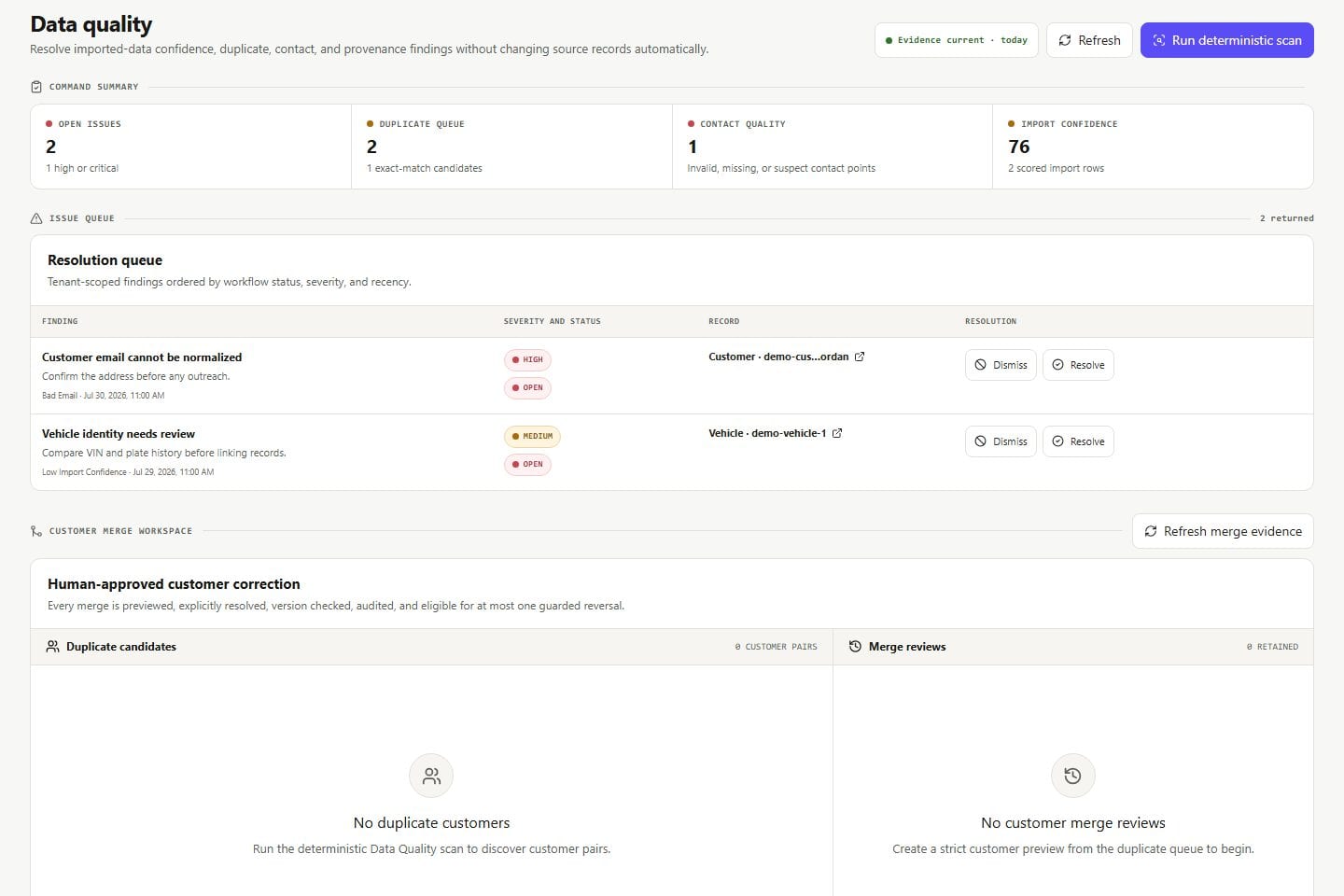
Catch the record problems before they cost a call.

Data quality surfaces duplicate customers, bad phone numbers, and unlinked vehicles so the team fixes them before a follow-up or report depends on them.

  • Import confidence and source provenance
  • Duplicate, contact-quality, and linkage findings
  • Fix the record before the next call
See data quality
Data quality Product screens shown with demo data.
VehicleDesk data-quality workspace with provenance, duplicate, contact, and linkage findings

Shop cadence

Connect in minutes. Live in a week.

Connect Shopmonkey, let the history sync, run the first day, and close the first week.

  1. 01

    Connect Shopmonkey

    Authorize the connection. Customers, vehicles, repair orders, invoices, and payments start syncing.

  2. 02

    Run the day

    Owner command, Today, appointments, and the repair-order board run on the same customer and vehicle records.

  3. 03

    Recover revenue

    Deferred work, opportunities, and quiet customers come back through prepared, consent-checked conversations.

  4. 04

    Close the week

    Vendor invoices, returns, cores, and the weekly close land with every number current.

What stays in Shopmonkey, what runs in VehicleDesk

Shopmonkey

System of record

Customers, vehicles, services, estimates, invoices, payments, and repair orders live in Shopmonkey and sync into VehicleDesk.

  • Repair and financial records
  • Estimates and invoices
  • Payments

VehicleDesk

The shop's day

The board, follow-ups, deferred work, communications, parts costs, weekly close, and reporting run here.

  • Board, Today, and appointments
  • Deferred work, follow-ups, and messaging
  • Parts costs, weekly close, and reporting

System of record

Shopmonkey stays the system of record. VehicleDesk runs the day.

Customers, vehicles, repair orders, invoices, payments, services, parts, and workflow statuses sync from Shopmonkey through webhooks and continuous polling. Every customer message is consent-checked before it sends.

Other seats

Three seats. One set of records.

Owners see the money. Advisors get a prepared day. Independent shops run the whole day on top of Shopmonkey.

Book a demo

See VehicleDesk run your shop's day.

Bring one real day: the owner picture, an advisor queue, or the parts and data problems that stall both. We run it on VehicleDesk on top of Shopmonkey.